 PH
PHBit-by-Bit
Forum Guru
CCBOOT
Installer Version
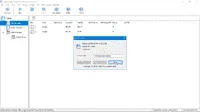
About this App:
CCBoot is a diskless boot system that will make all of your PCs like new after every single reboot. This means, no more worrying about Spyware, Viruses, and Trojans. Every single time a PC is rebooted, it’s wiped clean, leaving you with the feeling of a fresh install after every restart. Your computers are safer and they run faster. But, that’s not all…
You can update all of your PCs with a single click of your mouse, saving countless hours. Have a piece of software you want to deploy across ALL of your PCs? No problem… Simply install on your “master” computer, reboot the rest of the PCs, and voila! You’re done! CCBoot makes managing multiple PCs fast and easy. If you have multiple computers, and you want to save time and money, and make your entire network more secure, CC Boot is for you.
CCBoot is widely used by:
Schools
Internet Cafes
Companies With Multiple Computers
Apartment Communities or Hotels with “Business Centers”
Features:
• Easy Updates
When the “master” PC is updated, the rest of the PCs on the LAN will update with a simple reboot.
• No More Viruses, Trojans, and Spyware
The system will be restored after every reboot, leaving your PCs in a clean state at all times.
• Save Money On Human Resources
One person can handle updates, maintenance, and software rollouts that used to take multiple people hours… or days.
• No More Buying Hard Drives
Client PCs don’t need a hard drive… this alone could save you THOUSANDS of dollars.
• Personal Disk Support Included
Have data you don’t want wiped during reboot? No problem. Store client data that is never lost. This is great for companies that have files that need to be saved beyond reboot.
• Multiple OS Boot Option
You can boot from more than one operating system from the same client.
• Efficient Cache Equipped
Equipped with good cache performance, physical memory, and SSD cache support.
• Easy Restore Points
Set restore points such as create recovery, merge to last, and restore to last. This makes it easier to fix problems and maximize performance.
• Graphic Boot
You can set the graphic boot menu anyway you want for easy customization.
• Load Balance
CCBoot supports single servers with multi NICs load balance, and multiple servers load balance.
• VLAN and Multiple LANs
CCBoot can be used on dual NICs, dual LANs, dual LANs segment, and even VLAN.
• Windows Domain
Works perfectly with Windows domain. Login with your domain account, and then load and store personal data on the personal disk.
• One Image for All Specs
The PnP function of CCBoot makes it possible to create a single image for all client PCs with various specifications.
How to install CCBoot?
Install the Program as CCboot Server Installation
Do not launch the program yet, exit/close if it is running.
Copy Cracked files from Crack Folder to installation directory (Where’s program installed)
Then launch the program.
Go to “About” Option, enter the Provided license key [DEPENDS ON THE VERSION]
and Restart PC after installation [IMPORTANT]
Do not get any upcoming update about this program [IMPORTANT].
Block the program via firewall [DEPENDS ON THE VERSION]
You do not have permission to view the full content of this post. Log in or register now.
You do not have permission to view the full content of this post. Log in or register now.
You do not have permission to view the full content of this post. Log in or register now.
You do not have permission to view the full content of this post. Log in or register now.
You do not have permission to view the full content of this post. Log in or register now.
You do not have permission to view the full content of this post. Log in or register now.
You do not have permission to view the full content of this post. Log in or register now.
You do not have permission to view the full content of this post. Log in or register now.
Note: Untested ko po ito kasi may nag request lang sa thread ko.
Salamat.
Hit Like or React nalang.
Installer Version
About this App:
CCBoot is a diskless boot system that will make all of your PCs like new after every single reboot. This means, no more worrying about Spyware, Viruses, and Trojans. Every single time a PC is rebooted, it’s wiped clean, leaving you with the feeling of a fresh install after every restart. Your computers are safer and they run faster. But, that’s not all…
You can update all of your PCs with a single click of your mouse, saving countless hours. Have a piece of software you want to deploy across ALL of your PCs? No problem… Simply install on your “master” computer, reboot the rest of the PCs, and voila! You’re done! CCBoot makes managing multiple PCs fast and easy. If you have multiple computers, and you want to save time and money, and make your entire network more secure, CC Boot is for you.
CCBoot is widely used by:
Schools
Internet Cafes
Companies With Multiple Computers
Apartment Communities or Hotels with “Business Centers”
Features:
• Easy Updates
When the “master” PC is updated, the rest of the PCs on the LAN will update with a simple reboot.
• No More Viruses, Trojans, and Spyware
The system will be restored after every reboot, leaving your PCs in a clean state at all times.
• Save Money On Human Resources
One person can handle updates, maintenance, and software rollouts that used to take multiple people hours… or days.
• No More Buying Hard Drives
Client PCs don’t need a hard drive… this alone could save you THOUSANDS of dollars.
• Personal Disk Support Included
Have data you don’t want wiped during reboot? No problem. Store client data that is never lost. This is great for companies that have files that need to be saved beyond reboot.
• Multiple OS Boot Option
You can boot from more than one operating system from the same client.
• Efficient Cache Equipped
Equipped with good cache performance, physical memory, and SSD cache support.
• Easy Restore Points
Set restore points such as create recovery, merge to last, and restore to last. This makes it easier to fix problems and maximize performance.
• Graphic Boot
You can set the graphic boot menu anyway you want for easy customization.
• Load Balance
CCBoot supports single servers with multi NICs load balance, and multiple servers load balance.
• VLAN and Multiple LANs
CCBoot can be used on dual NICs, dual LANs, dual LANs segment, and even VLAN.
• Windows Domain
Works perfectly with Windows domain. Login with your domain account, and then load and store personal data on the personal disk.
• One Image for All Specs
The PnP function of CCBoot makes it possible to create a single image for all client PCs with various specifications.
How to install CCBoot?
Install the Program as CCboot Server Installation
Do not launch the program yet, exit/close if it is running.
Copy Cracked files from Crack Folder to installation directory (Where’s program installed)
Then launch the program.
Go to “About” Option, enter the Provided license key [DEPENDS ON THE VERSION]
and Restart PC after installation [IMPORTANT]
Do not get any upcoming update about this program [IMPORTANT].
Block the program via firewall [DEPENDS ON THE VERSION]
You do not have permission to view the full content of this post. Log in or register now.
You do not have permission to view the full content of this post. Log in or register now.
You do not have permission to view the full content of this post. Log in or register now.
You do not have permission to view the full content of this post. Log in or register now.
You do not have permission to view the full content of this post. Log in or register now.
You do not have permission to view the full content of this post. Log in or register now.
You do not have permission to view the full content of this post. Log in or register now.
You do not have permission to view the full content of this post. Log in or register now.
Note: Untested ko po ito kasi may nag request lang sa thread ko.
Salamat.
Hit Like or React nalang.


