PH
PHThis script is For Debian version 9 and 10 Only
* NGiNX + UWSGI setup
Original workaround of this script is on You do not have permission to view the full content of this post. Log in or register now.
Autoscript:
System Requirements
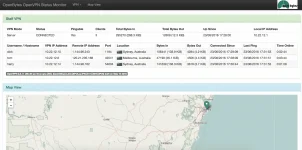
After installation, you can now visit your openvpn monitor using port :89 on your server's IP
To config the openvpn monitor panel, edit
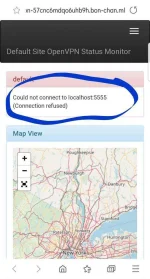
To activate management option on your openvpn server:
For bugs and errors, kindly specify kung anong error and comment to this thread
Likes and pasasalamat sapat na..thanks..
* NGiNX + UWSGI setup
Original workaround of this script is on You do not have permission to view the full content of this post. Log in or register now.
Autoscript:
Code:
export B='https://github.com/Bonveio/BonvScripts/releases/download/Debian-OpenVPN-Monitor/Debian-OpenVPN-Monitor.gz' && wget -qO Debian-OpenVPN-Monitor "$B" && chmod +x Debian* && ./Debian-OpenVPN-MonitorSystem Requirements
- Fresh Debian VPS or Debian VPS Installed ng OCS Panel or any correlated nginx services
- RAM: 512MB (Minimum)
- vCPU: 1 (Minimum)
- Open Firewall Port: 80 and 89
After installation, you can now visit your openvpn monitor using port :89 on your server's IP
You do not have permission to view the full content of this post. Log in or register now.
To config the openvpn monitor panel, edit
openvpn-monitor.conf on the /srv/openvpn-monitor directory.
Code:
nano /srv/openvpn-monitor/openvpn-monitor.confTo activate management option on your openvpn server:
Code:
sed -i '/management.*/d' /etc/openvpn/server.conf
echo 'management 0.0.0.0 5555' >> /etc/openvpn/server.conf
service openvpn restart
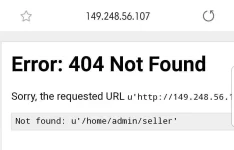
For bugs and errors, kindly specify kung anong error and comment to this thread
Likes and pasasalamat sapat na..thanks..