PH
PHangelalaine
Leecher
Thanks
Sir I dôwnlôaded the active x pero lumalabas pa rin yung active x...I also reboot my pc pero ganun pa rin po. Tnx
Nevermind na po sir. I had it running na po. Tnx for this tut
Thanks
Sir I dôwnlôaded the active x pero lumalabas pa rin yung active x...I also reboot my pc pero ganun pa rin po. Tnx
okNevermind na po sir. I had it running na po. Tnx for this tut

yes imbakeep it up ts madami kang matutulungan
may nakaattach sa thread ko like mo first para makita mopa hingi naman ng intaller ng wimax tool 3.0 boss
di po ako si scriptboss script error sakin ano po kyang problema, pag papalitan ko na ng mac address activx error

welcomethanks for sharing boss
pakisreenshot mo nalang para makita kobakit sakin sir di nako makapag snipe ng new series, block na ung security page, hindi na niya ma change ung security liban nalang kung manual change.
Para ito sa mga newbie sana makatulong
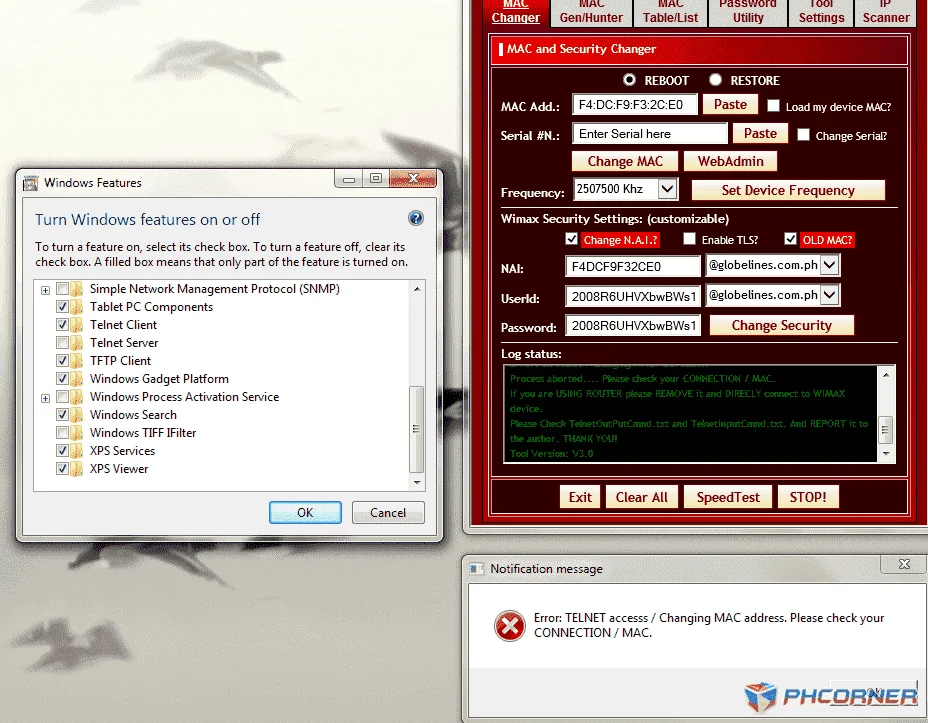
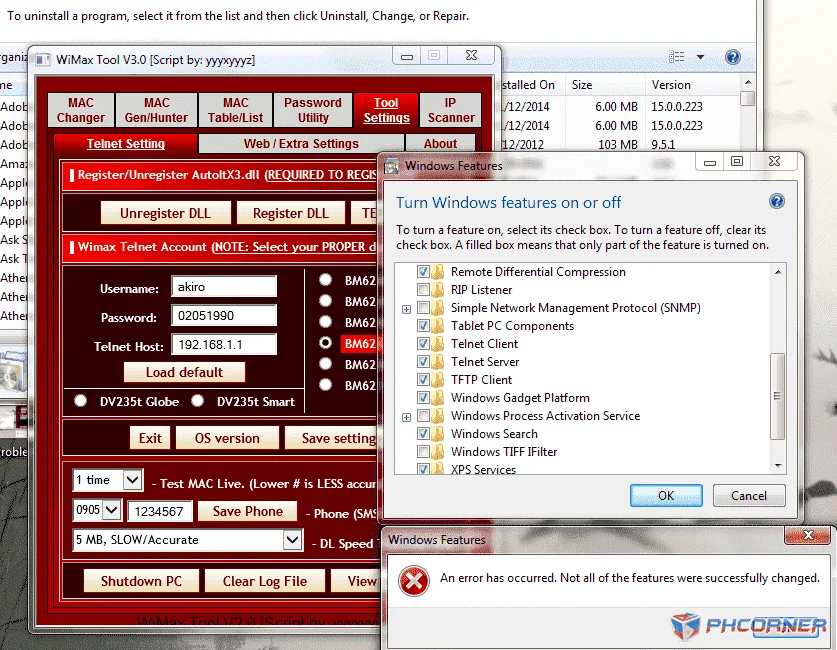
Una sa lahat kelangan niyo nakacheck enable telnet niyo sa PC.
Control Panel>Programs>Turn Windows Features On or Off
shortcut: click start then search turn windows features
then sa wimax tool 3.0
kapag napili niyo modem niyo Click niyo yung load default.
In Changing mac:
In Sniping:
Kung wala pa kayong tool dôwnlôad nalang nasa attachment!
san ka po bnda sir sa la union,my modem ksi ako di ko alm panu iconnectPara ito sa mga newbie sana makatulong
Una sa lahat kelangan niyo nakacheck enable telnet niyo sa PC.
Control Panel>Programs>Turn Windows Features On or Off
shortcut: click start then search turn windows features
then sa wimax tool 3.0
kapag napili niyo modem niyo Click niyo yung load default.
In Changing mac:
In Sniping:
Kung wala pa kayong tool dôwnlôad nalang nasa attachment!
Aringaysan ka po bnda sir sa la union,my modem ksi ako di ko alm panu iconnect

screen shot mo para makita ang errorboss phelp poh.. error changing mac
sure ka bang sinunod mong mabuti ang instructions ko?, please verify mo baka may nakalimutan kaNewbie here. Paturo din ako boss..Sakin, ayaw naman mag check ng Telnet Server sa windows features..Yung modem ko, nakaconnect directly sa laptop..tas naregister na din yung dll at ibang settings..Di ko alam bakit ayaw mag check telnet server..Di ko pa kasi alam pano mag attach image dito. Thanks in advance.