 PH
PH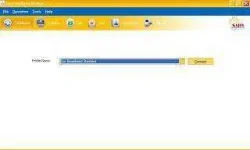
Sun Wireless Broadband Configuration How To:
On your Dashboard, go to Tools then click Options
Click on Profile Management, on Profile section you may use this configuration below:
Profile Name: Sun Broadband Standard
APN type: static
APN: fbband
Authentication:
Access Number:*99#
Leave Username and Password empty.
Go to Advanced
Select ‘PAP’
You may change the DNS settings in Authentication Protocol if wish (Use Open DNS, Google DNS etc.) just change it to static for you to input your desired DNS settings.
Open DNS
208.67.222.222
208.67.220.220
Google DNS
8.8.8.8
8.8.4.4
Click Save!
For Sun Broadband Wireless Prepaid
Profile Name: SUN Internet
APN type: static
APN: minternet
Authentication:
Access Number: *99#
Leave Username and Password empty.
You may set advance settings if you wish just follow above steps.
For SUN Broadband Wireless Nomad
Profile Name: SUN Broadband Wireless Nomad
APN type: static
APN: mbband
Authentication:
Access Number: *99#
Leave Username and Password empty.
Make sure to activate your sim just type ACTIVATE and send to 2300. That’s it hope it helps you configuring your Sun Broadband Wireless.
 . keep it up
  .
.