 PH
PH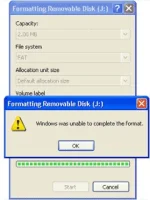
How To Fix Windows Was Unable To Complete The Format | Some Easy Steps
Unable to format a SD Card or a PenDrive or any thing. Then use this simple steps and you can format and open your memory card, pendrive and every thing.
1st Method :
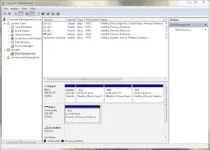
1. Go to desktop and right click on my computer.
2. Select Manage from the menu.
3. Then goto disk management from the options.
4. After that select the flash drive from the clicked window.
5. And then format your flash drive with the option you got from there.
2nd Method :
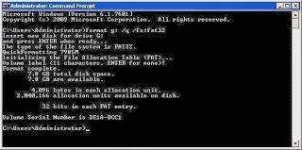
1. Login as an administrator powered user and go to "Command prompt".
2. Now type - format g: /q /fs:fat32 - and press Enter
If Your Flash Drive Letter G: . If not Then Just Change g: From There With Your Flash Drive Letter.
3. If you want to format your pendrive then just replace fat32 with ntfs.
Example : format g: /q /fs:ntfs
If Your Flash Drive Letter G: . If not Then Just Change g: From There With Your Flash Drive Letter.
3rd Method :
If Still It Didn't Format Then Use Some Format Software .
1. SD Formatter - You do not have permission to view the full content of this post. Log in or register now.[/URL]
2. Any Drive Formatter - You do not have permission to view the full content of this post. Log in or register now.[/URL]
