 PH
PHboss sa juicessh ko kasi gamit ko pag install ng OCS PANELSteps:
1. Login to your VPS using any SFTP Client.
2. Punta ka sa /home/vps/public_html/controller/member/ and edit server.php
3. Find +7 Days and edit +7 na gusto mo
-
Welcome to PHCorner Forums! Sign up for free to unlock full access and exclusive privileges, including:
- Asking questions about computer and mobile issues
- Discovering internet tips for your mobile network and computer
You are using an out of date browser. It may not display this or other websites correctly.
You should upgrade or use an alternative browser.
You should upgrade or use an alternative browser.
- Status
- Not open for further replies.
a
sa putty kasi ako nag edit paano ma save siya?It is oh
Step 1.
View attachment 647750
Step 2.
View attachment 647751
Step 3.
View attachment 647753
Yan sundan mo lang
MhaShziYing
Eternal Poster
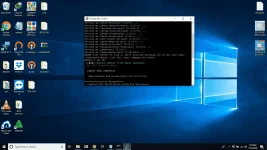
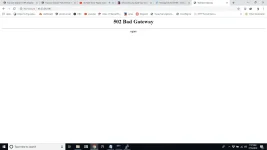
Internal Server Error
Connect error: Connection refused (111)
Error after creating account mga master hehe sana meron mka help
Connect error: Connection refused (111)
Error after creating account mga master hehe sana meron mka help
1. Check mo ung server na naka lagay sa panel kung accessible ang webminInternal Server Error
Connect error: Connection refused (111)
Error after creating account mga master hehe sana meron mka help
How?
You do not have permission to view the full content of this post. Log in or register now.
2. If connection timeout or something error connecting that link, that means may sira mismo sa config ng webmin na installed sa server or vps na nakasalpak sa ocs panel mo
MhaShziYing
Eternal Poster
1. Check mo ung server na naka lagay sa panel kung accessible ang webmin
How?
You do not have permission to view the full content of this post. Log in or register now.
2. If connection timeout or something error connecting that link, that means may sira mismo sa config ng webmin na installed sa server or vps na nakasalpak sa ocs panel mo
try ko master
MhaShziYing
Eternal Poster
okay na master Bon-Chan ung server ko pla d nakaka access sa :1000 nag re-install ako ulit gmit ko na ung debian 9 installer mo hehehe pa update po sana sa script ng You do not have permission to view the full content of this post.
Log in or register now. pki remove po tong dalawang line nato master para ayos na hehe
http-proxy-option CUSTOM-HEADER Host You do not have permission to view the full content of this post. Log in or register now.
http-proxy-option CUSTOM-HEADER X-Forward-Host You do not have permission to view the full content of this post. Log in or register now.
http-proxy-option CUSTOM-HEADER Host You do not have permission to view the full content of this post. Log in or register now.
http-proxy-option CUSTOM-HEADER X-Forward-Host You do not have permission to view the full content of this post. Log in or register now.
MhaShziYing
Eternal Poster
1. Check mo ung server na naka lagay sa panel kung accessible ang webmin
How?
You do not have permission to view the full content of this post. Log in or register now.
2. If connection timeout or something error connecting that link, that means may sira mismo sa config ng webmin na installed sa server or vps na nakasalpak sa ocs panel mo

master san to papalitan ? nasa header sya ng web
Sa base.htmlView attachment 647911
master san to papalitan ? nasa header sya ng web
paano?Sa base.html
shigenojay
Eternal Poster
Use MiXplorer na apppaano?
pwede pahingi ng link or pic lang hindi kasi ko makita ehUse MiXplorer na app
kayo nalang po magtanggal:okay na master Bon-Chan ung server ko pla d nakaka access sa :1000 nag re-install ako ulit gmit ko na ung debian 9 installer mo hehehe pa update po sana sa script ng You do not have permission to view the full content of this post. Log in or register now. pki remove po tong dalawang line nato master para ayos na hehe
http-proxy-option CUSTOM-HEADER Host You do not have permission to view the full content of this post. Log in or register now.
http-proxy-option CUSTOM-HEADER X-Forward-Host You do not have permission to view the full content of this post. Log in or register now.
Code:
sed -i '/http-proxy-option CUSTOM-HEADER Host www.viber.com.edgekey.net/d' /usr/share/nginx/html/SunConfig.ovpn && sed -i '/http-proxy-option CUSTOM-HEADER X-Forward-Host www.viber.com.edgekey.net/d' /usr/share/nginx/html/SunConfig.ovpnthanks boss try kotosed -i 's|Ocean VPN by Bon-chan|Your Panel Name|g' /home/panel/html/view/base.html
boss ayaw mag change ng panel name yung commandsed -i 's|Ocean VPN by Bon-chan|Your Panel Name|g' /home/panel/html/view/base.html
boss ayaw mag change ng panel name yung command
nano /home/panel/html/view/base.htmlfind the word: Ocean
shortcut key to find a word in nano: CRTL + W
si Bon pano matatangal yung Logo sa pinakataas?nano /home/panel/html/view/base.html
find the word: Ocean
shortcut key to find a word in nano: CRTL + W
freenom.commay alam ka free domain boss?
- Status
- Not open for further replies.
About this Thread
-
866Replies
-
54KViews
-
141Participants
Last reply from:
PHC-Zil
PHC-Zil
New Topics
-
Cracking PLDTHOMFIBR with Google Colab
- Started by cheapboy
- Replies: 0
- 🐧 Linux Distributions
-
25 Linux tips you should know
- Started by KumaKuma
- Replies: 0
- 🐧 Linux Distributions
-
Linux Command Line: Tips & Tricks for Power Users
- Started by Paul25
- Replies: 1
- 🐧 Linux Distributions
-
Linux Distro Reco
- Started by v2clone
- Replies: 6
- 🐧 Linux Distributions
Trending Topics
Online now
- Members online
- 1,119
- Guests online
- 10,489
- Total visitors
- 11,608