PH
PHStrawberrry
Forum Veteran
Notepad, the text editor that comes bundled in Windows is an excellent tool for text editing. But that is not the only thing for which notepad is famous. It is also famous for its tricks and häçks. Here is a roundup of some of the best and coolest tricks that you can try using Notepad.
Matrix Falling Code Effect - Notepad CMD (.BAT) Tricks
Inspired by the movie Matrix, this falling code trick is extremely popular on social networking websites. Copy and paste the code given below in Notepad and save the file as "Matrix.bat" or *.bat.

Matrix Falling Code Effect - Notepad Trick
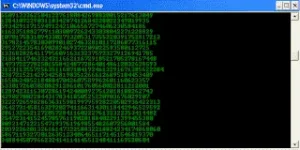
Upon running the bat file, you will see the "Matrix falling code" effect.
Make Your Keyboard Type (Any) Message Continuously-VBS Trick
This VBS trick can make any of your friend's keyboard type any message continuously. Open Notepad, copy the code given below and save the file as Tricks.vbs or *.vbs. You will need to restart your computer to stop this. Try this after closing all important programs.
Send this file to your friends as an email attachment to see the fun.
Create a Harmless Funny Virus with Notepad-Continuously eject CD/DVD drives
This VBS trick will create a code which will continuously eject all your connected Optical drives. If you put them back in, it will pop them out again. Copy this code and paste it in Notepad as Virus.vbs or *.vbs.
Double click to open this file and you will be impressed by this awesome trick.
Make a Personal Diary(Log) with Notepad (Easter Eggs)
Notepad Diary
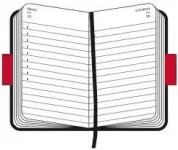
You can use this trick to create a personal log with Notepad which will automatically include the current date and time before your note. To do so, open Notepad and type .LOG in capital letters and press Enter. Save the file. Now, every time you open this file, notepad will automatically insert the current time and date before the note. Just enter your note and save the file each time after making an entry.
All these Notepad tricks are totally harmless and would not harm your PC in any way. To close any of the VBS trick given, open task manager and close the wscript.exe process. These tricks work on Windows 10, Windows 8.1, Windows 8, Windows 7, Windows Vista and Windows XP.
Keyboards usually have small LEDs which indicate whether different types of locks are activated or not. Here is a trick to use the lights of your keyboard in a more creative manner in Windows.
This trick uses a simple Visual Basic Script which when activated makes your Scroll lock, Caps lock and Num lock LEDs flash in a cool rhythmic way which gives the perception of a live disco on your keyboard.
To make your own live disco, follow the steps given below:-
1. Open Notepad.
2. Copy paste the exact code given below:-
3. Save the file as Disco.vbs or "*.vbs".
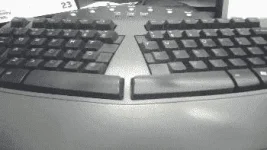
Double click on the Saved file to see the LED lights on your keyboard go crazy and make your own cool disco.
This trick has been tested on Windows XP, Windows Vista, Windows 7 and Windows 8 and found to be working perfectly.
You can disable the keyboard disco by starting Task Manager and ending the wscript.exe process.
Matrix Falling Code Effect - Notepad CMD (.BAT) Tricks
Inspired by the movie Matrix, this falling code trick is extremely popular on social networking websites. Copy and paste the code given below in Notepad and save the file as "Matrix.bat" or *.bat.
Code:
@echo off
color 02
:tricks
echo %random%%random%%random%%random%%random%%random%%random%%random%
goto tricks
Matrix Falling Code Effect - Notepad Trick
Upon running the bat file, you will see the "Matrix falling code" effect.
Make Your Keyboard Type (Any) Message Continuously-VBS Trick
This VBS trick can make any of your friend's keyboard type any message continuously. Open Notepad, copy the code given below and save the file as Tricks.vbs or *.vbs. You will need to restart your computer to stop this. Try this after closing all important programs.
Code:
Set wshShell = wscript.CreateObject("WScript.Shell")
do
wscript.sleep 100
wshshell.sendkeys "This is a Virus. You have been infected."
loopCreate a Harmless Funny Virus with Notepad-Continuously eject CD/DVD drives
This VBS trick will create a code which will continuously eject all your connected Optical drives. If you put them back in, it will pop them out again. Copy this code and paste it in Notepad as Virus.vbs or *.vbs.
Code:
Set oWMP = CreateObject("WMPlayer.OCX.7")
Set colCDROMs = oWMP.cdromCollection
do
if colCDROMs.Count >= 1 then
For i = 0 to colCDROMs.Count - 1
colCDROMs.Item(i).Eject
Next
For i = 0 to colCDROMs.Count - 1
colCDROMs.Item(i).Eject
Next
End If
wscript.sleep 5000
loopMake a Personal Diary(Log) with Notepad (Easter Eggs)
Notepad Diary
You can use this trick to create a personal log with Notepad which will automatically include the current date and time before your note. To do so, open Notepad and type .LOG in capital letters and press Enter. Save the file. Now, every time you open this file, notepad will automatically insert the current time and date before the note. Just enter your note and save the file each time after making an entry.
All these Notepad tricks are totally harmless and would not harm your PC in any way. To close any of the VBS trick given, open task manager and close the wscript.exe process. These tricks work on Windows 10, Windows 8.1, Windows 8, Windows 7, Windows Vista and Windows XP.
Keyboards usually have small LEDs which indicate whether different types of locks are activated or not. Here is a trick to use the lights of your keyboard in a more creative manner in Windows.
This trick uses a simple Visual Basic Script which when activated makes your Scroll lock, Caps lock and Num lock LEDs flash in a cool rhythmic way which gives the perception of a live disco on your keyboard.
To make your own live disco, follow the steps given below:-
1. Open Notepad.
2. Copy paste the exact code given below:-
Code:
Set wshShell =wscript.CreateObject("WScript.Shell")
do
wscript.sleep 100
wshshell.sendkeys "{CAPSLOCK}"
wshshell.sendkeys "{NUMLOCK}"
wshshell.sendkeys "{SCROLLLOCK}"
loop
3. Save the file as Disco.vbs or "*.vbs".
Double click on the Saved file to see the LED lights on your keyboard go crazy and make your own cool disco.
This trick has been tested on Windows XP, Windows Vista, Windows 7 and Windows 8 and found to be working perfectly.
You can disable the keyboard disco by starting Task Manager and ending the wscript.exe process.