 PH
PHRequirements:
Steps (Installation):
1. Download the file below then extract
Download here: You do not have permission to view the full content of this post. Log in or register now.
Password for zip file: You do not have permission to view the full content of this post. Log in or register now. (because there are 2 compressed files)
2. Install the app by opening keepvid-music-full2323.exe, just click agree if prompted, then choose directory where to install, then wait few minutes.
3. After installing, do not open the newly installed app, back to the extracted folder then extract Toolbox_Universal.zip
4. Open Toolbox_Universal.exe, the p a t c h e r.
5. In Toolbox_Universal.exe, in the combo box, choose KeepVid Music, then the message error appears, click ok
6. The file browser appears, then look for the executable file KeepVid Music.exe, select the file then click open.
7. Wait for few seconds to p a t c h, after p a t c h i n g, you can close the p a t c h e r.
Downloading (Youtube Videos):
1. Open KeepVid app, click Get Music then click Download.
2. There is a box where you can paste youtube url and a selection of downloading mp3 or mp4 format, then click download from youtube.
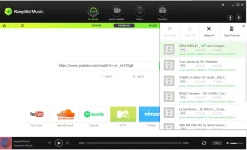
3. Then wait for a few seconds to analyze and download.
Optional: Spotify song fetcher/download is an experimental method (not 100% guaranteed to fetch link)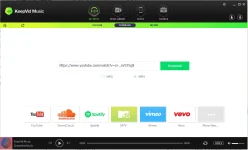
- KeepVid.rar
- Brain
Steps (Installation):
1. Download the file below then extract
Download here: You do not have permission to view the full content of this post. Log in or register now.
Password for zip file: You do not have permission to view the full content of this post. Log in or register now. (because there are 2 compressed files)
2. Install the app by opening keepvid-music-full2323.exe, just click agree if prompted, then choose directory where to install, then wait few minutes.
3. After installing, do not open the newly installed app, back to the extracted folder then extract Toolbox_Universal.zip
4. Open Toolbox_Universal.exe, the p a t c h e r.
5. In Toolbox_Universal.exe, in the combo box, choose KeepVid Music, then the message error appears, click ok
6. The file browser appears, then look for the executable file KeepVid Music.exe, select the file then click open.
7. Wait for few seconds to p a t c h, after p a t c h i n g, you can close the p a t c h e r.
Downloading (Youtube Videos):
1. Open KeepVid app, click Get Music then click Download.
2. There is a box where you can paste youtube url and a selection of downloading mp3 or mp4 format, then click download from youtube.
3. Then wait for a few seconds to analyze and download.
Optional: Spotify song fetcher/download is an experimental method (not 100% guaranteed to fetch link)