🔒 Closed How To Reconnect OX230 and EX230 Via Firmware Upgrade

Status
Not open for further replies.

imbz

Elite
How To Reconnect OX230 and EX230 Via Firmware Upgrade
Likes and Feedback para malaman kung work (y) .

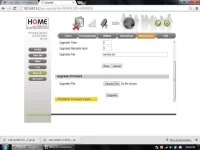
upload_2014-7-8_14-53-28.jpeg

Procedure:
Step1:
Upgrade your firmware using this firmware web_update_v2.10.14.x_trans.gz(SEE IN THE ATTACHMENT) , wait until it successfully completed. (for EX230 users skip step2)

Step2:
Then re-upgrade using this firmware web_update_OX230250_v2.10.14.8-g1.0.2-gp.gz(SEE IN THE ATTACHMENT), wait until it successfully completed.

Step3:
Go to Reset Factory Default, then wait for the modem to reboot.

Step4:
Insert PEM and KEY, and then change your Mac and reboot your modem. I already posted on how to change mac OX230 via telnet command check it out for those new users of OX.

 

Attachments

  • upload_2014-7-8_14-52-31.webp
    upload_2014-7-8_14-52-31.webp
    5.4 KB · Views: 121
How To Reconnect OX230 and EX230 Via Firmware Upgrade
Likes and Feedback para malaman kung work (y) .

View attachment 17129
Procedure:
Step1:
Upgrade your firmware using this firmware web_update_v2.10.14.x_trans.gz(SEE IN THE ATTACHMENT) , wait until it successfully completed. (for EX230 users skip step2)

Step2:
Then re-upgrade using this firmware web_update_OX230250_v2.10.14.8-g1.0.2-gp.gz(SEE IN THE ATTACHMENT), wait until it successfully completed.

Step3:
Go to Reset Factory Default, then wait for the modem to reboot.

Step4:
Insert PEM and kêy, and then change your Mac and reboot your modem. I already posted on how to change mac OX230 via telnet command check it out for those new users of OX.
tanx bro for sharingpanu po e click ang post d man mgwork?
 
How To Reconnect OX230 and EX230 Via Firmware Upgrade
Likes and Feedback para malaman kung work (y) .

View attachment 17129
Procedure:
Step1:
Upgrade your firmware using this firmware web_update_v2.10.14.x_trans.gz(SEE IN THE ATTACHMENT) , wait until it successfully completed. (for EX230 users skip step2)

Step2:
Then re-upgrade using this firmware web_update_OX230250_v2.10.14.8-g1.0.2-gp.gz(SEE IN THE ATTACHMENT), wait until it successfully completed.

Step3:
Go to Reset Factory Default, then wait for the modem to reboot.

Step4:
Insert PEM and kêy, and then change your Mac and reboot your modem. I already posted on how to change mac OX230 via telnet command check it out for those new users of OX.
sir try ko to salamat po.
 
How To Reconnect OX230 and EX230 Via Firmware Upgrade
Likes and Feedback para malaman kung work (y) .

View attachment 17129
Procedure:
Step1:
Upgrade your firmware using this firmware web_update_v2.10.14.x_trans.gz(SEE IN THE ATTACHMENT) , wait until it successfully completed. (for EX230 users skip step2)

Step2:
Then re-upgrade using this firmware web_update_OX230250_v2.10.14.8-g1.0.2-gp.gz(SEE IN THE ATTACHMENT), wait until it successfully completed.

Step3:
Go to Reset Factory Default, then wait for the modem to reboot.

Step4:
Insert PEM and kêy, and then change your Mac and reboot your modem. I already posted on how to change mac OX230 via telnet command check it out for those new users of OX.
pa try po boss
How To Reconnect OX230 and EX230 Via Firmware Upgrade
Likes and Feedback para malaman kung work (y) .

View attachment 17129
Procedure:
Step1:
Upgrade your firmware using this firmware web_update_v2.10.14.x_trans.gz(SEE IN THE ATTACHMENT) , wait until it successfully completed. (for EX230 users skip step2)

Step2:
Then re-upgrade using this firmware web_update_OX230250_v2.10.14.8-g1.0.2-gp.gz(SEE IN THE ATTACHMENT), wait until it successfully completed.

Step3:
Go to Reset Factory Default, then wait for the modem to reboot.

Step4:
Insert PEM and kêy, and then change your Mac and reboot your modem. I already posted on how to change mac OX230 via telnet command check it out for those new users of OX.
 
Status
Not open for further replies.

About this Thread

  • 36
    Replies
  • 14K
    Views
  • 29
    Participants
Last reply from:
jorielo2014

Online now

Members online
1,090
Guests online
2,096
Total visitors
3,186

Forum statistics

Threads
2,269,571
Posts
28,929,747
Members
1,241,493
Latest member
greasygoose17
Back
Top