🔗 Direct Link PC Software Collection Cr4ck | P4tch | License

welcome boss
oraaaaaaaaayt.. thanks bos
welcom boss
bookmarked. switching to nod 32 soon. thanks ts
Welcome Enjoy!
Thnks dito master :)
welcome master
boss pano po yung by part?
yung game ba sir ?
salamat boss
welcome
bakit di naman maclick yun link sir?
sir license key lang yan. working yan sa latest version.
 
Avast Premier Till 2060 License

image.webp

This aptly named, "Premier," version is Avast's top-of-the-line product for 2017. It includes all features of their Antivirus and Internet Security editions and adds two others. Automatic p@tching of security holes.Military-grade file shredding.With its automatic p@tching feature, Avast Premier looks at all the software installed on your PC and continually monitors it for security p@tches. Then, when Premier finds your system has out-of-date software, it prompts you to upgrade it. Since most infections today happen because of un-p@tched software, this feature gives you a real edge in security over the other two versions.
As with the firewall upgrade in the Internet Security Suite, this feature alone is a reason to upgrade. Add to it the "File Shredding" feature, which securely deletes your files and removes any trace of them, and at almost the same price as the Internet Security Suite, it makes a compelling case for itself.

Avast's Internet Security provides better all-around protection for people who use their computers for online banking, shopping, and bill paying. Avast Internet Security is a good upgrade. For truly comprehensive security against a wide variety of threats, you'd be well-served to consider this version.
The big upgrades included in Internet Security suite are its software firewall and antispam email filter. For anyone, and laptop or tablet PC users in particular, a software firewall provides an extra layer of security. It builds a virtual moat around your PC to help protect you from häçkers and malware.
This one feature alone can be the difference between an infection or a häçker getting into your PC.

You do not have permission to view the full content of this post. Log in or register now. ( Download Free Trial ) ( Simple Guide: Install > Go to Settings > License > Pick License Below > Then Activate )

You do not have permission to view the full content of this post. Log in or register now.
Pick License Here

Firefox-Sigi-User-bar.webp
IDM-Sigi-User-bar.webp
HTTP-injector.webp
salamat dito!! yay!
 
NextLimit RealFlow 10.1.2.0162 Installer + Cr4ck (Updated)

NextLimit RealFlow ( Installer Version )
realflow splash.webprealflow about.webp


About this App:

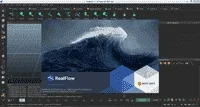
RealFlow is a fluid and dynamics simulation tool for the 3D and visual effects industry, developed by Next Limit Technologies in Madrid, Spain. This stand-alone application can be used in conjunction with other 3D programs to simulate fluids, water surfaces, fluid-solid interactions, rigid bodies, soft bodies and meshes. In 2008, Next Limit Technologies was awarded a Technical Achievement Award by the Academy of Motion Picture Arts and Sciences for their development of the RealFlow software and its contribution to the production of motion pictures.

RealFlow technology uses particle based simulations. These particles can be influenced in various ways by point-based nodes (daemons) which can do various tasks such as simulate gravity or recreate the vortex-like motion of a tornado. RealFlow can also simulate soft and rigid body collisions and interactions. The inclusion of Python scripting and C++ plug-ins allows users to program their own tools to improve RealFlow capabilities, adding control to most aspects of the RealFlow workflow including batch runs, events, daemons, waves and fluids.

The RealFlow Renderkit (RFRK) is a set of tools designed to facilitate the rendering of fluids. The RFRK enables the generation of procedural geometry at render time and the rendering of individual fluid particles. With this interface, fluids can also be rendered as foam and spray.

On July 30, 2015 RealFlow 2015 was released to the public. The main features in this major release include:

An increase in the quality of simulations.
New DYVERSO solvers and GPU acceleration.
Direct-to-render feature using Maxwell Render™.
Enhanced User Interface
More controllabitlity: new splines nodes, text tools, daemons falloff, crown daemon, and spreadsheets
DYVERSO solvers and rapid OpenVDB meshing speed up simulation times by 10x.

RealFlow
Particle based solver (liquid, gas, elastic and particles)
Interaction bitmaps
Custom particle behaviour
UV data and weight maps
UV texture mapping
Automatic mesh generator
Force fields
Python / C++ plugins
Direct-to-render feature
OpenVDB meshing
Hybrido
Hybrid fluid solver technology to simulate large bodies of water with secondary effects such as splashes, foam, and mist
Caronte
Rigid/soft body dynamics solver
Mix animation and dynamics
RealWave
Physically accurate water surfaces
Python scripting / C++ plugins
Daemons
Waves
Fluids
Events
Batch runs
Dyverso Solvers
Drastic speed-up on simulations
Smooth layered meshes,

You do not have permission to view the full content of this post. Log in or register now. (Mega)

Enjoy!
 
Autodesk Maya 2018.3 + K3yGen: 3D Computer Animation & Modeling App

Autodesk Maya (Installer Version)
autodesk-maya-badge-1024.jpgmaya about.png


About this App:

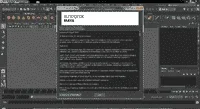
Autodesk Maya, is a 3D computer graphics application that runs on Windows, macOS and Linux, originally developed by Alias Systems Corporation (formerly Alias|Wavefront) and currently owned and developed by Autodesk, Inc. It is used to create interactive 3D applications, including video games, animated film, TV series, or visual effects.

Maya is an application used to generate 3D assets for use in film, television, game development and architecture. The software was initially released for the IRIX operating system. However, this support was discontinued in August 2006 after the release of version 6.5. Maya was available in both "Complete" and "Unlimited" editions until August 2008, when it was turned into a single suite.[30]

Users define a virtual workspace (scene) to implement and edit media of a particular project. Scenes can be saved in a variety of formats, the default being .mb (Maya D). Maya exposes a node graph architecture. Scene elements are node-based, each node having its own attributes and customization. As a result, the visual representation of a scene is based entirely on a network of interconnecting nodes, depending on each other's information. For the convenience of viewing these networks, there is a dependency and a directed acyclic graph.

Users who are students, teachers (or veterans or unemployed in USA markets) can download a full educational version from the Autodesk Education community.[31] The versions available at the community are only licensed for non commercial use (once activated with the product license) and some products create watermarks on output renders. The software comes with a full 36 month license. Once it expires, users can log into the community to request a new 36 months license and download the latest Autodesk product.[32]

Components
Since its consolidation from two distinct packages, Maya and later contain all the features of the now defunct Unlimited suites.

Fluid Effects
A realistic fluid simulator based on simplified, incompressible Navier–Stokes equations[33] for simulating non-elastic fluids was added in Maya 4.5. It is effective for smoke, fire, clouds and explosions, as well as many thick fluid effects such as water, magma or mud.
Bifröst
Bifröst is a computational fluid dynamics framework[34] based on fluid-implicit particle simulation. It is available in Maya 2015 and later, following the acquisition of Naiad fluid simulation technology from Exotic Matter.[35] Bifröst allows liquids to be modelled realistically, including details such as foam, waves and droplets.
Classic Cloth
A dynamic cloth simulation tool set utilizing a planar pattern based work flow inspired by the process used to design real world garment patterns. In modern productions, the Maya Cloth module has been largely replaced by the faster, more flexible nCloth system introduced in version 8.5. Prior to this, third party plug-ins, most notably Syflex, were generally preferred for their superior performance, simulation stability and their polygon modeling based workflow already familiar to 3D artists.
Fur
Fur simulation designed for large area coverage of short hairs and hair-like materials. It can be used to simulate short fur-like objects, such as grass and carpet. In contrast to Maya Hair, the Fur module makes no attempt to prevent hair-to-hair collisions. Hairs are also incapable of reacting dynamically to physical forces on a per hair basis. Physics-like effects are achieved through nearby fur effectors that approximate the effect of physical forces averaged over nearby follicles.
nHair
Hair simulator capable of simulating dynamic forces acting on long hair and per-hair collisions. Often used to simulate computationally complex human hair styles including pony tails, perms and braids. The simulation utilizes NURBS curves as a base which are then used as strokes for Paint Effects brushes thereby giving the curves a render time surface-like representation that can interact with light and shadow. A simulation on the curves alone for other, non-hair purposes (such as flexible tubing, cables, ropes, etc.) is often known simply as Dynamic Curves.
Maya Live
A set of motion tracking tools for CG matching to clean plate footage. It has been largely obsoleted by MatchMover.
nCloth
Added in version 8.5, nCloth is the first implementation of Maya Nucleus, Autodesk's simulation framework. nCloth provides artist with detailed control of cloth and material simulations. Compared to its predecessor Maya Cloth, nCloth is a faster, more flexible and more robust simulation framework.
nParticle
Added in version 2009, nParticle is an addendum to Maya Nucleus toolset. nParticle is for simulating a wide range of complex 3D effects, including liquids, clouds, smoke, spray, and dust. nParticles are more flexible than Maya's previous particle system in that nParticles may be used to simulate viscous fluids as well as supporting true particle-to-particle collisions. nParticles also interact with the rest of the Nucleus simulation framework without the need for costly work-arounds and custom scripting.
MatchMover
Added to Maya 2010, this enables compositing of CGI elements with motion data from video and film sequences, a process known as match moving or camera tracking. This is an external program but is shipped with Maya.
Composite
Added to Maya 2010, this was earlier sold as Autodesk Toxik. This is an external program but is shipped with Maya.
Camera Sequencer
Added in Autodesk Maya 2011, Camera Sequencer is used to lay out multiple camera shots and manage them in one animation sequence.


You do not have permission to view the full content of this post. Log in or register now. (MEGA)

Enjoy!
 
SketchUp Pro 8.0|2013|2014|2015|2016|2017|2018|2019 + V-RAY

SketchUp ( Installer Version )
Arch2O-sketchup-for-architects-01.jpgsketchup about.png


About this App:

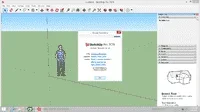
SketchUp, formerly Google Sketchup, is a 3D modeling computer program for a wide range of drawing applications such as architectural, interior design, landscape architecture, civil and mechanical engineering, film and video game design. It is available as a web-based application, SketchUp Free, a freeware version, SketchUp Make, and a ρáíd version with additional functionality, SketchUp Pro.

SketchUp is owned by Trimble Inc., a mapping, surveying and navigation equipment company. There is an online library of free model assemblies (e.g. windows, doors, automobiles), 3D Warehouse, to which users may contribute models. The program includes drawing layout functionality, allows surface rendering in variable "styles", supports third-party "plug-in" programs hosted on a site called Extension Warehouse to provide other capabilities (e.g. near photo-realistic rendering) and enables placement of its models within Google Earth.

The tool includes all kinds of modeling options, ranging from creating basic geometric figures to manipulating vertexes and faces, not to mention the texture, lighting and rendering tools.

Creating a geometric figure is easy. You only have to draw a square with the pencil tool and drag it with the mouse and it will acquire volume. From then on, it's possible to create windows, doors and all the shapes you can imagine. Of course, you can also choose their color and textures.

If you aren't good at creating your own models, the program also includes a huge database of resources created by community members that you can use for free. It includes all kinds of elements, from vehicles to furniture, including human figures and all kinds of decorative elements.

Google SketchUp lets you export your 3D models as different formats: JPG, BMP, TIFF and PNG files for 2D renders and 3DS, DEM, DDF, DWG, DXF and SKP files for 3D objects and scenes. You can also render video scenes and movement as MOV and AVI files.

This is a multipurpose tool for industrial design, architecture, and interior design. In addition, the program is designed to allow you to upload your models to Google Earth so that you can share them with other users of the program. If you are able to make a 3D image of a building of a monument in your city, then you are the right person for SketchUp.

Download Links

You do not have permission to view the full content of this post. Log in or register now.

Here is the Old Version:

You do not have permission to view the full content of this post. Log in or register now.

You do not have permission to view the full content of this post. Log in or register now.

You do not have permission to view the full content of this post. Log in or register now.

You do not have permission to view the full content of this post. Log in or register now.


You do not have permission to view the full content of this post. Log in or register now.

You do not have permission to view the full content of this post. Log in or register now.

You do not have permission to view the full content of this post. Log in or register now.

FOR V-RAY FOR SKETCHUP CLICK HERE!

Enjoy !!
 
V-RAY Next 4.00.02/3.60.03 for SketchUp + Cr4ck

V-RAY for SketchUp ( Installer Version )
SVG_V-Ray_SketchUp_250L.webp

About this App:

V-Ray is a computer-generated imagery rendering software application developed by the Bulgarian company Chaos Group (Bulgarian: Хаос Груп), that was established in Sofia in 1997. V-Ray is a commercial plug-in for third-party 3D computer graphics software applications and is used for visualizations and computer graphics in industries such as media, entertainment, film and video game production, industrial design, product design and architecture. The company chief architects are Peter Mitev and Vladimir Koylazo.

V-Ray for SketchUp provides designers with faster rendering, better lighting tools, and the ability to create and visualize complex scenes. This designer-friendly rendering solution for SketchUp features dramatic improvements to visualization workflow (V-Ray RT), image based lighting quality (V-Ray Dome Light), and a designer's ability to quickly manage complex scenes with highly detailed models (V-Ray Proxy).

V-Ray Next for SketchUp
Render high-resolution, photorealistic images directly in SketchUp. V-Ray Next fully supports SketchUp 2019, it’s easy to use and easy to learn.

Key Features
3 Rendering Modes - You can choose among GPU, CPU or Hybrid rendering mode depending on what best suits your project and hardware.
Interactive Rendering - Fine-tune lights and materials and see results right away. View the render result directly in the SketchUp viewport.
Lights and Lighting - Render any type of natural or artificial lighting. Simulate realistic daylight for any time and any location. Quickly create atmospheric depth and haze.
Virtual Reality - Render VR-ready content for popular virtual reality headsets.
V-Ray Scene Import - Import and render V-Ray scenes (vrscene) from other applications, such as 3ds Max, Rhino and Revit.
Scene intelligence - Scene Intelligence features learn about your scene to help you choose the right settings for your projects automatically.
AI Denoiser - You can effectively denoise in almost real-time while rendering with NVIDIA’s AI-accelerated denoising technology
Cloud rendering - Harness the power of a supercomputer from your laptop with one click away rendering in the cloud.


NOTE: THIS APP IS NOT FULLY TESTED!
You do not have permission to view the full content of this post. Log in or register now.

Enjoy!!
 
Adobe Premiere Pro CS3|CS4|CS5|CS6|CC 2018/2019 Latest Installer

Adobe Premiere Pro
cc.webpDmm5VoGgU8AIm5VoGgU8AI5VoGgU8AIYeT1.webp


Installer Version

About Premiere Pro :

Adobe Premiere Pro is a feature-packed video editing software that includes various features such as advanced audio options and collaborative tools with other Adobe software. Premiere Pro offers an expanded multi-cam editing option that allows for simple assembly of sequences, regardless of the number of cameras used for filming. Uninterrupted player mode enables users to apply filters and to adjust video parameters while playing. For further customization, all videos can be imported into After Effects.

Easier collaboration with Team Projects

Collaborate and share sequences and compositions in real time with Adobe Team Projects (Beta). Features like version control and conflict resolution are built right into Premiere Pro, After Effects, and Prelude so teams can work better together. Available now for Creative Cloud for teams and enterprise customers.

Improved captions

New captions features enable you to manipulate text, alter duration and location, and create open or closed captions from scratch.

Lumetri Color enhancements

New color pickers let you make immediate selections when working with HSL secondaries. Plus, you can work with HDR10 files and get better support for color space metadata.

Accelerated Dynamic Link

Faster performance reduces the need for intermediate rendering and delivers higher frame rates during playback.

Auto-aware VR

Premiere Pro automatically detects whether your virtual reality video is monoscopic, stereoscopic left/right, or stereoscopic over/under, and applies the appropriate settings.

Direct publishing to Behance

Publish videos directly to your Behance portfolio -- no need for separate export or uploading.

Dynamic Link with Character Animator

Eliminate intermediate rendering and speed up performance when working between Adobe Character Animator CC (Beta), After Effects, and Premiere Pro.

Live Text template improvements

A new file format lets you share Live Text templates between Premiere Pro and After Effects without the need for a separate After Effects license.

New Getting Started experience

A new launch screen guides beginners through different ways of learning the app, from examining a completed video sequence and following tutorials to an optimized quick-start project template.

Typekit font sync

No need to find missing fonts manually when working in Live Text templates now that fonts automatically sync and update from Adobe Typekit.

Adobe Audition audio effects

New high-quality real-time audio effects give you better sounding output and improved fidelity.

Keyboard shortcut mapping

Quickly find, adjust, and customize keyboard shortcuts using a visual map.

Better performance

Work faster than ever before with improved support for Apple Metal and more GPU effects, including Offset.

More native format support

Premiere Pro now supports even more formats, including Native QT DNxHD/DNxHR export and RED Helium.

Download Links

Version Available:
cs3.webp

Premiere Pro CS3 3.2.0
(Supported 32/64-BIT)
You do not have permission to view the full content of this post. Log in or register now.

cs4.webp
Premiere Pro CS4 4.2.1
(Supported 32/64-BIT)
(Last Support for 32-BIT)
You do not have permission to view the full content of this post. Log in or register now.

cs5.webp
Premiere Pro CS5.5 5.5.2
(Support 64-BIT Only)
You do not have permission to view the full content of this post. Log in or register now.

cs6.webp
Premiere Pro CS6 6.0.5
(Support 64-BIT Only)
You do not have permission to view the full content of this post. Log in or register now.

cc (1).webp
Premiere Pro CC 2019 12.1.2
(Last Support Windows 7 and 8.1 64-BIT Only)
You do not have permission to view the full content of this post. Log in or register now.

adobe-premiere-pro-cc-2019-free-download.webp
Premiere Pro CC 2019 13.1.4
(Support Windows 10 1709 and above 64-BIT Only)
You do not have permission to view the full content of this post. Log in or register now.


Enjoy !!
 

About this Thread

  • 553
    Replies
  • 44K
    Views
  • 393
    Participants
Last reply from:
PHC - 3PaBuLong2

Online now

Members online
1,276
Guests online
1,129
Total visitors
2,405

Forum statistics

Threads
2,287,054
Posts
29,042,068
Members
1,216,358
Latest member
paulllamera
Back
Top