🔗 Direct Link PC Software Collection Cr4ck | P4tch | License

AVG Anti-Virus 2018 Full Version
g_av17t12en3_antivirus_2017_3_users_1_year_1324032.webp

AVG AntiVirus

- Business Edition is a highly customizable and top-rated antivirus software which protects thousands of businesses against viruses, ransomware, malware, adware, trojans, rootkits, häçkers, and other threats. It is a computer security solution which enables small and medium-sized businesses to safeguard their data, files, emails, networks, and PC devices from cyber threats.
Furthermore, AVG AntiVirus extends its ransomware protection to business mobile phones and tablets through its antivirus app for Android. The software offers anti-theft features for lost or stolen phones or tablets as well. AVG AntiVirus can also protect households against ransomware and webcam spying through a version of the program dedicated to personal and family use.

Keep Data, Files, And Identity Safe
Business and customer data is one of the most important assets of a company. When häçkers and malware sneak in, this data can be compromised, resulting in data breaches and disruptions of business operations. AVG AntiVirus is designed to keep critical data and files safe, private, and out of the hands of häçkers.
To keep data safe, the software encrypts and stores company files and documents onto a virtual disk on a PC which is protected by a password. It also has an advanced file shredder that deletes files securely so nobody can recover them with malicious intent. In addition, AVG AntiVirus has an anti-spyware that prevents identity theft by detecting spyware and adware which collect personal information.
Protect Network Through Link Scanning
AVG AntiVirus assists in keeping a network safe from cyber threats, making sure companies and their employees will be able to access the Internet securely and safely. Before webpage loads and opens in a browser, the software scans it first and shows a safety rating in the search engine results. Thus, when users click links, AVG AntiVirus warns them about anything suspicious.
Email Shield Technology
The antivirus software also provides an email shield technology that automatically scans emails and removes content that contains malware or any security threats. It blocks email attachments that are suspicious and dangerous.
Smart Scanner
Aside from keeping data, files, and networks safe, AVG AntiVirus ensures that PC devices are protected against malware and häçkers. Through the aid of its advanced scanning engine, it automatically scans computers when employees are not working. This smart scanning technology never sleeps; and as it does the hard work, it lets employees focus on performing their jobs.
Remote Management
AVG AntiVirus provides a very interesting capability which allows administrators to remotely install and configure the software from a single location. Thus, they will be able to deploy the software to all the computers on their network easily. Also, the software updates itself automatically so it can protect the devices from the latest threats.
Powerful Mobile Security
With AVG AntiVirus, smartphones and tablets used by employees are protected from the latest viruses, malware, spyware, unsafe apps and settings, and unwanted callers. This is because it delivers an antivirus app for Android devices which can be downloaded from Google Play. Once the app is installed, it runs silently, providing users with powerful mobile security.
Anti-Theft And Camera Trap
When users lose their business phone or tablet, AVG AntiVirus enables them to track it by visiting AVG’s Anti-Theft website. From this website, they will be able to lock the device, activate an alarm, or wipe its data remotely. In case their phone or tablet falls into the wrong hands, users can identify the person who got it through the aid of AVG AntiVirus’ Camera Trap feature. When a thief tries to unlock the device but fails thrice, Camera Trap captures a secret photo of the person and sends it via email to the owner of the phone or tablet.
License Here
AVG ANTIVIRUS SERIAL KEY 2019
BJHKJ-IOU87-9R685-7SRYX-DVNBM
JPIR6-8SYXD-VNHKU-Y8079-6R8E5
7BKHO-79RYD-VJLIP-U0869-RYXDG
VNBML-JIOR6-857JL-HKFDG-ET465

AVG ACTIVATION CODE 2019

XCHKT-R7348-UAEFZ-DKNHK-VSFGY
U2T48-U35IH-KLRYN-FHDGS-FW5YE

AVG LICENSE KEY PREMIUM

7F6X8-79S8G-OILJB-HVMGJ-CH2DR
GYFVD-BKHT0-49EPU-CVJBY-TG879
5VHXK-HW8O4-Y957E-TYIXF-ZNVMD
BKGT4-5EFIG-YT462-79Q8A-RWILD

You do not have permission to view the full content of this post. Log in or register now.

Firefox-Sigi-User-bar.webp
IDM-Sigi-User-bar.webp
HTTP-injector.webp
 
𝐌𝐚𝐥𝐰𝐚𝐫𝐞𝐛𝐲𝐭𝐞𝐬 Anti-Malware 3.7.1 Pre - Activ4te ( PREMIUM )
𝐌𝐚𝐥𝐰𝐚𝐫𝐞𝐛𝐲𝐭𝐞𝐬.webp
𝐌𝐚𝐥𝐰𝐚𝐫𝐞𝐛𝐲𝐭𝐞𝐬 Anti-Malware 3.7.1 Cr@ck is a leading software which is available on this website with a working download link. It is an amazing application which is used to detect and remove all kind of malware and spyware such as bugs, Trojans, rootkits, and many more. This software is an effective and wonderful tool which enables you to scan your full PC system and remove malware from your PC automatically and make your PC efficient. 𝐌𝐚𝐥𝐰𝐚𝐫𝐞𝐛𝐲𝐭𝐞𝐬 Anti-Malware 3.7.1 Cr@ck has the ability to protect your PC because it has all the tools and functions that a PC need for defense. Furthermore, it is a great antivirus software all over the world.

𝐌𝐚𝐥𝐰𝐚𝐫𝐞𝐛𝐲𝐭𝐞𝐬 Anti-Malware 3.7.1 is a user-friendly interface which is easy to use even a new user can use it easily. It is utilized in a number of the anti-malware device. It’s a useful gizmo which detects malware. 𝐌𝐚𝐥𝐰𝐚𝐫𝐞𝐛𝐲𝐭𝐞𝐬 device is a good fighter in opposition to a variety of malware. If you’re trying to find the best defender, then it’s perfect for you. You might obtain a complimentary trial of 𝐌𝐚𝐥𝐰𝐚𝐫𝐞𝐛𝐲𝐭𝐞𝐬 Anti-Malware 3.7.1 Cr@ck, for those who’ve received extra cash then I’ll recommend that you just buy a premium model to help the developer. So it’s necessary to turn out to be rid of fraud and web rip-off. It’s likewise very light-weight, that means it won’t eat up all of your reminiscences.

𝐌𝐚𝐥𝐰𝐚𝐫𝐞𝐛𝐲𝐭𝐞𝐬 Anti-Malware 3.7.1 also increase the pace and efficiency of the computer. These days everybody needs to wash up their system from virus, so it will take away all viruses like Trojan and malware that’s well-known for damaging the system information, in addition to adware and virus. It really works on Mac, and Win detects all forms of malware, adware, and malicious actions. Moreover, You need to use this safety device all your house, office, banks, and enterprise. The final word solution to deal with all undesirable virus due to disturbs your vital information. In case you are nonetheless on the lookout for such a software program resolution, you’ll be able to attempt 𝐌𝐚𝐥𝐰𝐚𝐫𝐞𝐛𝐲𝐭𝐞𝐬 Anti-Malware software program Key. World’s highly effective quickest and mega PC optimization device that comprises distinctive expertise capabilities like PC safety, signature, heuristics, and habits.

What’s New in 𝐌𝐚𝐥𝐰𝐚𝐫𝐞𝐛𝐲𝐭𝐞𝐬 Anti-Malware?

  • This anti-software has highlights which will keep us from the rootkit.
  • Detects the pernicious elements of the documents and envelopes and inform us.
  • You can remain shielded from Trojans, Adware, Spyware, Worms, Virus and all other malware.
  • Fix the issues of continually opening documents and furthermore the mistake messages reports.
  • Four advantageous checking modes like Hyper, Path, danger and full Scanning. You can choose anybody in view of your necessities.
  • New layout and user-friendly interface.
  • Simples to use and install.
Key Features Of 𝐌𝐚𝐥𝐰𝐚𝐫𝐞𝐛𝐲𝐭𝐞𝐬 Anti-Malware 3.7.1:

  • Confinement to grip threats and restore them to your suitability.
  • Capability to achieve a full scan of all Storage.
  • Ignore list for both the scanner and Protection Module.
  • Context menu integration to scan files on demand.
  • A minor list of extra values to help erase malware manually.
  • It has Multi-language support.
  • Context menu integration to scan file on demand.
  • Lightspeed scanning process.
  • Settings to enhance your device performance.
Application Full Information:

  • Language: English
  • Size: 61.33 MB
  • Manufacturer: 𝐌𝐚𝐥𝐰𝐚𝐫𝐞𝐛𝐲𝐭𝐞𝐬
  • Category: Antivirus
  • Operating System: Windows 7 / Vista / 7/8/10/XP
  • Latest Version: 𝐌𝐚𝐥𝐰𝐚𝐫𝐞𝐛𝐲𝐭𝐞𝐬 Anti-Malware 3.7.1
How To Download & Install ??

  1. Download the file, link given below
  2. Extract to Desktop.
  3. Open, Install wait to finish.
  4. Done. Enjoy !
Code:
Pass: Hotsause03
Download Link
You do not have permission to view the full content of this post. Log in or register now. || You do not have permission to view the full content of this post. Log in or register now.


Firefox-Sigi-User-bar.webp
IDM-Sigi-User-bar.webp
HTTP-injector.webp
 
ESET NOD32 ANTIVIRUS 2019 Till 2027
avh_n1_3_1_xls17_nod32_antivirus_2017_3_pc_1307276.webp
ESET NOD32 Antivirus,
commonly known as NOD32, is an antivirus software package made by the Slovak company ESET. ESET NOD32 Antivirus is sold in two editions, Home Edition and Business Edition. The Business Edition packages add ESET Remote Administrator allowing for server deployment and management, mirroring of threat signature database updates and the ability to install on Microsoft Windows Server operating systems.

  • Antivirus and Antispyware. Provide proactive protection against all types of digital threats, including viruses, rootkits, worms and spyware.
  • Anti-Phishing.
  • Scan While Downloading Files.
  • Advanced Memory Scanner.
  • Script-Based Attack Protection.
  • Ransomware Shield.
  • UEFI Scanner
  • You do not have permission to view the full content of this post. Log in or register now.

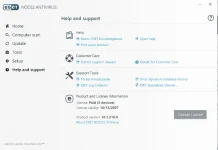
SceenShot:
ESET 2027.webp

License Key:
Code:
M33F-XDJ3-5D4X-UFH7-4KRG

Expiration:

13/10/2027
Firefox-Sigi-User-bar.webp
IDM-Sigi-User-bar.webp
HTTP-injector.webp
 
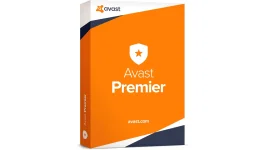
Avast Premier 2019 Cr4ck With Serial Key Free Download
avast_1__1521126183_2.webp
Avast Premier 2019 Cr4ck is one of the most popular and famous software that is used to secure your PC and protects your privacy. This software work like a shield for your PC from a virus such as trojan, bugs, malware easily. Using it, you can easily scan and remove the infected file which may very harmful to your PC. Avast Premier 2019 Cr4ck is loaded with amazing security features and tools which provides you full protection and safety to your PC system. Avast Premier License Key has the ability to maintain and increase PC speed.

Avast Premier 2019 License Key is specially designed to save lots of you from threats and preserve you safe online and offline. It has the newest technology which ensures your privacy and security of your data. This software program is worldwide identified and is appreciated over the world for its finest efficiency. It is rather straightforward and handy to make use of this software program as a result of it has a very person pleasant interface. It may run a scan of your complete system in a few seconds. You possibly can secure your PC with single clicks. All to do is to obtain and set up the software program.

What’s New in Avast Premier 2019 License Key:

  • It fully protects you from häçkers now häçkers will not be more jackers.
  • So it first takes your permission on webcam Shield anything and anyone.
  • Before you can use it, so nobody takes a glimpse except your say so.
  • You can disable your camera for a good chance and again enable it.
  • The shield of Ransomware keeps your most important files in an encrypted format.
  • It permits only the trusted apps to change them in any way otherwise not.
Key Features Of Avast Premier 2019 Cr4ck:

  • It has added Ransomware Shield.
  • Added new warning system at the dashboard.
  • Frequently scans your Windows PC.
  • It notifies you when Avast Premier 2019 Cr4ck detects any bug.
  • It is ideal for all devices.
  • Avast Premier license key has added smart scan for scanning your system.
  • It has enhanced Cyber Capture features.
  • It gives real-time security to your OS.
  • Now it solves automatically all issues regarding Wi-Fi problems after detection.
  • It detects viruses, Trojans and as well as infected files automatically in your PC.
  • Ransomware is with real-time protection and it is the best.
Application Full Information:

  • Language: English
  • Size: 345MB
  • Manufacturer: Avast Software
  • Category: Antivirus
  • Operating System: Windows 7/8/8.1/10/Mac
  • Latest Version: Avast Premier 2019
How To Download & Install ??

  1. Download the software & cr4ck from the giving link below.
  2. Open the software install it.
  3. Pick Serial Key Below.
  4. Enjoy your Software.
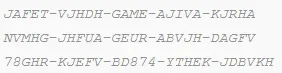
Serial Key:
avast.webp


Download Link

You do not have permission to view the full content of this post. Log in or register now.
(Select Premier)
Firefox-Sigi-User-bar.webp
IDM-Sigi-User-bar.webp
HTTP-injector.webp
 
Adobe Photoshop LIGHTROOM 1|2|3|4|5|8 Classic Installer (v8.3.1 Updated)
Adobe_Photoshop_Lightroom_CC_icon.svg.webp

About Photoshop Lightroom:
Adobe Photoshop Lightroom is a photo processor and image organizer developed by Adobe Systems for Windows and macOS. It allows viewing, organizing and retouching large numbers of digital images. Lightroom's edits are non-destructive. Despite sharing its name with Adobe Photoshop, it cannot perform many Photoshop functions such as doctoring (adding, removing or altering the appearance of individual image items), rendering text or 3D objects on images, or modifying individual video frames. It cannot operate on files unless they are imported into its database first, and only in recognized image formats.
Lightroom is focused on the following workflow steps:

Library
Similar in concept to the 'Organizer' in Adobe Photoshop Elements and other image organizers, this module imports and exports images, creates image collections, organizes images by their metadata, and adds ratings to them. Library is the gateway into Lightroom.

Develop
Supports non-destructive editing of images en masse. This module is more for retouching, i.e., enhancing and improving digital photographs, including changing color balance, improving tone, removing red-eye effect, sharpening, reducing noise, cropping, straightening or converting to black-and-white. It cannot create or edit non-photographic images (such as drawings, symbols, line arts or diagrams or maps), or render text or 3D objects. It has very limited photo doctoring features. Only JPEG and raw image formats are supported. It has several standard presets for color correction or effects, and supports sharing custom presets online. Another often used feature in the Develop module is the ability to synchronize edits from one selected photo to the whole selection.

Map
Added in Lightroom 4, it facilitates geographically organizing photos based on embedded or manually added geolocation data.

Book
Added in Lightroom 4, it allows creating photobooks.

Slideshow
Allows creating slideshows from any number of photos, to which music or background can be added.

Print
Prints images. Printing parameters such as layout and orientation can be adjusted.

Web
Creates a web gallery for website owners. Several templates to influence layout are available.

Tethered Capture Support for many popular Nikon and Canon DSLRs

Version 1.4.1 (First Version of Lightroom)
You do not have permission to view the full content of this post. Log in or register now.

Version 2.7 (Added 64-Bit Supported)
You do not have permission to view the full content of this post. Log in or register now. || You do not have permission to view the full content of this post. Log in or register now.


Version 3.6 (Last Supported for Win XP)
You do not have permission to view the full content of this post. Log in or register now. || You do not have permission to view the full content of this post. Log in or register now.

VERSION 4.41 (Last Supported for Win Vista)
You do not have permission to view the full content of this post. Log in or register now. || You do not have permission to view the full content of this post. Log in or register now.
Version 5.7.1 (Last Supported for 32-Bit)
You do not have permission to view the full content of this post. Log in or register now.|| You do not have permission to view the full content of this post. Log in or register now.

Version 8.3.1 CC Classic (Latest and Only 64-bit Supported)
You do not have permission to view the full content of this post. Log in or register now. || You do not have permission to view the full content of this post. Log in or register now.
Code:
CTTO: LaCe12
1 Like 1 Comment Lang
Firefox-Sigi-User-bar.webp
IDM-Sigi-User-bar.webp
HTTP-injector.webp
 
ADOBE ELEMENTS 2019 + P4tcher
Photoshop-Elements-14-Logo-300x300.webp


About Photoshop Elements:
Adobe Photoshop Elements is a raster graphics editor for entry-level photographers, image editors and hobbyists. It contains most of the features of the professional version but with fewer and simpler options. The program allows users to create, edit, organize and share images. It is a successor of Adobe Photoshop LE (Limited Edition).

Originally introduced alongside Adobe Photoshop version 6, Photoshop Elements targets photography enthusiasts and thus lacks many features that make it useful in a proper print production environment. For example, Photoshop Elements cannot export files in the CMYK color mode, supports a simplified color management system, and excludes detailed soft-proofing. It also includes a limited set of Photoshop plugins, and instead has a number of features aimed at non-experts (such as removing the red-eye effect or changing the skin tone in a picture). An example of a redesigned feature would be the Variations correction dialog. Some versions can, however, open, edit, and save PDFs.

Auto Curate: Finding (most of) your best pics
Designed to speed the process of identifying your best pictures, Auto Curate — located in the Organizer component of the software — automatically analyzes your images based on a number of criteria, including quality, composition and focus. The software also takes into account facial recognition, Smart Tags (a feature that automatically or manually labels subject matter, such as dog, automobile) and other parameters. The latter attempts to intelligently include people who are important to you, adding an emotional component to the curated collection of photos. A slider allows you to choose how many photos are selected, with a minimum of 10 and a maximum of 20,000. By default, images are analyzed when they are imported into the Organizer. You have to wait until the initial analysis is completed in the background before you can run the Auto Curate and see the results. If you click Auto Curate too soon, you get a message saying, "Auto curation is in progress. Try again later." Only when this analysis is complete can you click Auto Curate to see the culled results.

One-Click Slideshow: Basic but effective
The automatic image selection also works with the enhanced, one-click Slideshow feature. Creating a slideshow with this new, one-click method is super simple; just click a button and decide whether you want to use Auto Curate, and Elements will select a theme, an opening slide and a music track and put it all together. Of course, you can change the various components: Choose a different theme, change the title slide, add additional slides and captions, or replace the soundtrack with another supplied by Elements or from MP3 files on your computer. Although you may want to change a few (or more) aspects of the slideshow segments selected by the software, the automated process gives you a good head start. Unfortunately, the Slideshow feature is pretty basic, so if you want to have more control over transitions or fading the soundtrack, it's best to look elsewhere. (Photodex ProShow Gold is a great slideshow/multimedia program, although the desktop version is available only for Windows. The web version is cross-platform, though.)

Open Closed Eyes: Picasso-like
Building on tools for facial-feature adjustment tools such as "Turn frowns upside down" (which allows you to transform frowns into smiles), Elements 2018 is now equipped to substitute opened eyes for closed ones. It's a problem we've all experienced — when a subject blinks at the exact time you click the shutter. Elements suggests pictures from which to grab a substitute pair of eyes, but the results are generally at little bizarre, as seen in the screenshot below. It's best to find the same subject in a similar pose. That shouldn't be too difficult if you've taken a couple of consecutive snaps of the same person, because the lighting, pose and other parameters should be the same. I took several pictures for this purpose, asking the subject to keep her eyes closed in one shot and opened in the other. This produced much better results, as seen below. It would be nice to have additional tools, including one to adjust the eye placement, because they don't always align perfectly.

Auto Selection: Helpful, but needs refinement
As with previous versions, Adobe Photoshop Elements 2018 is equipped with various selection tools, including the Magic Wand, Lasso Tool and Selection Brush Tool, each with its own level of difficulty and accuracy. The new Auto Selection feature is the easiest of them all. Basically, you just have to draw a box around the object you want to select, and Elements does the rest. You can even select multiple objects or subjects in the same image.

and MORE Features of this Photoshop Elements

Download Links
You do not have permission to view the full content of this post. Log in or register now.

Firefox-Sigi-User-bar.webp
IDM-Sigi-User-bar.webp
HTTP-injector.webp
 
Easeus Data Recovery Wizard 12.9 Cr4ck Plus License Code 2019
51Y1vP1nQOL.webp

Easeus Data Recovery Wizard 12.9 Serial Key is customary as convalescent misplaced information or sometimes employed by laptop computer technicians throughout the world. EaseUS Knowledge Restoration Wizard 12.9 Full Cr4cked bundle will restore all information in any format. you’ll recuperate your entire information like as data, môviês, music, paperwork and totally different sorts of data. EaseUS Knowledge Restoration Wizard key 12.9 helps the consumer UN company are going to be successful to inform the system. This software program bundle has the facility to data. It can partition are cleared off the system or moreover restore it. This software program bundle will enable the shocked clear knowledge from the disk flash, the reminiscence of the digicam and digital, reminiscence sides similar to the reminiscence of the cell and MP3 participant. This software program bundle copy the file or information from the disk that’s corrupted.

Features
  • It recovers all lost and deleted files.
  • It recovers the disk when a tough disk crash.
  • It recovers files when a partitioning error.
  • Get back documents after a parceling blunder.
  • Get information once again from Crude hard drives.
  • Specify document writes before record recuperation to discover lost documents rapidly.
What is new in this Version
  • New! Bolster hard plate up to 8 TB.
  • Windows 8.1 perfect – recuperate any Data under Win 8.1.
  • New! Shiny new UI for more instinctive Data Recovery process.
  • New! Quicker sweep lost records by skipping terrible parts naturally.
  • When you have obtained you don’t need to Download and look through a moment time.
  • File recuperation after unintentional configuration, even Windows reinstallation.
  • EaseUS Data Recovery Wizard ** disk recuperation after a hard plate crash.
How To Download & Install ??
  1. Download the software & cr4ck from the giving link below.
  2. Open the software install it.
  3. Enter Serial Key Below.
  4. Enjoy your Software.
Serial Key:
View attachment 645445

Download Link


Firefox-Sigi-User-bar.webp
IDM-Sigi-User-bar.webp
HTTP-injector.webp

Ts tama poba tong file dyan sa link?
 

Attachments

  • Screenshot_20190711_122451.webp
    Screenshot_20190711_122451.webp
    11.3 KB · Views: 21
Picasa 3.9 FINAL VERSION

picasa.png

Picasa was an image organizer and image viewer for organizing and editing digital photos, plus an integrated photo-sharing website,

It is software that helps you instantly find, edit and share all the pictures on your PC. Every time you open Picasa, it automatically locates all your pictures (even ones you forgot you had) and sorts them into visual albums organized by date with folder names you will recognize. You can drag and drop to arrange your albums and make labels to create new groups. Picasa makes sure your pictures are always organized.

It also also makes advanced editing simple by putting one-click fixes and powerful effects at your fingertips. And Picasa makes it a snap to share your pictures, you can email, print photos home, make gift CDs, instantly share your images and albums, and even post pictures on your own blog.

Features

For organizing photos, Picasa has file importing and tracking features, as well as tags, facial recognition, and collections for further sorting. It also offers several basic photo editing functions, including color enhancement, red eye reduction, and cropping. Other features include slide shows, printing, and image timelines. Images can also be prepared for external use, such as for e-mailing or printing, by reducing file size and setting up page layouts. There is also integration with online photo printing services. Other simple editing features include adding text to the image. Picasa supports Google's WebP image format as well as the JPG format and most Raw image format (RAW files). A user can view and edit RAW files and save the finished edit (as JPG, or other forms) without any changes to the original RAW file.

Picasa uses picasa.ini files to keep track of keywords for each image. In addition to this, Picasa attaches IPTC Information Interchange Model (IPTC) keyword data to JPEG files, but not to any other file format. Keywords attached to JPEG files in Picasa can be read by other image library software like Adobe Photoshop Album, Adobe Bridge, Adobe Photoshop Lightroom, digiKam, Aperture, and iPhoto.

According to the Picasa Readme, Picasa can parse Extensible Metadata Platform (XMP) data. However, it cannot search local files for existing XMP keywords.[clarification needed]

Picasa has a search bar that is always visible when viewing the library. Searches are live, so that displayed items are filtered as one types. The search bar will search filenames, captions, tags, folder names, and other metadata.[17]

Picasa also has an experimental feature that allows searching for images that contain certain colors with the "color:" operator.

Picasa has no separate view window. There is only an "edit view" with a viewing area. Fullscreen view is available in slideshow mode, by holding down the ctrl+alt keys while in "edit view", or by pressing the Alt Gr key. This feature is also available through the context menu of Windows Explorer, and provides a way to start the Picasa editor as well.

In Picasa 2 and earlier versions, changes to pictures made in Picasa overwrite the original file, but a backup version of the original is saved in a hidden folder named "Originals" in the same folder as the original picture (.picasaoriginals on Mac OS X).

In Picasa 3, changes to pictures made in Picasa are saved to a hidden file picasa.ini in the same folder as the original picture. This allows multiple edits to be performed without altering the original image. Viewing the picture in Picasa or using the Picasa Photo Viewer will apply modifications on the fly, whereas viewing through other programs (such as Windows XP's Photo and Fax Viewer) will display the original image. Changes can also be made permanent using the "Save" function, where the original file is backed up in a hidden folder .picasaoriginals located in the same folder as the original picture and the modified version is written in its place.

Since June 2007, Picasa can write geographic coordinates to Exif metadata, thus geotagging an image.

Since February 12, 2016, Google announced it was discontinuing support for Picasa Desktop and Web Albums, effective March 15, 2016, and focusing on the cloud-based Google Photos as its successor.

I want to preserve this application because this application is very excellent image viewer and editing picture.


Since the official website are discontinued this application even its offical link for downloading the installer of this application

I uploaded this application at mediafire so enjoy downloading this app!

Download Link
You do not have permission to view the full content of this post. Log in or register now.
Firefox-Sigi-User-bar.webp
IDM-Sigi-User-bar.webp
HTTP-injector.webp
 
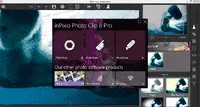
InPixio Photo Clip Pro 9.0.1 + Cr4ck (Easiest and Useful Photo Editing App)

Installer Version

photo clip splash.pngphotoclip about.png

About this App:

Inpixio Photo Clip is photo editing software designed to take unwanted images and distractions and remove them easily and quickly with just a few clicks.

Essentially, Inpixio Photo Clip is all about getting rid of that part of the photo with the photobombing stranger in the background, or that car driving by that ruins the shot, without having a degree in photoshop.

Inpixio Photo Clip can take those unwanted images completely out of your picture and more. Want to erase your entire background, or even change your background to make it look like you are Paris rather than Pennsylvania.

Photo Clip's best feature is just how easy it is to use, and how often it gets it right first time with minimal inputs from its users. Photo Clip doesn't just remove unwanted objects in photos, and it's important to note that the software comes with a complete editing tool as well, to allow you to edit, enhance, & touch-up photos.

The software really does take all the time-consuming effort out of trying to carefully cut out images that take time and concentration of other software. While other image processing programs require you to zoom in and be precise and exact, results can still be far from perfect, and the finished product can be quite noticeable that you have edited your photos.

Removing unwanted images from pictures is a seamless and straightforward task Photo Clip. Literally anything can be removed from your photos such as signs, wires, people, or any object in an image that distracts you from what you are trying to capture.

Gone are the days of picking up photos at your local photo shop or drug store only to find out that so many potentially great pictures are useless due to improper lighting or poor composition. If only there was a way to fix those precious photos before they were printed.
Produce Professional Photos

Thanks to InPixio Photo Editor anyone can now produce professional looking photos that you can share on social media or send as postcards to family and friends. The free photo editor download from InPixio lets you add a wide range of impressive effects quickly and easily. Choose from a number of designs and frames to showcase the theme of your photos.

Change Focus and Size of Photos

The Cut and Crop feature of the InPixio free photo editor allows non-professionals to easily change both the focus and size of your photos. This an extremely useful feature when uploading your pictures to social media sites, sending them via email to family and friends, as well as preparing them for personal postcards.

Fix Dull Or Overly Bright Photos

Photos taken outdoors on an overcast day or in extreme sunshine can lose their intended appeal and end up not being suitable to share with others. The Photo Editing feature can easily turn a photo that looks dull or overly bright into one that will pop by allowing you to change the color and brightness of your picture.

Enhance Your Photos Easily

The free photo editing software provided by InPixio will make you feel like a pro. No need to discard or delete photos that you are not happy with how they turned out. Photos are precious memories of our lives, they depict moments that were special in some way so before deleting those special events and people, fix and enhance them with InPixio's easy to use photo editing software. Begin creating pictures that will be enjoyed and cherished by family and friends for generations to come.

Create Professional Snapshots.

Photo Clip can also easily extract images from single colored backgrounds such as blue skies or city skylines, thanks to the automatic color detection function.

The technical features of Photo Clip automatically identify the sections of an image that need to be filled in and make your new photo look natural and seamless.

The Pro version InPixio Photo Clip does of course come with extra effects and filters, and while nice, are not essential; it depends on what you are trying to do. But there's no real pressure to upgrade if you don't want to. one can modify images with +100 effects & filters.

Key Features:

Easy to use.
Remove unwanted objects such as cars, photo-bombers, or construction sites from the background.
Editing tools.
Great results, minimum effort.
Easy learning curve.
Good support.

Download Link
You do not have permission to view the full content of this post. Log in or register now.
Firefox-Sigi-User-bar.webp
IDM-Sigi-User-bar.webp
HTTP-injector.webp
 
JixiPix Pastello Pro 1.1.7 + Keys (Oil Impressionism Painting App)

Pastello Pro

Installer Version

icon-app-pastello.webppastello pro about.webp

About this App:

Automatically turn photos into Pastel, Pencil, Chalk, Charcoal and Crayon. Editing options allow you to layer, blend and brush for unique and personalized drawings.

Includes both a Standalone Application and a Plugin for Photoshop, Elements, Lightroom and PaintShop Pro

Pastello, the companion app to JixiPix’s Impresso Pro, takes you back in time to the 15th century. Away from brushes and large strokes and into the realm of dry media with color that is both brilliant and subtle. The “Dry color method” made famous by Leonardo da Vinci is so powerful in its simplicity and beauty with its black and red chalk and yellow pastel highlights. Later, artists would paint charming portraits in a smooth heavily blended fashion. Move forward a few centuries later and pastel quickly became filled with brilliant color and crisp detail. Fast forward to today and a digital age has made it so you, the artist, can mix and match media that is difficult or impossible in a traditional setting.

Pastello makes it simple and convenient. Simply place an image in the app and watch as it turns into a Pastel, Chalk, Charcoal, Crayon, Colored Pencil and Graphite drawing. Choose to use each one of the medias by themselves, or combining them using layers for an interesting E×ρréššive sketch full of colorful personality and passion. The best part is Pastello does all the work for you.

With Pastello, photographers and artists can now go beyond the camera to turn image files into creative works of art that resemble traditional handmade media, all with a professional workflow that is easy and comfortable to operate.

Features
A pro workflow automatically turns photos into a Pastel drawing with options to customize. The Pastel can then be changed to Chalk, Charcoal, Colored Pencil, Graphite, Conte or Crayon using the add option on Layers. As you create the drawing, the media starts out with delicate shading like a traditiona drawing does. Build up the shading and color by stacking multiple layers on top—the more you use the more they fill in. Each of the art styles are beautiful when used alone, or mix them together for an E×ρréššive artwork.

Pastello includes plenty of traditional sketch styles as well as a BONUS one we call DaVinci. This art style combines pencil, charcoal, crayon and old paper in the form of a preset with all the freedom to customize, blend and fine-tune for an artwork filled with age, depth and timeless beauty.

PASTEL STYLES
Colored Pencil, Graphite, Charcoal, and Chalk come with a fill and detail option that can be layered for infinite variation. Conte has a dynamic sketch feature that lets you fill in shadows, mid-tones and highlights with crosshatching or scumbling. All with the ability to change stroke direction, size, volume and variation.

Pastel—(Soft) is a soft, buttery consistency and intense color. This effect is dense and filled with the grain of the paper. Artists find this media especially good for plein air landscapes because the color ranges are vibrant and the media itself is dustless and portable.
Chalk—(Hard Pastel) is a light dusty effect with little specks of preserved paper. This chalky pastel is known for it’s soft strokes and velvety texture. This style is great for creating a fine web of color by stacking or duplicating layers, letting the ones below show through to create a drawing sparkling with interest.
Charcoal—creates a velvety black charcoal effect with shades of grey. Use it for warming up the under painting of a composition, or to complete a finished charcoal piece.
Colored Pencil—creates soft colorful strokes in the drawing that can be layered to build up color then burnished with a light Pencil Layer, or the Smudge tool.
Pencil—creates pencil drawings with fluid outlines and soft, limpid tonal shadings for a drawing filled with warmth and charm.
Conté—is a beautiful crayon media for enhancing highlights, midtones and shadows in drawings using five classic colors: Bistre, Sanguine, White, Grey, Gold and a color picker to choose your own—with options for crosshatching and scumbling.
Crayon—creates a colorful waxy base to a drawing, then burnish it with a Conte White for highlights or Bistre for shading.
Fill Brush— Choose to brush in areas of the drawing with chalk, charcoal, colored pencil or pencil on the layer or fill the entire layer as a base for Pencil, Chalk and Charcoal.
Signature Layer—Add a personalized touch to any drawing in the form of two styles: One that uses a type face from fonts installed on your computer, and the other you paint by hand. Both signatures can be fine-tuned using the stroke size and stroke volume sliders.

Download Link
You do not have permission to view the full content of this post. Log in or register now.

Firefox-Sigi-User-bar.webp
IDM-Sigi-User-bar.webp
HTTP-injector.webp
 
JixiPix Impresso Pro 1.8.3 + Keys (Oil Impressionism Painting App)

Impresso Pro

Installer Version

icon-app-artista-impresso.webpimpresso pro about.webp

About this App:

Impresso Pro

Standalone Product that transform photos into paintings then combines paint effects with layers and brushes for gorgeous print-worthy artwork. Also includes plugin for Photoshop, Elements, Lightroom and PaintShop Pro

For professionals who like creative control we give you Smart Layers and brushes for blending multiple paint styles, a library of Edges that blend beautifully with canvas, a Background Paint effect to create distances, a Soft Paint effect for enhancing foreground subjects, an Aged Paint effect for adding craquelure to paintings, and an ultra-impressionism effect called Tache to cover paintings with broken brush strokes. Impresso Pro has everything an Artist or Photographer will need to create gallery-style paintings with enough detail even for the largest print.

Pro Version Includes: Smart Layers, Brushes, Painted Edges and 6 Paint Styles: Alla Prima, En Plein Air, Soft Paint, Background Paint, Aged Paint and Tache.

The 19th century brush-wielding Impressionist artists were crazy about flowers and gardens, and it was good. With flowing brush strokes and thickly painted texture, Van Gogh made his sunflowers immortal; with harmonious movement of color, contrast, and form, Monet made his lily pond a celebrity. It took their genius, lifetimes of practice, and navigating the riot of their senses, but these extraordinary artists took what they saw and felt in the petals and leaves and transferred their impressions onto canvasses full of beauty, mood, and meaning.

Lucky you, 21st century software wielding seer and lover of beauty—you have Impresso Pro. With the same enduring attention to detail, light, color, and texure, Impresso transforms your photos into multi-textured, stroke-filled Impressionist masterpieces. And keen eyes will love how Impresso maintains the balance of your piece! The result—captivating, print-worthy paintings brimming with passion, life, and beauty.

Conform Strokes Slider

Impresso Pro's natural looking paintings just got better! This new stroke technology conforms brush strokes, using only a slider, to bring out detail naturally while still retaining the brushwork. Now you can use larger brush sizes and abstract brush styles and still achieve visual clarity.


3 Bristle Styles

Three bristle styles wield brushwork in an extremely free manner while retaining high quality strokes even up close.
Textured adds another level of naturally blended bristles nearly indistinguishable from the style of a real painter.
Thick applies pronounced brushstrokes for a more natural, hand-painted effect.
Smooth is the original bristle style. This fluid brushwork adds subtle movement with strokes that blend together naturally.


Expanded Library of Brush Styles

11 brush styles offer a host of ways to create E×ρréššive brushwork to infuse paintings with lively vitality that is essential to good paintings. An easy-to-use brush library allows you to see the brush styles first before applying.


Canvas—3 Edge Styles

You can now find 3 Edge Styles on the Canvas Layer: Artistic Edge, Square and Custom. Artistic Edge lets you pick an edge from a library of edges designed by JixiPix artists, Square auto-adds a simple but elegant edge, and Custom allows you to import one of your own. Each of the Edge Styles can be resized and rotated to fit the canvas exactly how you like.

Download Link
You do not have permission to view the full content of this post. Log in or register now.

Firefox-Sigi-User-bar.webp
IDM-Sigi-User-bar.webp
HTTP-injector.webp
 
JixiPix Watercolor Studio Pro 1.4.0 (Photo-to-Watercolor artistic app)

WaterColor Studio

Installer Version


icon-app.webpwatercolor studio abour.webp

About this App:

Watercolor Studio creates fluid, liquidy, translucent watercolors with paint that flows naturally. Built on-top of an incredible rendering system that uses real-world techniques, this application does the initial work, producing a watercolor instantly, then allows you to customize your paintings using an array of Sliders, Layers, Brushes, Color Washes and Artistic finishes. The end result—print quality watercolors filled with transparent luminosity and sheer beauty.

Watercolor Studio uses artificial intelligence and image recognition to render the initial watercolor then gives you the ability to create infinite variations quickly and easily. Change paintings into an ink wash, add a beautiful artistic finish, brush in details, and even spatter it with liquid spots. Control everything from details-to-shades-to-negative space-to-coloring. No artistic skill needed!

The beauty of a well executed watercolor comes from the transparency of paint on paper. It also comes from the watercolors unique free flowing characteristics. Watercolor Studio makes it easy to do just this with a one-of-a kind Liquid slider. As you move it, watch as color bleeds throughout the painting for an ultra wet style. Or use the Wet Edge slider to define edges with built-up pigment and color that bleeds inward naturally.

Paint Styles Make It Impressive
Paint Styles, also known as Paint Layers allows you to create beautiful and unique watercolors by stacking watercolor layers, blending color washes and texture, and brushing in details. No artistic skill needed! Every photo placed in Watercolor Studio is automatically transformed into a watercolor with full control over settings. While it’s great to have complete control over what the paint does on the paper, some of the most beautiful effects occur in the experiment process. So have fun and try not to be too careful. You will be amazed at some of the paintings you will get.


Watercolor—Portrait is a wet-on-dry painting with all the characteristics of a true watercolor. Fine-tune portrait detail and shades, then smooth color using the liquid slider while keeping contours clear and color defined.


Watercolor—Landscape is an abstract free flowing wet-in-wet paint style, great for landscapes. Use it to spread indiscriminate details as if saturated with water for a loose wet watercolor painting with color that bleeds together.


Ink Wash renders photos into soft subtle paintings, consisting of one-to-three colors. Choose from a library of washes to create ultra inky paintings or light monotone ones. Combine with Color Washes and Outline Layers for an E×ρréššive piece filled with artistic character.


Liquefy is a transparent layer used to dilute and bleed color. Use the Liquefy Layer above one or more layers then brush with a continuous motion to blend areas where needed. This subtle effect smooths areas like a true paint brush dipped in water.


Color Wash blends handmade color washes and textures into the painting while retaining some or all of the original color. Use them to warm up, cool down or to dapple light and color throughout the painting with control over how much. Use render modes to combine washes with Watercolor, Ink Wash and Outline Layers for breathtaking one-of-a-kind art pieces.


Outline defines edges throughout the image. Choose between round fluid watercolor strokes or sharp inked in ones. Additional modes allows you blend the outlines into the painting naturally or create solid ones that stand out.


Spatter adds liquid spots that actually looks wet and runny. Use them to add texture, age, and bits of color throughout the painting.


Canvas is the base of your painting. On this layer use settings to change the canvas style (paper). Choose between cold press, hot press or rough. Here you can also increase the pigment granulation in the watercolor and how dark or light the transparency of the color appears on the paper.

Download Link
You do not have permission to view the full content of this post. Log in or register now.

Firefox-Sigi-User-bar.webp
IDM-Sigi-User-bar.webp
HTTP-injector.webp
 
Perfectly Clear Complete 3.7.0 + Cr4ck: Go beyond artificial in Edit!

Perfectly Clear

Installer Version

icon_standalone.pngperfect clear about.png

About this App:

Perfectly Clear is one of the best photo editing applications with many attractive features. It is fully-loaded with latest image editing tools which make it possible for users to fix the common issues in digital images automatically or manually. This powerful plugin has excellent ability to fix most common issues and problems in digital images like distortions pictures illumination, lack of richness and depth of color, underexposure, darkening, blurring, poor skin tone red eyes and noise.

With the help of Perfectly Clear, users can automatically adjust the basic image setting like white Balance, color tone, depth and intensity of color, noise reduction, portrait photo, skin tone, exposure, and sharpness. The best thing about Athentech Perfectly Clear is that it has an excellent compatibility with all most all Photoshop versions like CS4, CS5, CS6, and CC. All in all, if you are a professional photo editor and looking for best editing tool which compatibility with all version of Photoshop with brilliant features then our recommendation is Perfectly Clear due to its ease of use and excellent features.

Features of Athentech Perfectly Clear
Powerful selection ability for editing specific area of photo
Remove red eye effect from image without quality loss
Excellent compatibility with Photoshop CS4, CS5, CS6, CC
Allow changing the size of the plugin window
Attractive and well-managed interface
Automatically performs the basic image setting

Download Link
You do not have permission to view the full content of this post. Log in or register now.
Firefox-Sigi-User-bar.webp
IDM-Sigi-User-bar.webp
HTTP-injector.webp
 
Adobe Photoshop CS3|CS4|CS5|CS6|CC (v.20.0.5) Portable Collection

Adobe Photoshop

Installer and Portable Version

photoshop splash.jpgphotoshop about.jpg

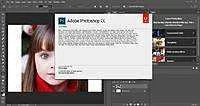
About Photoshop:
Adobe Photoshop is a raster graphics editor developed and published by Adobe Systems for Microsoft Windows

Photoshop was created in 1988 by Thomas and John Knoll. Since then, it has become the de facto industry standard in raster graphics editing, such that the word "photoshop" has become a verb as in "to Photoshop an image," "photo shopping" and "photoshop contest", though Adobe discourages such use. It can edit and compose raster images in multiple layers and supports masks, alpha compositing and several color models including RGB, CMYK, Lab color space, spot color and duotone. Photoshop has vast support for graphic file formats but also uses its own PSD and PSB file formats which support all the aforementioned features. In addition to raster graphics, it has limited abilities to edit or render text, vector graphics (especially through clipping path), 3D graphics and video. Photoshop's featureset can be expanded by Photoshop plug-ins, programs developed and distributed independently of Photoshop that can run inside it and offer new or enhanced features.

Photoshop's naming scheme was initially based on version numbers. However, in October 2002, following the introduction of Creative Suite branding, each new version of Photoshop was designated with "CS" plus a number; e.g., the eighth major version of Photoshop was Photoshop CS and the ninth major version was Photoshop CS2. Photoshop CS3 through CS6 were also distributed in two different editions: Standard and Extended. In June 2013, with the introduction of Creative Cloud branding, Photoshop's licensing scheme was changed to that of software as a service and the "CS" suffixes were replaced with "CC". Historically, Photoshop was bundled with additional software such as Adobe ImageReady, Adobe Fireworks, Adobe Bridge, Adobe Device Central and Adobe Camera RAW.

The Version of Camera Raw is 10.3 (Apr. 2018)
Portable Version Available:

phptoshop 2.5.png
Photoshop 2.5 LE
You do not have permission to view the full content of this post. Log in or register now.
Only Runs in 32-bit System

photoshop 3.0.png
Photoshop 3.0.5

You do not have permission to view the full content of this post. Log in or register now.

photoshop 4.0.png
Photoshop 4.0.1
You do not have permission to view the full content of this post. Log in or register now.

Photoshop 5.5.png
Photoshop 5.5
You do not have permission to view the full content of this post. Log in or register now.

photoshop 6.0.png
Photoshop 6.0.1
You do not have permission to view the full content of this post. Log in or register now.

photoshop 7.0.jpg
Photoshop 7.0
You do not have permission to view the full content of this post. Log in or register now.

photoshop cs1.png
Photoshop 8.0 (CS1)
You do not have permission to view the full content of this post. Log in or register now.

photoshop cs3.jpg
Photoshop 10.0.1 (CS3)
You do not have permission to view the full content of this post. Log in or register now.

photoshop cs4.jpg
Photoshop 11.0.1 (CS4 Extended)
You do not have permission to view the full content of this post. Log in or register now.

photoshop cs5.jpg
Photoshop 12.1 (CS5.5 Extended)
You do not have permission to view the full content of this post. Log in or register now.


photoshop cs6.jpg
Photoshop 13.1.2 (CS6 Extended)
You do not have permission to view the full content of this post. Log in or register now.

photoshop cc.jpg
Photoshop CC 19.1.6 (2018)
-Included napo ang camera raw ang cc 2018 version

You do not have permission to view the full content of this post. Log in or register now.

64 BIT VERSION OF 2018 IS NOW REMOVED SO TRY THE VERSION 2019 INSTEAD
You do not have permission to view the full content of this post. Log in or register now.

For Installer Version Go " HERE "
NOTE: this CC 2018 Portable is now included the GOOGLE NIK COLLECTION
Firefox-Sigi-User-bar.webp
IDM-Sigi-User-bar.webp
HTTP-injector.webp
 
Installer Version Available

photoshop cs3.jpg
Photoshop 10.0.1 (CS3 Extended)

You do not have permission to view the full content of this post. Log in or register now.

photoshop cs4.jpg
Photoshop 11.0.2 (CS4 Extended)

You do not have permission to view the full content of this post. Log in or register now.

photoshop cs5.webp
Photoshop 12.1 (CS5.5 Extended)

You do not have permission to view the full content of this post. Log in or register now.
photoshop cs6.jpg
Photoshop 13.1.2 (CS6 Extended)
You do not have permission to view the full content of this post. Log in or register now.

photoshop cc.jpg
Photoshop 19.1.6 (2018)
-Included napo ang camera raw ang cc installer version

You do not have permission to view the full content of this post. Log in or register now.

64 BIT VERSION OF 2018 IS NOW REMOVED SO TRY THE VERSION 2019 INSTEAD

Photoshop 20.0.5 (2019)

You do not have permission to view the full content of this post. Log in or register now.

error.webp
- incase na maencoutner ito na MSVCP140.dll is missing from your PC! Please Download this: "
You do not have permission to view the full content of this post. Log in or register now. " (Recommended sa Photoshop CC 2015.5/2017 Version)
Sa mga taong nagtanong dito kung ano ang meron ng photoshop features dito kayo pumunta sa
You do not have permission to view the full content of this post. Log in or register now.
Sa about sa system requirement ng photoshop version dito kayo pumunta sa You do not have permission to view the full content of this post. Log in or register now.

NOTE:
- This All File is Compressed based on 7zip 17.00 beta and later so use latest You do not have permission to view the full content of this post. Log in or register now. (Recommended) or You do not have permission to view the full content of this post. Log in or register now. (Very Recommended)


-meron napo camera raw version 10 testing lang to ha! pasensya kung may problema ha!
- Please try this if you experience problem with using photoshop cc 2015.5/2017 You do not have permission to view the full content of this post. Log in or register now.
Firefox-Sigi-User-bar.webp
IDM-Sigi-User-bar.webp
HTTP-injector.webp
 
Adobe Illustrator CS3|CS6|CC 2019 Installer/Portable Collection

Adobe Illustrator

Installer and Portable Version
illustrator splash screen.png
illustrator splash.png

About Illustrator:

Adobe® Illustrator® software is a vector graphics released on January 1987. The program is used for designing and creating digital graphics, illustrations, and web/mobile/video content. It offers different tools and functions to create various types of vector graphics.
It helps you create distinctive vector artwork for any project. Take advantage of the precision and power of sophisticated drawing tools, E×ρréššive natural brushes, and a host of time-savers.
Design and publish HTML websites without writing code with this software from Adobe.
It is to create the basic shape: through commands and tools, copying and combining objects to create new shapes, select and change the part of the object using the Selection tool, painted objects, provide more effective 3D to draw the shapes, objects, processing of images relating to the layout of the press.

The program features different vector drawing controls. These controls are used for creating distinct designs using painterly/fluid brushes, shape-building tools, and path controls. There are also different transparency and gradients tools available in the program. The available gradients can interact with the objects while giving the user control over the transparency of each color in gradients. Users can also use different types of strokes for their vector graphic project including arrowheads, variable-width strokes, art brush scaling, and dashes.

Adobe Illustrator also offers an in-panel appearance editor, which allows editing of object characteristics straight from the Appearance panel. The program can also be used to create PDF files containing graphic-rich and multipage contents. There are also various tools and functions for creating advanced typography. Aside from these, the application features perspective drawing for drawing scenes and shapes with a realistic distance and depth. Drawings can also be enhanced with the program’s enhancements tools.

Other prominent features found in Adobe Illustrator include Multiple Artboard Enhancements, Adobe Products Integration, and Broad Support for Graphic File Format.

Portable Version Available

illustrator cs3.png
Illustrator CS3 13.0.2

You do not have permission to view the full content of this post. Log in or register now.
illustrator cs6.png
Illustrator CS6 16.2.0

You do not have permission to view the full content of this post. Log in or register now. || You do not have permission to view the full content of this post. Log in or register now.


illustrator cc.png
Illustrator CC
22.1.0 (2018)

You do not have permission to view the full content of this post. Log in or register now. || You do not have permission to view the full content of this post. Log in or register now.

23.0.3 (2019)
You do not have permission to view the full content of this post. Log in or register now.
INSTALLER VERSION
illustrator cs3.png
Illustrator CS3 13.0.2
You do not have permission to view the full content of this post. Log in or register now.

illustrator cs6.png
Illustrator CS6 16.2.0

You do not have permission to view the full content of this post. Log in or register now.

illustrator cc.png
Illustrator CC
22.1.0 (2018)

You do not have permission to view the full content of this post. Log in or register now.|| You do not have permission to view the full content of this post. Log in or register now.

23.0.3 (2019)
You do not have permission to view the full content of this post. Log in or register now.

- incase na maencoutner ito na MSVCP140.dll is missing from your PC! Please Download this: "You do not have permission to view the full content of this post. Log in or register now. " (Recommended sa Photoshop CC 2015.5/2017 Version)

NOTE:
- This All File is Compressed based on 7zip 17.00 beta and later so use latest You do not have permission to view the full content of this post. Log in or register now. (Recommended) or You do not have permission to view the full content of this post. Log in or register now. (Very Recommended)

Firefox-Sigi-User-bar.webp
IDM-Sigi-User-bar.webp
HTTP-injector.webp
 
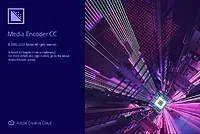
Adobe Media Encoder CC 2019 Version 13.1.0 Latest Installer for Free

Adobe Media Encoder

Installer Version
media_encoder_cc_logo_no_shadow_1024px.webp
005dfa005dfa005dfa3f.webp


About Media Encoder:

Adobe Media Encoder is the part of Adobe video editing suite that allows you to encode and transfer your video files into a proper and suitable format so that encoded videos can play on different devices. Media Encoder supports more than 70 input formats and 250+ output formats. Creative Cloud gives you the best tools for graphics/video processing.

Your go-to application for all media processing.
Ingest, transcode, create proxies, and output any format you can imagine.
This powerful media management tool allows you to work with media in a unified way across applications. Tight integration with Adobe Premiere Pro CC, After Effects CC, and other applications provides a seamless media processing workflow.

Features:

Adobe Media Encoder has ingesting and transcoding functionality
It has a Media Browser panel
You can directly publish your videos Twitter and Facebook.
It has 4K format support
If your video has loudness issue, Adobe Media Encoder automatically correct the loudness.
It has MXF channelization and IRT compliance
You can convert HDR to SDR, with conversion filter.
Destination Publish to Adobe Stock Contributor
Team Projects support
Support Color Profiles from After Effects sources
Automatically relink assets when importing a sequence
Option to maintain playback in Premiere Pro while rendering in AME
Streamlined bit depth and alpha channel settings (Quicktime only)
Export support for ambisonic audio (h.264 only)
Support for HLG (Hybrid LOG Gamma)
Support for HDR in HEVC (h.265) export
Export support for Panasonic AVC-LongGOP OP1b

DOWNLOAD LINK
You do not have permission to view the full content of this post. Log in or register now.

Firefox-Sigi-User-bar.webp
IDM-Sigi-User-bar.webp
HTTP-injector.webp
 
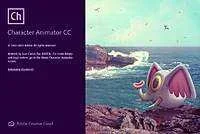
Adobe Character Animator CC 2019 2.1.1 Installer for Free

Adobe Character Animator

Installer Version

786px-Adobe_Character_Animator_CC_icon.svg.webp
005df9a05df9a05df9a9.webp


About Character Animator:
Adobe Character Animator is a desktop application software product that combines live motion-capture with a multi-track recording system to control layered 2D puppets drawn in Photoshop or Illustrator. It is automatically installed with Adobe After Effects CC 2015 to 2017 and is also available as a standalone application which you can download separately. It is used to produce both live and non-live animation.

Character Animator imports layered Photoshop & Illustrator documents into puppets which have behaviors applied to them. The puppets are then placed into a scene, which can be viewed in the Scene panel and Timeline panel. Rigging is set up in the Puppet panel, though basic rigging is fully automatic based on specific layer names like Right Eyebrow and Smile. Properties of selected elements can be examined and changed in the Properties panel, including behavior parameters. Live inputs include a webcam (for face-tracking), microphone (for live lip sync), keyboard (for triggering layers to hide/show), and mouse (for warping specific handles).

Final output of a scene can be exported to a sequence of PNG files and a WAV file, or any video format supported by Adobe Media Encoder. Live output can be sent to other applications running on the same machine via the Syphon protocol (Mac only) or Adobe Mercury Transmit on both Mac and Windows. Scenes can also be dropped directly into After Effects and Premiere Pro, using Dynamic Link to avoid rendering.

DOWNLOAD LINK
You do not have permission to view the full content of this post. Log in or register now.

Firefox-Sigi-User-bar.webp
IDM-Sigi-User-bar.webp
HTTP-injector.webp
 

About this Thread

  • 553
    Replies
  • 44K
    Views
  • 393
    Participants
Last reply from:
PHC - 3PaBuLong2

Online now

Members online
442
Guests online
994
Total visitors
1,436

Forum statistics

Threads
2,286,942
Posts
29,041,361
Members
1,217,280
Latest member
kazokitest1
Back
Top