 PH
PHpasok ka d2 192.168.1.1 type mo sa google iba kasi yung sa superadmin baka malito ka lng may mapalitan kapa ng kung ano anoGUSTO KO SANA SIR MAKAPASOK SA ADMIN OR USER NG MODEM PARA MAPALITAN KO SANA PASS NG WIFI.
-
Welcome to PHCorner Forums! Sign up for free to unlock full access and exclusive privileges, including:
- Asking questions about computer and mobile issues
- Discovering internet tips for your mobile network and computer
You are using an out of date browser. It may not display this or other websites correctly.
You should upgrade or use an alternative browser.
You should upgrade or use an alternative browser.
🔒 Closed PLDT Home Fibr: how to unlock Lan 2, 3, 4 in AN5506-04-FA (Full Admin)
- Thread starter H4wk3y3
- Start date
-
- Tags
- @genelle1925 oneone42
- Status
- Not open for further replies.
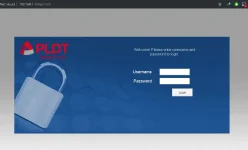
pasok ka d2 192.168.1.1
ilang taon kana ba ? d ba sayo demo nung nag pakabit kayo ng fibr ?pasok ka d2 192.168.1.1 type mo sa google iba kasi yung sa superadmin baka malito ka lng may mapalitan kapa ng kung ano ano
langgamerz
Grasshopper
pasok ka d2 192.168.1.1 type mo sa google iba kasi yung sa superadmin baka malito ka lng may mapalitan kapa ng kung ano ano
[/QUO
Bagong kabit lng kahapon sir..diko naabutan installer nakaalis na nung dating ko sa house, familiar naman ako sa lahat ng onu modem naka super admin lahat modem ko maliban lng sa isa na to onu hg6245d hirap ako pasuking admin.
langgamerz
Grasshopper
Baka meron ka link sir parasilang taon kana ba ? d ba sayo demo nung nag pakabit kayo ng fibr ?
STEP 1uno din yan boss router na yan parehas na process lng
Go to your browser and type:
You do not have permission to view the full content of this post. Log in or register now.
STEP 2
login with this credentials to enable telnet:
Username: f~i!b@e#r$h%o^m*esuperadmin
Password: s(f)u_h+g|u
STEP 3
Select Debug Switch
STEP 4
enable Telnet Switch and Web Admin Switch, and click Apply.
STEP 4B
You should enable Telnet in Windows.
Here's a tutorial video on how to do it: You do not have permission to view the full content of this post. Log in or register now....
STEP 5
Open Command Prompt (Windows), or
Open Terminal (Mac), or
Use Putty
STEP 6 (type the command below)
telnet 192.168.1.1
STEP 7
login with this credentials on Command Prompt/Terminal/Putty:
Login: gepon
Password: gepon
STEP 8
Then type:
enable
a password prompt will show up and use this credential:
Password: gepon
STEP 9
after logging in type:
cd web
STEP 10
then type:
get web admin username adminpldt
(then it show you the password for the adminpldt, copy it or remember it!)
STEP 11
go to your browser and type You do not have permission to view the full content of this post. Log in or register now.
(NOTICE: NOT ONLY "192.168.1.1/fh"!! Always put "https://" also not "http://"(but it will redirect you to https but it still different.))
STEP 12
then login your adminpldt and the password displayed in the telnet/CL
Category
drop email bigay ko sayo tut videoBaka meron ka link sir paras
STEP 1
Go to your browser and type:
You do not have permission to view the full content of this post. Log in or register now.
STEP 2
login with this credentials to enable telnet:
Username: f~i!b@e#r$h%o^m*esuperadmin
Password: s(f)u_h+g|u
STEP 3
Select Debug Switch
STEP 4
enable Telnet Switch and Web Admin Switch, and click Apply.
STEP 4B
You should enable Telnet in Windows.
Here's a tutorial video on how to do it: You do not have permission to view the full content of this post. Log in or register now....
STEP 5
Open Command Prompt (Windows), or
Open Terminal (Mac), or
Use Putty
STEP 6 (type the command below)
telnet 192.168.1.1
STEP 7
login with this credentials on Command Prompt/Terminal/Putty:
Login: gepon
Password: gepon
STEP 8
Then type:
enable
a password prompt will show up and use this credential:
Password: gepon
STEP 9
after logging in type:
cd web
STEP 10
then type:
get web admin username adminpldt
(then it show you the password for the adminpldt, copy it or remember it!)
STEP 11
go to your browser and type You do not have permission to view the full content of this post. Log in or register now.
(NOTICE: NOT ONLY "192.168.1.1/fh"!! Always put "https://" also not "http://"(but it will redirect you to https but it still different.))
STEP 12
then login your adminpldt and the password displayed in the telnet/CL
Category
langgamerz
Grasshopper
yan ang sinunod ko kaso diko makuha admin pass nya sa putty ayaw tang gapin ng command
langgamerz
Grasshopper
langgamerz@gmail.com maraming salamat sir! wait ko podrop email bigay ko sayo tut video
papalitan mo ng fh yung html dalawang beses yun sa una web swicth sunod dun na sa mismong super adminyan ang sinunod ko kaso diko makuha admin pass nya sa putty ayaw tang gapin ng command
madali n lng sayo to kasi sabi mo alam muna halos lahat ng uno modemlanggamerz@gmail.com maraming salamat sir! wait ko po
langgamerz
Grasshopper
Ah ok sir wait ko yung tut mo sa email, dito lng sa hg6245d ako nalito.madali n lng sayo to kasi sabi mo alam muna halos lahat ng uno modem
sent naAh ok sir wait ko yung tut mo sa email, dito lng sa hg6245d ako nalito.
langgamerz
Grasshopper
Ok na sir salamat na access ko na. Salamat sir Ruler!madali n lng sayo to kasi sabi mo alam muna halos lahat ng uno modem
cge lng pa credits nmanOk na sir salamat na access ko na. Salamat sir Ruler!
langgamerz
Grasshopper


djcokie123
Leecher
need help din po hg6245d kung anong username at password salamat!
eto po email ko djcokievocalistangforest@gmail.com
eto po email ko djcokievocalistangforest@gmail.com
cge lng pa credits nman
pa send din ako ng tut sir salamat ng marami. inevergiveup1991@gmail.com
naka RP2631 ung model po sakin.
check email !need help din po hg6245d kung anong username at password salamat!
eto po email ko djcokievocalistangforest@gmail.com
Check Email!pa send din ako ng tut sir salamat ng marami. inevergiveup1991@gmail.com
naka RP2631 ung model po sakin.
- Status
- Not open for further replies.
About this Thread
-
167Replies
-
43KViews
-
79Participants
Last reply from:
paulNivy
paulNivy
New Topics
-
Converge Wifi password
- Started by sweatmilk08
- Replies: 3
- 📡 Broadband, Modem, & Networking
-
PLDT HOME WIFI H155-382 Openline
- Started by sprak
- Replies: 0
- 📡 Broadband, Modem, & Networking
-
Mouse & keyboard for Converge Xperience Hub Sky TV
- Started by gamerxxxxx
- Replies: 0
- 📡 Broadband, Modem, & Networking
-
Globe zlt g202 reset
- Started by edlerod
- Replies: 0
- 📡 Broadband, Modem, & Networking
-
Capcut 4x account Free open now
- Started by Emjayrtz
- Replies: 0
- 📡 Broadband, Modem, & Networking
-
ZTE MF903 Smart Openline baka meron kayo
- Started by PHCMaxx
- Replies: 0
- 📡 Broadband, Modem, & Networking
-
Globe modem Lan ports
- Started by johnkill
- Replies: 10
- 📡 Broadband, Modem, & Networking
-
Paano kumita by sharing internet?
- Started by JsCoder3
- Replies: 3
- 📡 Broadband, Modem, & Networking
-
Successful Openline PLDT 5G+ H153-381
- Started by TheManWhoCantBeMoved
- Replies: 27
- 📡 Broadband, Modem, & Networking
-
YOTC SURF TO SAWA 5G AND LAN
- Started by joerish29
- Replies: 0
- 📡 Broadband, Modem, & Networking
Trending Topics
-
-
-
-
-
-
-
Rain101 (Anti TTL) Bypass Datamaxx 5GUnli / Sayall 5G Unli ( No Connection )
- Shuuuuuuuun
Replies: 73 -
-
Online now
- Members online
- 401
- Guests online
- 7,801
- Total visitors
- 8,202