PH
PHRequirements:
1. Google Cloud account.
- Create yours by clicking You do not have permission to view the full content of this post. Log in or register now. . You will be credited an amount of $300 that will be valid for 12 months upon successful registration. $300 is enough so there's no need to avail or continue. Iwas din sa bayarin. Hahaha
2. Cloud Console App.
- Download the app in the Play Store or Apple Store
Android App Link: You do not have permission to view the full content of this post. Log in or register now.
3. Brain and Patience
Procedures:
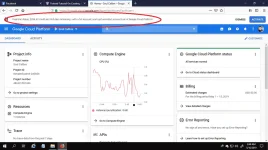
1. Login into https:console.cloud.google.com/ .
2. Go to VM Instances and click "Create VM"
3. It's up to you kung ano ang settings ng gagawin mo. It's your decision kung ano ang country, RAM, vCPU, OS and Storage ang gagamitin mo. Normally, pwede na yung 1vCPU + 1GB RAM + 10GB Persistent SSD. Sa Operating System or OS, bahala ka na kung alin sa mga options doon.
4. Scroll down and click the checkbox for HTTP and HTTPS
5. Click "Save" or "Create" to create the VM Instance
Now, para ma-access using SSH Clients (eg.: JuiceSSH, PuTTY, etc.), create root password and enable SSH Connection.
1. Open Cloud Console App and go to "Resources", then "VM Instances", then select your VM or droplet to configure.
2. Click on the 3-dotted gear on the upper-right corner, then select "Connect Via SSH".
3. Once connected run the following commands:
4. Create your own password, click enter then re-type password
5. Run command:
6. Edit and change: "no" into "yes".
Then press "enter" key to save the file
Alternative ways of saving are:
or by pressing "Ctrl" and "o"
* o means override
8. Run:
Wait a few seconds and you can now access SSH using root account.
1. Google Cloud account.
- Create yours by clicking You do not have permission to view the full content of this post. Log in or register now. . You will be credited an amount of $300 that will be valid for 12 months upon successful registration. $300 is enough so there's no need to avail or continue. Iwas din sa bayarin. Hahaha
2. Cloud Console App.
- Download the app in the Play Store or Apple Store
Android App Link: You do not have permission to view the full content of this post. Log in or register now.
3. Brain and Patience
Procedures:
1. Login into https:console.cloud.google.com/ .
2. Go to VM Instances and click "Create VM"
3. It's up to you kung ano ang settings ng gagawin mo. It's your decision kung ano ang country, RAM, vCPU, OS and Storage ang gagamitin mo. Normally, pwede na yung 1vCPU + 1GB RAM + 10GB Persistent SSD. Sa Operating System or OS, bahala ka na kung alin sa mga options doon.
4. Scroll down and click the checkbox for HTTP and HTTPS
5. Click "Save" or "Create" to create the VM Instance
Now, para ma-access using SSH Clients (eg.: JuiceSSH, PuTTY, etc.), create root password and enable SSH Connection.
1. Open Cloud Console App and go to "Resources", then "VM Instances", then select your VM or droplet to configure.
2. Click on the 3-dotted gear on the upper-right corner, then select "Connect Via SSH".
3. Once connected run the following commands:
Code:
sudo su root
Code:
cd
Code:
passwd root5. Run command:
Code:
vim /etc/ssh/sshd_config- PermitRootLogin yes
- PasswordAuthentication yes
Code:
:xaAlternative ways of saving are:
Code:
:wq!* o means override
8. Run:
Code:
service sshd restartWait a few seconds and you can now access SSH using root account.