 PH
PHSystem Explorer 5.5.0
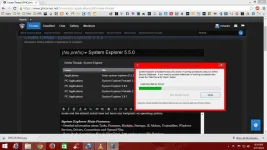
System Explorer is free, awards winning software for exploration and management of System Internals. This small software includes many usefull tools which help you Keep Your System Under Control. With System Explorer you get also fast access to File Database which help you to determine unwanted processes or threats. System Explorer will display details about the startup programs, running processes, Internet Explorer, IE Addons, installed applications, network connections, Windows OS, services, drivers, and opened files. Action History for monitoring processes activities. Making of Registry & Files snapshots for easy comparing of system changes. Result of comparation is displayed in tree view and text list. Can be used for analysation of product installers/uninstallers (like Total Uninstall). Performance graphs for monitoring usage of system resources in time.
Easy check of suspicious files via VirusTotal. Easy search details about file/process via online databases. Easy access to System Utilities.
System Explorer is translated into 21 languages and is available in two major distributions. Installer version: This contains an installation wizard which will help you to easily install and setup System Explorer on your system.
System Explorer Main Features:
• Detailed information about Tasks, Processes, Modules, Startups, IE Addons, Uninstallers, Windows Services, Drivers, Connections and Opened Files.
• Easy check of suspicious files via VirusTotal, Jotti service or our File Database.
• Easy monitoring of processes activities and System changes.
• Usage graphs of important System resources.
• Tray Hint with detailed System and Battery status
• WMI Browser and System Additional Info
• Multilanguage Support
SystemExplorer is FREE for personal and commercial use!
Requires operating system Windows XP, Vista, Windows 7 or Windows 8.
Changes in System Explorer 5.5.0, 04/21/2014::
- improved installer, two view modes, bugfixes and updated translations.
Size: 2.18 MB
System Explorer is free, awards winning software for exploration and management of System Internals. This small software includes many usefull tools which help you Keep Your System Under Control. With System Explorer you get also fast access to File Database which help you to determine unwanted processes or threats. System Explorer will display details about the startup programs, running processes, Internet Explorer, IE Addons, installed applications, network connections, Windows OS, services, drivers, and opened files. Action History for monitoring processes activities. Making of Registry & Files snapshots for easy comparing of system changes. Result of comparation is displayed in tree view and text list. Can be used for analysation of product installers/uninstallers (like Total Uninstall). Performance graphs for monitoring usage of system resources in time.
Easy check of suspicious files via VirusTotal. Easy search details about file/process via online databases. Easy access to System Utilities.
System Explorer is translated into 21 languages and is available in two major distributions. Installer version: This contains an installation wizard which will help you to easily install and setup System Explorer on your system.
System Explorer Main Features:
• Detailed information about Tasks, Processes, Modules, Startups, IE Addons, Uninstallers, Windows Services, Drivers, Connections and Opened Files.
• Easy check of suspicious files via VirusTotal, Jotti service or our File Database.
• Easy monitoring of processes activities and System changes.
• Usage graphs of important System resources.
• Tray Hint with detailed System and Battery status
• WMI Browser and System Additional Info
• Multilanguage Support
SystemExplorer is FREE for personal and commercial use!
Requires operating system Windows XP, Vista, Windows 7 or Windows 8.
Changes in System Explorer 5.5.0, 04/21/2014::
- improved installer, two view modes, bugfixes and updated translations.
Size: 2.18 MB
