 PH
PHyan din po gamit kosir meron ka po diyan ui para sa tplink niyang ssl saka openvpn? medyo hassle na paulit ulit na pasukin via ssh. hehe salamat po.
-
Welcome to PHCorner Forums! Sign up for free to unlock full access and exclusive privileges, including:
- Asking questions about computer and mobile issues
- Discovering internet tips for your mobile network and computer
You are using an out of date browser. It may not display this or other websites correctly.
You should upgrade or use an alternative browser.
You should upgrade or use an alternative browser.
🔒 Closed openwrt-openvpn
- Thread starter jknee00
- Start date
-
- Tags
- sun & smart
- Status
- Not open for further replies.
ay wag nalang pala. may narealize ako. haha magpopost ako. salamat by the way. new learnings heheyan din po gamit ko
PHC - Freenet
Eternal Poster
ts dba pede lagyan ng wifi donggle ang raspberry para lumawak ang bato ng wifi nya kase pag ung built in wifi malapit lang sakot kase walang antena di gaya ng mga router na me antena kaya malakas mag bato ng wifipwede --- gawin openwrt si raspberry
heto yung openwrt ko na mikrotik
upload - delete config me ssl support pa at sofether ---
for mikrotik lagn ito
sa tplinks naman
ssl at openvpn lang
View attachment 664246
usually 150mbs lagn wifi nila gaya din ne mikrotik --- yup pwede mo lagyants dba pede lagyan ng wifi donggle ang raspberry para lumawak ang bato ng wifi nya kase pag ung built in wifi malapit lang sakot kase walang antena di gaya ng mga router na me antena kaya malakas mag bato ng wifi
sa wakas nkuha ko rindo the process for other models and version
happy tunneling
---enjoylife lagn muna----
reqiruirements -
winscp at putty
para malaman kung supported yung router ninyo
punta dito
You do not have permission to view the full content of this post. Log in or register now.
or jus google out your router model and version
exmaple -
940n v6
View attachment 599687
piliin ang techdata---
heto agn hitsura ng site
View attachment 599688
para malaman kung paano eh flash yung router or yung processo niya
take a look sa pinaka ma baba
View attachment 599689
installation method is -- VIA gui oem - webui -- sa mismong webui niya-- usually login ka sa 192.168.0.1 admin/.admin -- punta ka sa firmware upgrade
piliin ang firmware install url -- para sa first upgrade natin
next for the creation of openwrt -openvpn -
punta ka lagn sa site na ito
You do not have permission to view the full content of this post. Log in or register now.
follow image hehehe
View attachment 599694
View attachment 599695
para mag kasya si openvpn natin -- simply delete this files
View attachment 599696
View attachment 599697
yan delete nyo yan
tapos - ilagay nyo ito sa pinaka mabab
openvpn-mbedtls
then create image ---wait mo hangang matapos
View attachment 599698
View attachment 599699
View attachment 599700
download nyo at ready nyo si winscp
View attachment 599701
correct format para mapasok nyo yung tplink nyo
walang webui yung 940n natin kaya dito tayu papasok par amag lagay ng config ng vpn---
di ako ang lagay ng luci--para medyo magaan si tplink at di masyado ma stress
----
View attachment 599702
l
login ka sa winscp lagay mo sa /tmp folder ang firmware mo === i just rename the firmware to sysupgrade.bin
install mo si putty
View attachment 599703
click mo para ma open si putty
then do this
cd /tmp
sysupgrade -v sysupgrade.bin
then wait
after that
configure natin device for
punta uli sa putty
copy this whole command and right click sa putty - right click means paste
# a new OpenVPN instance:
uci set openvpn.provider=openvpn
uci set openvpn.provider.enabled='1'
uci set openvpn.provider.config='/etc/openvpn/server.ovpn'
# a new network interface for tun:
uci set network.provider=interface
uci set network.provider.proto='static' #dhcp #none
uci set network.provider.ifname='tun0'
# a new firewall zone (for VPN):
uci add firewall zone
uci set firewall.@zone[-1].name='vpn'
uci set firewall.@zone[-1].input='ACCEPT'
uci set firewall.@zone[-1].output='ACCEPT'
uci set firewall.@zone[-1].forward='ACCEPT'
uci set firewall.@zone[-1].masq='1'
uci set firewall.@zone[-1].mtu_fix='1'
uci add_list firewall.@zone[-1].network='provider'
# enable forwarding from LAN to VPN:
uci add firewall forwarding
uci set firewall.@forwarding[-1].src='lan'
uci set firewall.@forwarding[-1].dest='vpn'
# Finally, you should commit UCI changes:
uci commit
uci set wireless.@wifi-iface[0].key='MYVPNROUTER'
uci set wireless.@wifi-iface[0].ssid='enjoylife'
uci set wireless.@wifi-iface[0].encryption='psk'
uci commit wireless
wifi reload
uci set wireless.@wifi-device[0].disabled=0; uci commit wireless; wifi
sa pag lagay ng openvpn
punta lagn sa folder na to
/etc/openvpn/
View attachment 599705
View attachment 599706
heto agn format sa loob ng server.ovpn files natin..
for execution or to start openvpn
ito yung command
punta sa putty log in ka
/etc/init.d/openvpn enable
/etc/init.d/openvpn start
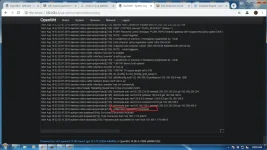
punta dito para makita ang- logs
folder - /tmp/openvpn.log
ito yung ginagawa ko noon nag start palang ako way back 2017 god bless--
commect lagn ill be happy to answer.....
Attachments
PHC - Freenet
Eternal Poster
me piling wifi donggle ba sa openwrt ng raspberry or kahit anung wifi donggle pepede?usually 150mbs lagn wifi nila gaya din ne mikrotik --- yup pwede mo lagyan
nakapag gawa naba kayo ng openwrt sa raspberrypi?
yes
me chances na si rasp pwede gawin openwrt, anong exact model nga bala ng rasp bossme piling wifi donggle ba sa openwrt ng raspberry or kahit anung wifi donggle pepede?
nakapag gawa naba kayo ng openwrt sa raspberrypi?
PHC - Freenet
Eternal Poster
raspberry pi 3 model b v1.2yes
me chances na si rasp pwede gawin openwrt, anong exact model nga bala ng rasp boss
pwede boss pero sayang dahil marami naman magaganda sa raspian os bossraspberry pi 3 model b v1.2
PHC - Freenet
Eternal Poster
wala kase webui ang raspbian hehe compare sa router na me webui madali ayusin config hehepwede boss pero sayang dahil marami naman magaganda sa raspian os boss
pwede naman lagyanwala kase webui ang raspbian hehe compare sa router na me webui madali ayusin config hehe
PHC - Freenet
Eternal Poster
naka gawa kna ba ts ng raspbian? tapos na experience q pag nka raspbian os namamatay ang wifi pag madame naka connect sa raspberrypi parang kinakapos sa kuryente namamatay ang raspberrypipwede naman lagyan
pa bookmark po muna, salamat dito TSdo the process for other models and version
happy tunneling
---enjoylife lagn muna----
reqiruirements -
winscp at putty
para malaman kung supported yung router ninyo
punta dito
You do not have permission to view the full content of this post. Log in or register now.
or jus google out your router model and version
exmaple -
940n v6
View attachment 599687
piliin ang techdata---
heto agn hitsura ng site
View attachment 599688
para malaman kung paano eh flash yung router or yung processo niya
take a look sa pinaka ma baba
View attachment 599689
installation method is -- VIA gui oem - webui -- sa mismong webui niya-- usually login ka sa 192.168.0.1 admin/.admin -- punta ka sa firmware upgrade
piliin ang firmware install url -- para sa first upgrade natin
next for the creation of openwrt -openvpn -
punta ka lagn sa site na ito
You do not have permission to view the full content of this post. Log in or register now.
follow image hehehe
View attachment 599694
View attachment 599695
para mag kasya si openvpn natin -- simply delete this files
View attachment 599696
View attachment 599697
yan delete nyo yan
tapos - ilagay nyo ito sa pinaka mabab
openvpn-mbedtls
then create image ---wait mo hangang matapos
View attachment 599698
View attachment 599699
View attachment 599700
download nyo at ready nyo si winscp
View attachment 599701
correct format para mapasok nyo yung tplink nyo
walang webui yung 940n natin kaya dito tayu papasok par amag lagay ng config ng vpn---
di ako ang lagay ng luci--para medyo magaan si tplink at di masyado ma stress
----
View attachment 599702
l
login ka sa winscp lagay mo sa /tmp folder ang firmware mo === i just rename the firmware to sysupgrade.bin
install mo si putty
View attachment 599703
click mo para ma open si putty
then do this
cd /tmp
sysupgrade -v sysupgrade.bin
then wait
after that
configure natin device for
punta uli sa putty
copy this whole command and right click sa putty - right click means paste
# a new OpenVPN instance:
uci set openvpn.provider=openvpn
uci set openvpn.provider.enabled='1'
uci set openvpn.provider.config='/etc/openvpn/server.ovpn'
# a new network interface for tun:
uci set network.provider=interface
uci set network.provider.proto='static' #dhcp #none
uci set network.provider.ifname='tun0'
# a new firewall zone (for VPN):
uci add firewall zone
uci set firewall.@zone[-1].name='vpn'
uci set firewall.@zone[-1].input='ACCEPT'
uci set firewall.@zone[-1].output='ACCEPT'
uci set firewall.@zone[-1].forward='ACCEPT'
uci set firewall.@zone[-1].masq='1'
uci set firewall.@zone[-1].mtu_fix='1'
uci add_list firewall.@zone[-1].network='provider'
# enable forwarding from LAN to VPN:
uci add firewall forwarding
uci set firewall.@forwarding[-1].src='lan'
uci set firewall.@forwarding[-1].dest='vpn'
# Finally, you should commit UCI changes:
uci commit
uci set wireless.@wifi-iface[0].key='MYVPNROUTER'
uci set wireless.@wifi-iface[0].ssid='enjoylife'
uci set wireless.@wifi-iface[0].encryption='psk'
uci commit wireless
wifi reload
uci set wireless.@wifi-device[0].disabled=0; uci commit wireless; wifi
sa pag lagay ng openvpn
punta lagn sa folder na to
/etc/openvpn/
View attachment 599705
View attachment 599706
heto agn format sa loob ng server.ovpn files natin..
for execution or to start openvpn
ito yung command
punta sa putty log in ka
/etc/init.d/openvpn enable
/etc/init.d/openvpn start
punta dito para makita ang- logs
folder - /tmp/openvpn.log
ito yung ginagawa ko noon nag start palang ako way back 2017 god bless--
commect lagn ill be happy to answer.....
Andystime06
Honorary Poster
nice thread, pagka flash nyu ng openwrt always check
yung time and date para kapag naglagay kayo ng config
ky openvpn ay magconnect agad.. pag mali time and date hindi coconnect
kahit working pa my mga configs nyu..
yung time and date para kapag naglagay kayo ng config
ky openvpn ay magconnect agad.. pag mali time and date hindi coconnect
kahit working pa my mga configs nyu..
equeenox2327
Grasshopper
Guys need help nd q naedit password ng openwrtlinux. Nd q maconnect sa wifi. Ano pwede q gawin wala pala aq lan cable
equeenox2327
Grasshopper
Guys pano install ung ovpn config sa linuxnoob?
equeenox2327
Grasshopper
Meron na po aq openwrt at config. Nd q lng sya mapaganapm lagn sa gusto mag avail
- Status
- Not open for further replies.
Similar threads
-
OpenWRT compatible build for PLDT R051 (with a catch)
- Started by thedoggybrad
- Replies: 2
-
-
👨🏫 Tutorial Using TVBox as Openvpn for your 4g Modem
- Started by DeadRat
- Replies: 2
About this Thread
-
65Replies
-
4KViews
-
18Participants
Last reply from:
mark143
mark143
New Topics
-
Tnt data for everyday use
- Started by max37
- Replies: 0
- 📶 Smart & TNT
-
Tnt free 16GB after loading
- Started by Pewpew
- Replies: 3
- 📶 Smart & TNT
-
Tnttnttnt http custom
- Started by Jokjok2011
- Replies: 1
- 📶 Smart & TNT
-
Smart Regular Internet promo 2mbps capped
- Started by Aztrin_GE
- Replies: 1
- 📶 Smart & TNT
-
TNT noload only
- Started by swaggerrlee
- Replies: 4
- 📶 Smart & TNT
Trending Topics
-
Oct.23 Sts unlidata data bypass/saya all /power all/ unli tiktok/ for ios Android Pc
- _-_-LhOnZ-_-_
Replies: 16 -
Oct.27 Sts unlidata data bypass/saya all /power all/ unli tiktok/ for ios Android Pc
- _-_-LhOnZ-_-_
Replies: 9 -
Oct.26 Sts unlidata data bypass/saya all /power all/ unli tiktok/ for ios Android Pc
- _-_-LhOnZ-_-_
Replies: 15 -
-
Oct.19 Sts unlidata data bypass/saya all /power all/ unli tiktok/ for ios Android Pc
- _-_-LhOnZ-_-_
Replies: 27 -
-
-
-
-
Online now
- Members online
- 1,054
- Guests online
- 5,642
- Total visitors
- 6,696