 PH
PH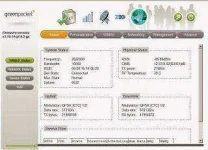
- for DV 235T
- 1. Fist DOWNLOAD FIRMWARE
- You do not have permission to view the full content of this post. Log in or register now.
- 2. rename the downloaded file (remove the.zip file extension)
- 3. dont unzip or extract the file
- 4. OPEN BROWSER GO TO 192.168.15.1
- LOGIN DETAILS
- username:smart
- password:smart
- 5. GO TO MANAGEMENT>UPGRADE CLICK BROWSE>BROWSE downloaded file
- 6. Click Apply
- 7. AFTER REBOOT LOGIN to Gui USING
- Username: smart
- Password: smart
- 8. then go to management>recovery
- click factory default
- 9. AFTER REBOOT LOGIN 10.1.1.254 TO ACCESS GUI using
- Username: admin
- Password: admin
- 10. Change Mac Address
- Open DOS Command (CMD)
- telnet 10.1.1.254
- login: admin
- password: admin
- type:enable
- type:router
- type:wan mac
- type: commit
- type: exit
- type: reboot
- 11. After Reboot GO TO GUI 10.1.1.254 then Login (Username: admin Password: admin)
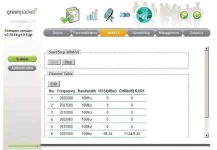
- 12. go to wimax>scanner then click edit then insert to add frequency then click apply
- list of frequency for SMART(Domain SMARTBRO.NET )
- 2337500
- 2347500
- 2357500
- 2345000
- 2355000
- 2365000
- list of frequency for GLOBE
- 2505000
- 2507500
- 2510000
- 2602000
- 2612000
- 2622000
- 2638000
- 13. After Adding frequency Click Apply
- 14. FOR GLOBE
- USERNAME = GENERATEDPASSWORD@GLOBELINES.COM.PH (OR if VIP MAC use the other domain)
- PASSWORD= GENERATEDPASSWORD(by wimaxtools, yyyxyyyz or other tools)
- IDENTITY = MAC@GLOBELINES.COM.PH ( if VIP MAC use the other domain) remove COLON of MAC
- 15. On Option ONLY (Auto Prepend Auth Mode and Ignore Cert Verification) are the check
- 16. In username textbox only 32 char is the maximum allowed so here the tweak to add the domain
- RIGHT CLICK TEXTBOX of USERNAME THE INSPECT ELEMENT then look MAXLENGHT=32 AND CHANGE IT TO 50 OR 100
- THEN ADD .ph in USERNAME TO SEE IF OK.
- then CLICK APPLY
- 17. For Smart. Change the Domain used and Frequency Used.
- CREDITS to DISCOVERER of this tricks.
