PH
PHbingvelasco
Leecher
sorry sa post. hayun na download ko na. thanks, thanks, thanks........
maliwanag pa sa ilaw ang paliwanag ni Manok45..... thanks
maliwanag pa sa ilaw ang paliwanag ni Manok45..... thanks
pa try mga bossing first time ahahaha
Tara! Mag reconnect tayo ng mga WIMAX nyo.
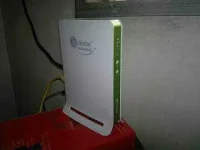
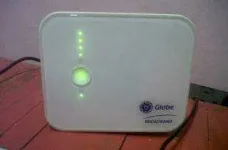
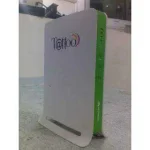
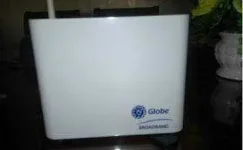
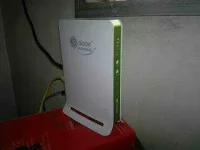
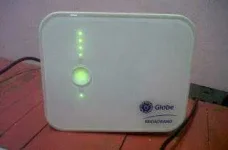
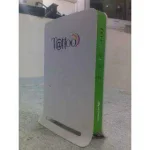
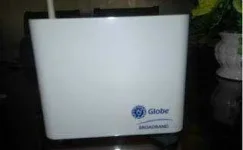
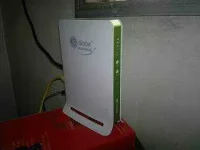
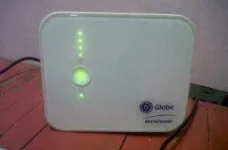
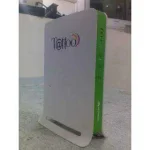
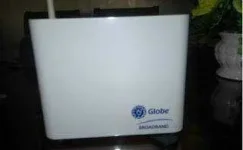
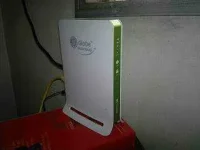
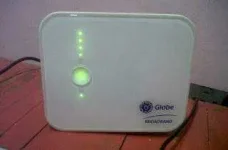
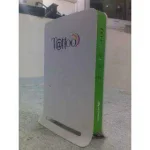
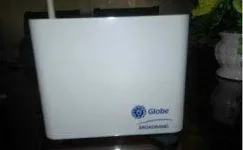
Sample pictures of Wimax Modems. Source: google images.
BM622:
BM622i:
BM621:
BM622m:
BM625:
-----------------------------------------
A. Alamin muna natin kung häçkable ba ang wimax mo.
Globe Wimax Model na häçkable:
BM622 (version 2009, 2010, 2011)
BM622i (version 2009, 2010, 2011)
BM622m (any)
BM625 (2009, 2010)
BM621 (2009, 2010)
Ganito naman para malaman ang package date mo:
1. Go to your wimax gateway. Default Gateways are:
*BM622,BM625,BM621: 192.168.1.1
*BM622i,BM622m: 192.168.254.1
2. Login ka as: username|password
*BM622 - user|user OR user|0SlO051O
*BM622i - user|user OR user|0SlO051O
*BM622m - user|0SlO051O
*BM625/BM621 - user|user
3. Makikita mo na ang iyong Package Date.
-----------------------------------------
B. Enable your Computer Telnet Client and Server. Ganito yan.
1. Pumunta sa Start Menu
2. Control Panel
3. Programs
4. Programs And Features
5. Turn Windows features on or off
6. Check Telnet Client and Server
7. Press OK and at hintayin mag save.
-----------------------------------------
C. Enable Wimax Modem Telnet
1. dôwnlôad this first:
BM622i 2009-2010: dôwnlôad Here (wait 5 seconds then skip ad)
BM622 2009-2010: dôwnlôad Here (wait 5 seconds then skip ad)
BM622 2011: dôwnlôad Here (wait 5 seconds then skip ad) credits kay heartilly
2. Login ka as user tapos copy mo WAN MAC mo.
3. For BM622 2009-2010 and BM622i 2009-2010, open mo ung dinownload mo knina na passgenerator. Paste mo WAN MAC mo dun.
4. Login kana as admin and paste the generated password.
5. For BM622 2009-2010, go to advance, ACL, check LAN Telnet, APPLY!
6. For BM622i 2009-2010, go to advance, Firewall, disable firewall, APPLY!
7. For BM622 2011, dôwnlôad the admin password generator.
8. Dapat connected na ang BM622 2011 mo at accessible na ito. Irun lng ang software at pindutin ang start, wait ng konti at lalabas na ang password mo.
-----------------------------------------
D. Procedures to Reconnect your wimax:
1. I-dôwnlôad ang software na angkop sa iyong modem.
Big thanks to yyyxyyyz, TheCasper, shyb0i para sa mga software na ito.
-BM622 2009 and 2010: dôwnlôad Here (wait 5 seconds then skip ad)
-BM622 2011: dôwnlôad Here (wait 5 seconds then skip ad)
-BM622i 2009 and 2010: dôwnlôad Here (wait 5 seconds then skip ad)
-BM622i 2011: dôwnlôad Here (wait 5 seconds then skip ad)
-BM622m: dôwnlôad Here (wait 5 seconds then skip ad)
-BM625 2009 and 2010: dôwnlôad Here (wait 5 seconds then skip ad)
-BM621 2009 and 2010: dôwnlôad Here (wait 5 seconds then skip ad)
2. Buksan mo lang ung software at magkabit ng working mac tpos ok.
*Kung wala kang working mac, try mong: MAg hanap maraming nakakalat dyan !wag po kayo matakot sa blank wan !!
3. Wait tyo hanggang magreboot ang wimax natin, at magkainternet na.
4. Tapos na! Pwede kana maginternet!
Tara! Mag reconnect tayo ng mga WIMAX nyo.
Sample pictures of Wimax Modems. Source: google images.
BM622:
BM622i:
BM621:
BM622m:
BM625:
-----------------------------------------
A. Alamin muna natin kung häçkable ba ang wimax mo.
Globe Wimax Model na häçkable:
BM622 (version 2009, 2010, 2011)
BM622i (version 2009, 2010, 2011)
BM622m (any)
BM625 (2009, 2010)
BM621 (2009, 2010)
Ganito naman para malaman ang package date mo:
1. Go to your wimax gateway. Default Gateways are:
*BM622,BM625,BM621: 192.168.1.1
*BM622i,BM622m: 192.168.254.1
2. Login ka as: username|password
*BM622 - user|user OR user|0SlO051O
*BM622i - user|user OR user|0SlO051O
*BM622m - user|0SlO051O
*BM625/BM621 - user|user
3. Makikita mo na ang iyong Package Date.
-----------------------------------------
B. Enable your Computer Telnet Client and Server. Ganito yan.
1. Pumunta sa Start Menu
2. Control Panel
3. Programs
4. Programs And Features
5. Turn Windows features on or off
6. Check Telnet Client and Server
7. Press OK and at hintayin mag save.
-----------------------------------------
C. Enable Wimax Modem Telnet
1. dôwnlôad this first:
BM622i 2009-2010: dôwnlôad Here (wait 5 seconds then skip ad)
BM622 2009-2010: dôwnlôad Here (wait 5 seconds then skip ad)
BM622 2011: dôwnlôad Here (wait 5 seconds then skip ad) credits kay heartilly
2. Login ka as user tapos copy mo WAN MAC mo.
3. For BM622 2009-2010 and BM622i 2009-2010, open mo ung dinownload mo knina na passgenerator. Paste mo WAN MAC mo dun.
4. Login kana as admin and paste the generated password.
5. For BM622 2009-2010, go to advance, ACL, check LAN Telnet, APPLY!
6. For BM622i 2009-2010, go to advance, Firewall, disable firewall, APPLY!
7. For BM622 2011, dôwnlôad the admin password generator.
8. Dapat connected na ang BM622 2011 mo at accessible na ito. Irun lng ang software at pindutin ang start, wait ng konti at lalabas na ang password mo.
-----------------------------------------
D. Procedures to Reconnect your wimax:
1. I-dôwnlôad ang software na angkop sa iyong modem.
Big thanks to yyyxyyyz, TheCasper, shyb0i para sa mga software na ito.
-BM622 2009 and 2010: dôwnlôad Here (wait 5 seconds then skip ad)
-BM622 2011: dôwnlôad Here (wait 5 seconds then skip ad)
-BM622i 2009 and 2010: dôwnlôad Here (wait 5 seconds then skip ad)
-BM622i 2011: dôwnlôad Here (wait 5 seconds then skip ad)
-BM622m: dôwnlôad Here (wait 5 seconds then skip ad)
-BM625 2009 and 2010: dôwnlôad Here (wait 5 seconds then skip ad)
-BM621 2009 and 2010: dôwnlôad Here (wait 5 seconds then skip ad)
2. Buksan mo lang ung software at magkabit ng working mac tpos ok.
*Kung wala kang working mac, try mong: MAg hanap maraming nakakalat dyan !wag po kayo matakot sa blank wan !!
3. Wait tyo hanggang magreboot ang wimax natin, at magkainternet na.
4. Tapos na! Pwede kana maginternet!
Hallo Sir, the downloadlink for 622 2011 is not working....Tara! Mag reconnect tayo ng mga WIMAX nyo.
Sample pictures of Wimax Modems. Source: google images.
BM622:
BM622i:
BM621:
BM622m:
BM625:
-----------------------------------------
A. Alamin muna natin kung häçkable ba ang wimax mo.
Globe Wimax Model na häçkable:
BM622 (version 2009, 2010, 2011)
BM622i (version 2009, 2010, 2011)
BM622m (any)
BM625 (2009, 2010)
BM621 (2009, 2010)
Ganito naman para malaman ang package date mo:
1. Go to your wimax gateway. Default Gateways are:
*BM622,BM625,BM621: 192.168.1.1
*BM622i,BM622m: 192.168.254.1
2. Login ka as: username|password
*BM622 - user|user OR user|0SlO051O
*BM622i - user|user OR user|0SlO051O
*BM622m - user|0SlO051O
*BM625/BM621 - user|user
3. Makikita mo na ang iyong Package Date.
-----------------------------------------
B. Enable your Computer Telnet Client and Server. Ganito yan.
1. Pumunta sa Start Menu
2. Control Panel
3. Programs
4. Programs And Features
5. Turn Windows features on or off
6. Check Telnet Client and Server
7. Press OK and at hintayin mag save.
-----------------------------------------
C. Enable Wimax Modem Telnet
1. dôwnlôad this first:
BM622i 2009-2010: dôwnlôad Here (wait 5 seconds then skip ad)
BM622 2009-2010: dôwnlôad Here (wait 5 seconds then skip ad)
BM622 2011: dôwnlôad Here (wait 5 seconds then skip ad) credits kay heartilly
2. Login ka as user tapos copy mo WAN MAC mo.
3. For BM622 2009-2010 and BM622i 2009-2010, open mo ung dinownload mo knina na passgenerator. Paste mo WAN MAC mo dun.
4. Login kana as admin and paste the generated password.
5. For BM622 2009-2010, go to advance, ACL, check LAN Telnet, APPLY!
6. For BM622i 2009-2010, go to advance, Firewall, disable firewall, APPLY!
7. For BM622 2011, dôwnlôad the admin password generator.
8. Dapat connected na ang BM622 2011 mo at accessible na ito. Irun lng ang software at pindutin ang start, wait ng konti at lalabas na ang password mo.
-----------------------------------------
D. Procedures to Reconnect your wimax:
1. I-dôwnlôad ang software na angkop sa iyong modem.
Big thanks to yyyxyyyz, TheCasper, shyb0i para sa mga software na ito.
-BM622 2009 and 2010: dôwnlôad Here (wait 5 seconds then skip ad)
-BM622 2011: dôwnlôad Here (wait 5 seconds then skip ad)
-BM622i 2009 and 2010: dôwnlôad Here (wait 5 seconds then skip ad)
-BM622i 2011: dôwnlôad Here (wait 5 seconds then skip ad)
-BM622m: dôwnlôad Here (wait 5 seconds then skip ad)
-BM625 2009 and 2010: dôwnlôad Here (wait 5 seconds then skip ad)
-BM621 2009 and 2010: dôwnlôad Here (wait 5 seconds then skip ad)
2. Buksan mo lang ung software at magkabit ng working mac tpos ok.
*Kung wala kang working mac, try mong: MAg hanap maraming nakakalat dyan !wag po kayo matakot sa blank wan !!
3. Wait tyo hanggang magreboot ang wimax natin, at magkainternet na.
4. Tapos na! Pwede kana maginternet!
Tara! Mag reconnect tayo ng mga WIMAX nyo.
Sample pictures of Wimax Modems. Source: google images.
BM622:
BM622i:
BM621:
BM622m:
BM625:
-----------------------------------------
A. Alamin muna natin kung häçkable ba ang wimax mo.
Globe Wimax Model na häçkable:
BM622 (version 2009, 2010, 2011)
BM622i (version 2009, 2010, 2011)
BM622m (any)
BM625 (2009, 2010)
BM621 (2009, 2010)
Ganito naman para malaman ang package date mo:
1. Go to your wimax gateway. Default Gateways are:
*BM622,BM625,BM621: 192.168.1.1
*BM622i,BM622m: 192.168.254.1
2. Login ka as: username|password
*BM622 - user|user OR user|0SlO051O
*BM622i - user|user OR user|0SlO051O
*BM622m - user|0SlO051O
*BM625/BM621 - user|user
3. Makikita mo na ang iyong Package Date.
-----------------------------------------
B. Enable your Computer Telnet Client and Server. Ganito yan.
1. Pumunta sa Start Menu
2. Control Panel
3. Programs
4. Programs And Features
5. Turn Windows features on or off
6. Check Telnet Client and Server
7. Press OK and at hintayin mag save.
-----------------------------------------
C. Enable Wimax Modem Telnet
1. dôwnlôad this first:
BM622i 2009-2010: dôwnlôad Here (wait 5 seconds then skip ad)
BM622 2009-2010: dôwnlôad Here (wait 5 seconds then skip ad)
BM622 2011: dôwnlôad Here (wait 5 seconds then skip ad) credits kay heartilly
2. Login ka as user tapos copy mo WAN MAC mo.
3. For BM622 2009-2010 and BM622i 2009-2010, open mo ung dinownload mo knina na passgenerator. Paste mo WAN MAC mo dun.
4. Login kana as admin and paste the generated password.
5. For BM622 2009-2010, go to advance, ACL, check LAN Telnet, APPLY!
6. For BM622i 2009-2010, go to advance, Firewall, disable firewall, APPLY!
7. For BM622 2011, dôwnlôad the admin password generator.
8. Dapat connected na ang BM622 2011 mo at accessible na ito. Irun lng ang software at pindutin ang start, wait ng konti at lalabas na ang password mo.
-----------------------------------------
D. Procedures to Reconnect your wimax:
1. I-dôwnlôad ang software na angkop sa iyong modem.
Big thanks to yyyxyyyz, TheCasper, shyb0i para sa mga software na ito.
-BM622 2009 and 2010: dôwnlôad Here (wait 5 seconds then skip ad)
-BM622 2011: dôwnlôad Here (wait 5 seconds then skip ad)
-BM622i 2009 and 2010: dôwnlôad Here (wait 5 seconds then skip ad)
-BM622i 2011: dôwnlôad Here (wait 5 seconds then skip ad)
-BM622m: dôwnlôad Here (wait 5 seconds then skip ad)
-BM625 2009 and 2010: dôwnlôad Here (wait 5 seconds then skip ad)
-BM621 2009 and 2010: dôwnlôad Here (wait 5 seconds then skip ad)
2. Buksan mo lang ung software at magkabit ng working mac tpos ok.
*Kung wala kang working mac, try mong: MAg hanap maraming nakakalat dyan !wag po kayo matakot sa blank wan !!
3. Wait tyo hanggang magreboot ang wimax natin, at magkainternet na.
4. Tapos na! Pwede kana maginternet!