 PH
PHracky lara
Journeyman

this tutorial is for changing your BM622m Mac address Permanently.
First Step:
Log in using this:
Username: User
Password: 0SlO051O
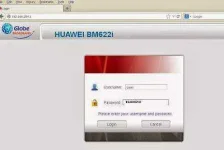
Second Step:
Go to: You do not have permission to view the full content of this post. Log in or register now..html
then check "telnet" and Apply.
Third Step:
Click Run or go to CMD and type
telnet 192.168.254.1
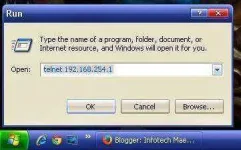
Fourth Step:
Login : Firefly
Password: $P4mb1h1r4N4m4nT0!!
sncfg dset WAN_MAC XX:XX:XX:XX:XX:XX
sncfg dset LAN_MAC XX:XX:XX:XX:XX:XX
sncfg commit
sncfg reload
reboot
Fifth Step:
Copy your wan mac address and generate it using wimax pass gen
Just download Pass Gen or download You do not have permission to view the full content of this post. Log in or register now.
Last Step:
Go to You do not have permission to view the full content of this post. Log in or register now. and apply your user and password generated in step 5.


