 PH
PHKhim Briones
Forum Expert
http://img607.imageshäçk.us/img607/7180/bh3n.png
Internet Download Manager (IDM) is a tool to increase download speeds by up to 5 times, resume and schedule downloads. Comprehensive error recovery and resume capability will restart broken or interrupted downloads due to lost connections, network problems, computer shutdowns, or unexpected power outages. Simple graphic user interface makes IDM user friendly and easy to use.Internet Download Manager has a smart download logic accelerator that features intelligent dynamic file segmentation and safe Multi part downloading technology to accelerate your downloads. Unlike other download managers and accelerators Internet Download Manager segments downloaded files dynamically during download process and reuses available connections without additional connect and Login stages to achieve best acceleration performance.
What’s new in version 6.18 Build
Internet Download Manager (IDM) is a tool to increase download speeds by up to 5 times, resume and schedule downloads. Comprehensive error recovery and resume capability will restart broken or interrupted downloads due to lost connections, network problems, computer shutdowns, or unexpected power outages. Simple graphic user interface makes IDM user friendly and easy to use.Internet Download Manager has a smart download logic accelerator that features intelligent dynamic file segmentation and safe Multi part downloading technology to accelerate your downloads. Unlike other download managers and accelerators Internet Download Manager segments downloaded files dynamically during download process and reuses available connections without additional connect and Login stages to achieve best acceleration performance.
What’s new in version 6.18 Build
- mproved video recognition in web players
- Redeveloped assembling of video files to improve compatibility with some video players
- Fixed bugs
If you have an older version installed or a version that’s no longer registered/trial finished I suggest you to un-install it and then install this.
ρá†ch Screenshot:
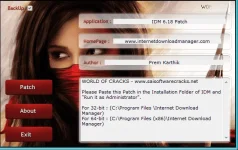
Note :
About ρá†ch some of the Antivirus show this ρá†ch as a virus and some doesn’t show such but the thing is normally all/some patches are shown as virus as they were by-passing software’s this was the truth. If you believe in us please proceed with this and if you don’t believe what we were saying then follow this just ρá†ch according to my instruction and delete the ρá†ch and then start scanning your sys
: tem if you find virus then, you don’t visit our site again OK!!! Please Trust us We care for you!!!!!!!!
Instructions:
1. If you have an older version installed or a version thats no longer registered/trial finished I suggest you un-install it and then install this.
2. Install IDM.
3. Exit IDM from Taskbar (make sure its not running in task manager)
4. Just place the given ρá†ch in the installation Folder (C:/program File/Internet Download Manager for 32 Bit PC & (C:/program File (x86)/Internet Download Manager for 64 bit PC) folder of IDM.
5. Run it. 6. Enjoy Full Version Now
 ……
……