 PH
PHNandito na phcitizens.
UPDATED: Latest version >> WinRAR v5.10 beta 3
What's new in the latest version
Version 5.10 beta 3
1. More efficient implementation of "Keep broken files" extraction
option (-kb switch in command line mode). Now it allows to recover
more data from file split between RAR volumes if next volume
is missing.
2. Bugs fixed:
a) "Create recovery volumes" command on "Options" page of archive
information dialog was inaccessible if "Merge volume contents"
option was enabled in WinRAR settings;
b) if wrong password was entered for RAR archive with encrypted
file names, previous beta applied such wrong password
automatically, when opening the same archive again.
Click the link to download WinRAR 5.10b3 for 32bit machines:
You do not have permission to view the full content of this post. Log in or register now.
For 64bit machines:
You do not have permission to view the full content of this post. Log in or register now.
NOTICE: Keygen and laman ng attachment na yan at alam nyo na, it is flagged by antivirus softwares as a threat. If you're not sure of what you're doing then don't download it.
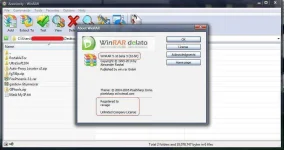
===============================================================
Ayan.... inedit ko na, paki-basa na alang po yung notice.
UPDATED: Latest version >> WinRAR v5.10 beta 3
What's new in the latest version
Version 5.10 beta 3
1. More efficient implementation of "Keep broken files" extraction
option (-kb switch in command line mode). Now it allows to recover
more data from file split between RAR volumes if next volume
is missing.
2. Bugs fixed:
a) "Create recovery volumes" command on "Options" page of archive
information dialog was inaccessible if "Merge volume contents"
option was enabled in WinRAR settings;
b) if wrong password was entered for RAR archive with encrypted
file names, previous beta applied such wrong password
automatically, when opening the same archive again.
Click the link to download WinRAR 5.10b3 for 32bit machines:
You do not have permission to view the full content of this post. Log in or register now.
For 64bit machines:
You do not have permission to view the full content of this post. Log in or register now.
- Set your computer's folder view option to show hidden files, save your previous rarreg.key file.
- Uninstall your previous WinRAR then install the new one.
- The saved rarreg.key file will be used to register the new version after installation, if not then put the one you saved in the install folder and your done.
- You can also use one of the keygens provided, download from the attachment below
- Enjoy!
NOTICE: Keygen and laman ng attachment na yan at alam nyo na, it is flagged by antivirus softwares as a threat. If you're not sure of what you're doing then don't download it.
===============================================================
Ayan.... inedit ko na, paki-basa na alang po yung notice.


 Keep sharing