PH
PHCredit Drwang12
A few years ago there was a proof-of-concept that it was possible to send and receive data packets over the Domain Name System (DNS). It utilizes the hostname for upstream data and the TXT-field for downstream data, and s smart queuing system to split and order the packets. The speed is not good, but it opens an alternate way to connect to the Internet.
The method mentioned in this tutorial is based on perl and works on Linux, Mac OS X, and Windows (via Cygwin). -- wiki
------------------------------------
REQUIREMENTS:
MODEM SETTINGS:
PROCEDURES:
You do not have permission to view the full content of this post. Log in or register now.
OR
2.b You can connect 1st to smart+vpn to obtain "freedom servers"
You do not have permission to view the full content of this post. Log in or register now.


-----------------------
RESULTS AND DISCUSSIONS:

You do not have permission to view the full content of this post. Log in or register now.
CREDITS:
A few years ago there was a proof-of-concept that it was possible to send and receive data packets over the Domain Name System (DNS). It utilizes the hostname for upstream data and the TXT-field for downstream data, and s smart queuing system to split and order the packets. The speed is not good, but it opens an alternate way to connect to the Internet.
The method mentioned in this tutorial is based on perl and works on Linux, Mac OS X, and Windows (via Cygwin). -- wiki
------------------------------------
REQUIREMENTS:
PC/Laptop
USB Modem
Your Freedom Installer
Globe Prepaid Simcard = 0 peso load
MODEM SETTINGS:
APN > http.globe.com.ph
Access Number > *99#
PROCEDURES:
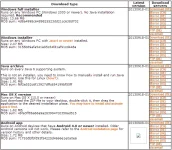
Quote:1. Download and install YF Installer here
You do not have permission to view the full content of this post. Log in or register now.
2.a Load your globe sim with 6 pesos initially. Dont worry we only need 6 pesos initally to get "freedom servers" to choose later and be visible on the gui.
OR
2.b You can connect 1st to smart+vpn to obtain "freedom servers"
Quote:3. Register an account
You do not have permission to view the full content of this post. Log in or register now.
4. Connect Modem
5. Run YF (Your Freedom).
6. Click configure > Click Use wizard. if you ask to enter username and pass, then enter your account. https://phcorner.org/images/smilies/new/lol.gif
For The "connection tweaks" window just choose "none"
In the protocols window just check only DNS so that it will be quick to look for freedom dns servers. Then go proceed and wait for fetching "freedom servers"
7. After you obtained "freedom servers" . Next step is our general steps on how to DNS tunnel globe with zero load.
8. Connect your globe
9. Open YF
10. Follow below SS (Screen shots)
link deleted: advert. This image has been resized. Click this bar to view the full image. The original image is sized 960x539.11. After all been set-up. Click Status tab > click "start connection" . Wait until connected like SS below
Follow SS below12. Firefox Settings or Browser settings:
13. Enjoy Browsing.
-----------------------
RESULTS AND DISCUSSIONS:
DNS Tunneling is slow compared to UDP tunneling. This is only good for browsing.
You can choose YF available packages here. BASIC or Free
Quote:Opo matagal na ang YF.
Asking for MOBILE? Feel free to test
You do not have permission to view the full content of this post. Log in or register now.
> THIS IS For Educational PURPOSES ONLY.
CREDITS:
89dufpoqidjv
pati na rin kay jamiir03 na nagpost kaninang madaling araw na nagtatanong smart yata tanung nya. Pero matagal na naming tinetest to ni duf pogi. Here is the thread so that everyone will conduct test.


 ? btw thanks for d sharing bossing
 pa try ako neto:cat:
 ? Tsaka TS? Free Internet to noh po:cat:? Ty..:spitoutdummy: