👨‍🏫 Tutorial (Working)Boost Your Internet Connection

Status
Not open for further replies.
Boost Your Internet Connection

Dont worry This Method is 100% Safe (Tested by me)

Follow my Steps :)
Open Regedit To open Regedit goto Start>type Regedit in the Searh Box
you will see like this
image.jpg

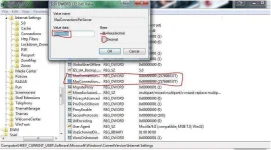
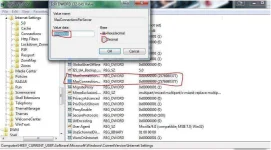
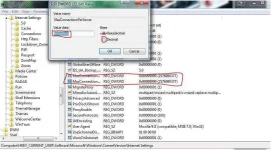
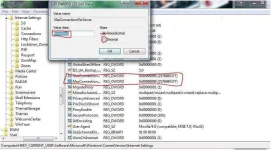
now Goto >HKEY_CURRENT_USER/Software/Microsoft/Windowss/CurrentVersion/Internet Settings

Look for MaxConnectionPerserver and MaxConnection1_0server
if u have it already just Double click it and set 999999999 and click Decimal

if u dont have that Two Dword just Right click select new/Dword value Type in “MaxConnectionsPerServer” for the name of the new DWORD Value and press Enter.
and MaxConnectionsPer1_0Server as the new DWORD Value nameRight-click Them set t0 999999999 and click the Decimal at the right side.
(if you are Using 32-bit select DWORD 32-bit, If your Using 64 bit then Select the Dword 64-bit)
747_Capture.webp


Feedback If its working to you ;)
 
(if you are Using 32-bit select DWORD 32-bit, If your Using 64 bit then Select the Dword 64-bit)

boss wala naman pong Dword na 64, Qword naman po meron?...win8 po gamit ko
 
Boost Your Internet Connection

Dont worry This Method is 100% Safe (Tested by me)

Follow my Steps :)
Open Regedit To open Regedit goto Start>type Regedit in the Searh Box
you will see like this
image.jpg

now Goto >HKEY_CURRENT_USER/Software/Microsoft/Windowss/CurrentVersion/Internet Settings

Look for MaxConnectionPerserver and MaxConnection1_0server
if u have it already just Double click it and set 999999999 and click Decimal

if u dont have that Two Dword just Right click select new/Dword value Type in “MaxConnectionsPerServer” for the name of the new DWORD Value and press Enter.
and MaxConnectionsPer1_0Server as the new DWORD Value nameRight-click Them set t0 999999999 and click the Decimal at the right side.
(if you are Using 32-bit select DWORD 32-bit, If your Using 64 bit then Select the Dword 64-bit)

747_Capture.webp


Feedback If its working to you ;)

THANKS YOU! PO DITO DITO GODBLEXX! ;):):D:smug:
 
wor
Boost Your Internet Connection

Dont worry This Method is 100% Safe (Tested by me)

Follow my Steps :)
Open Regedit To open Regedit goto Start>type Regedit in the Searh Box
you will see like this
image.jpg

now Goto >HKEY_CURRENT_USER/Software/Microsoft/Windowss/CurrentVersion/Internet Settings

Look for MaxConnectionPerserver and MaxConnection1_0server
if u have it already just Double click it and set 999999999 and click Decimal

if u dont have that Two Dword just Right click select new/Dword value Type in “MaxConnectionsPerServer” for the name of the new DWORD Value and press Enter.
and MaxConnectionsPer1_0Server as the new DWORD Value nameRight-click Them set t0 999999999 and click the Decimal at the right side.
(if you are Using 32-bit select DWORD 32-bit, If your Using 64 bit then Select the Dword 64-bit)

747_Capture.webp


Feedback If its working to you ;)
working pa po ito tnx ang bilis na ng net kahit häçk lng ung broadband feeling PLDTmyDSL
 
wor
Boost Your Internet Connection

Dont worry This Method is 100% Safe (Tested by me)

Follow my Steps :)
Open Regedit To open Regedit goto Start>type Regedit in the Searh Box
you will see like this
image.jpg

now Goto >HKEY_CURRENT_USER/Software/Microsoft/Windowss/CurrentVersion/Internet Settings

Look for MaxConnectionPerserver and MaxConnection1_0server
if u have it already just Double click it and set 999999999 and click Decimal

if u dont have that Two Dword just Right click select new/Dword value Type in “MaxConnectionsPerServer” for the name of the new DWORD Value and press Enter.
and MaxConnectionsPer1_0Server as the new DWORD Value nameRight-click Them set t0 999999999 and click the Decimal at the right side.
(if you are Using 32-bit select DWORD 32-bit, If your Using 64 bit then Select the Dword 64-bit)

747_Capture.webp


Feedback If its working to you ;)
working pa po ito tnx ang bilis na ng net kahit häçk lng ung broadband feeling PLDTmyDSL
 
Status
Not open for further replies.

About this Thread

  • 19
    Replies
  • 5K
    Views
  • 15
    Participants
Last reply from:
Mister M

Online now

Members online
397
Guests online
1,646
Total visitors
2,043

Forum statistics

Threads
2,269,921
Posts
28,932,231
Members
1,241,683
Latest member
WatchmeNaeil2001
Back
Top