PH
PH#Cr4zy.jok3r
Enthusiast
Simpliest way to Unblock Blocked Applications
Tested on Windows Vista
After that you'll see those file on the box
Just Click OK and you're Done
See Screenshots Below
Tested on Windows Vista
Click ''Start"
. Control Panel
System and Maintenance
System
(Left Side) Advance System Settings and when Prompt click "Continue"
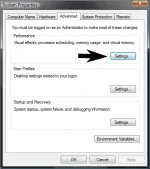
(Under System Properties) -Performance and Click "Settings"
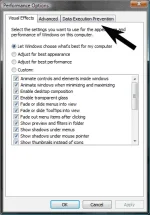
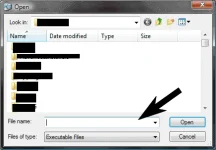
(Under Performance Options) Click Data Excecution Prevention then Click Add and Choose The File you Uploaded
After that you'll see those file on the box
Just Click OK and you're Done
See Screenshots Below