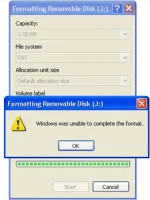
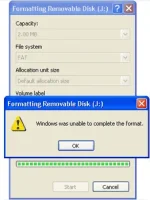
🔒 Closed Format Corrupted USB ( Yung Mga may USB na Corrupted punta ka dau dito!)

Status
Not open for further replies.

11-1-2009%207-34-53%20PM_thumb%5B5%5D.webp

1: Plug your USB ( Isak2x mo ang USB mo sa Loptop/PC)
2: Open CMD ( Run it as a Administrator
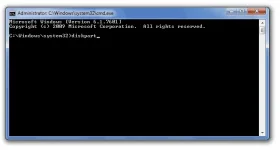
3: Type Diskpart
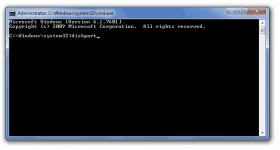
cmd-diskpart-start.webp
4:Type List Disk
Choose The USB corrupted
list-disk.webp
mine is Disk 1
5: type Select disk 1
6:type Clean
7:type create Partition primary
8:type Active
9:type select partition 1
10:type format fs=fat32
kung hindi gagana ang format fs=fat32
type mo lng ito format fs=NTFS


thats all! :)
 

11-1-2009%207-34-53%20PM_thumb%5B5%5D.webp

1: Plug your USB ( Isak2x mo ang USB mo sa Loptop/PC)
2: Open CMD ( Run it as a Administrator
3: Type Diskpart
cmd-diskpart-start.webp
4:Type List Disk
Choose The USB corrupted
list-disk.webp
mine is Disk 1
5: type Select disk 1
6:type Clean
7:type create Partition primary
8:type Active
9:type select partition 1
10:type format fs=fat32
kung hindi gagana ang format fs=fat32
type mo lng ito format fs=NTFS


thats all! :)
Pamarka muna sir...newbie here
 
Dear PaxPeace123,

Since 2 years have passed since the last reply in this thread, I am locking it to prevent necroposting. Feel free to start a new thread or contact any forum staff if you want this to be reopened.

Thread closed.
 
Status
Not open for further replies.

About this Thread

  • 12
    Replies
  • 3K
    Views
  • 11
    Participants
Last reply from:
Unknown user

Trending Topics

Online now

Members online
1,061
Guests online
1,105
Total visitors
2,166

Forum statistics

Threads
2,271,512
Posts
28,936,052
Members
1,238,645
Latest member
amiberry
Back
Top