 PH
PHedj vincent
Forum Veteran
MODEL: A11W
PROBLEM: STOCK ON LOGO ONLY
TOOLS: A11W TESTED FIRMWARE
You do not have permission to view the full content of this post. Log in or register now.
FLASHTOOL: You do not have permission to view the full content of this post. Log in or register now.
NOTE: WALA NA PONG RECOVERY ANG UNIT
KAYA NAG DECIDE AKO NA UPDATE VIA SD CARD MUNA PARA SAFE
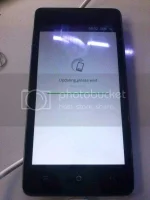
AFTER UPDATE VIA SD CARD PUMASOK NA SA MENU PERO AFTER A SECONG AUTO REBOOT NAMAN SYA KAYA TRY KO ULIT PASUKIN RECOVERY NYA PERO NEGATIVE PARIN KAYA FLASH KO SYA SA FIRMWARE NI BOSS Fredzyrhuz
flash ko muna ang ANDROID at RECOVERY only
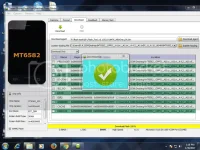
after ko ma flash ulit hindi na nag auto reboot ito naman lumabas sa screen ENCRYPTION ERROR kaya pinasok ko ulit ang rcovery nya para e wipe pero failed parin kaya flash ko ulit na USERDATA only
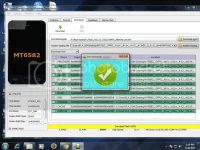
after ko ma flash sa Userdate only akala ko ok na ilang minuto ko sya hinintay na lumabas ang menu pero still logo parin pero success na sa wiping
kaya try ko ulit flash gamit naman ang SECRO lang
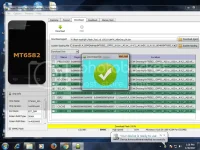
after ko ma flash sa SECRO try ko power on ang unit tapos hintay ng ilang minuto at sa wakas ito na po sya
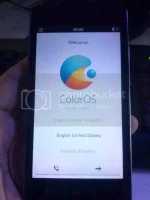
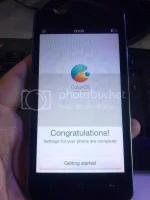
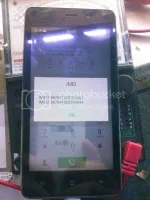
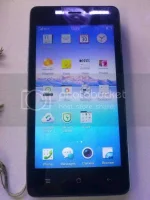
DONE
PROBLEM: STOCK ON LOGO ONLY
TOOLS: A11W TESTED FIRMWARE
You do not have permission to view the full content of this post. Log in or register now.
FLASHTOOL: You do not have permission to view the full content of this post. Log in or register now.
NOTE: WALA NA PONG RECOVERY ANG UNIT
KAYA NAG DECIDE AKO NA UPDATE VIA SD CARD MUNA PARA SAFE
AFTER UPDATE VIA SD CARD PUMASOK NA SA MENU PERO AFTER A SECONG AUTO REBOOT NAMAN SYA KAYA TRY KO ULIT PASUKIN RECOVERY NYA PERO NEGATIVE PARIN KAYA FLASH KO SYA SA FIRMWARE NI BOSS Fredzyrhuz
flash ko muna ang ANDROID at RECOVERY only
after ko ma flash ulit hindi na nag auto reboot ito naman lumabas sa screen ENCRYPTION ERROR kaya pinasok ko ulit ang rcovery nya para e wipe pero failed parin kaya flash ko ulit na USERDATA only
after ko ma flash sa Userdate only akala ko ok na ilang minuto ko sya hinintay na lumabas ang menu pero still logo parin pero success na sa wiping
kaya try ko ulit flash gamit naman ang SECRO lang
after ko ma flash sa SECRO try ko power on ang unit tapos hintay ng ilang minuto at sa wakas ito na po sya
DONE