👨‍🏫 Tutorial How To Reveal Hidden Passwords (Asterisks) In Web Browser

Status
Not open for further replies.

airnel

Elite
Hello friends, Today I'm here with most interest and useful computer tricks. You can find easily hidden passwords in your browser with this tricks. You can appal your friends with this trick. But don't use this for hurt anyone, use only education purpose. Then follow this steps to do it.

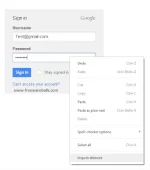
Right click on password box and select Inspect Element.
al+Hidden+Passwords+(Asterisks)+In+Web+Browser+300.webp

eveal+Hidden+Passwords+(Asterisks)+In+Web+Browser1.webp

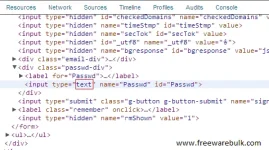
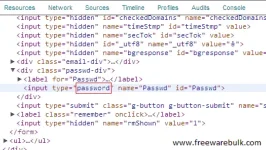
Now you can see like this code input type="password". Now double click on password and change it as a text.
dden+Passwords+%2528Asterisks%2529+In+Web+Browser2.webp

eveal+Hidden+Passwords+(Asterisks)+In+Web+Browser3.webp
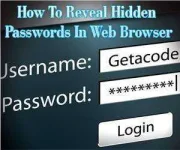
That's all, you done. Now you can see hidden password is visible:D

Note: this is for educational purpose only enjoy:D
 
Status
Not open for further replies.

About this Thread

  • 3
    Replies
  • 1K
    Views
  • 4
    Participants
Last reply from:
royalvehj

Trending Topics

Online now

Members online
1,037
Guests online
1,799
Total visitors
2,836

Forum statistics

Threads
2,269,360
Posts
28,928,223
Members
1,242,351
Latest member
acasass
Back
Top