PH
PHJeaPrimeTV
Forum Veteran
his tutorial show how to tweak Wimax frequency on scanset tab.
( ginagawa eto para mapili alin frequency ang mabilis ang download rate minsan baligtad naman yung upload yung mabilis )
You need to log in as admin user to access scanset panel.
Bm622 Bm625 Modem Scanset
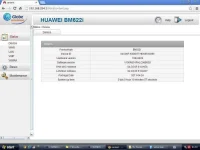
1. log in as admin Go to Wimax Tab Click Scanset
( ginagawa eto para mapili alin frequency ang mabilis ang download rate minsan baligtad naman yung upload yung mabilis )
You need to log in as admin user to access scanset panel.
Bm622 Bm625 Modem Scanset
1. log in as admin Go to Wimax Tab Click Scanset
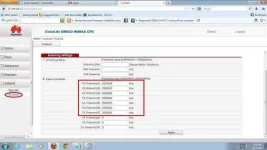
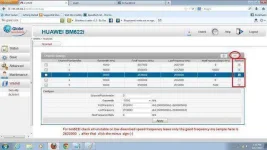
2.Delete the unstable or capped Frequency and left your uncapped or stable Frequency mys example here is 2622000 , then click apply.
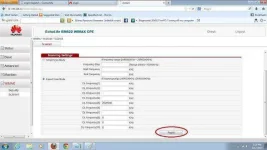
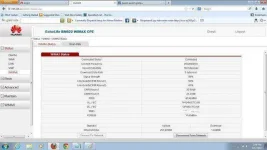
BM622i Modem Scanset
1. Log in as admin
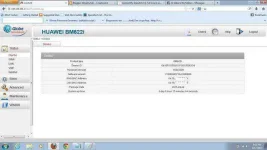
2.Go to Wimax tab
- check all unstable frequency click minus sign left only stable frequency example 2622000
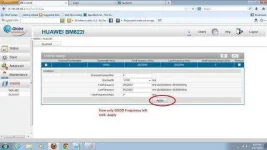
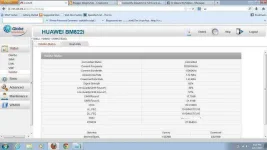
3. Wait till it change then click apply.
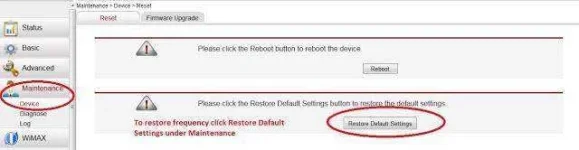
HOW TO RESTORE
Log in as admin
Goto Maintenance - Device - click restore default
Security TLS and TTLS
Credit=Utang=Singil=bayad