 PH
PHJeaPrimeTV
Forum Veteran
How to Unlock Huawei E153 Version u1, u2 and u3 Free
WARNING!!! Try this at your own RISK!
Requirements:
(the download links is at the bottom of this page)
1.) Backup NVitem (very important) Why? Because we will restore it later to complete the flash.
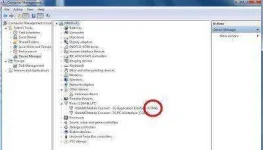
First, Locate the modem's port in the Device Manager (Press Windows Key + Pause Break > Device Manager)
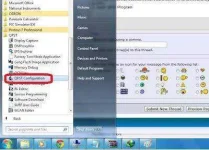
Next, Open QPST Configuration from the QPST folder.
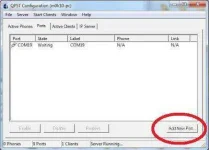
Then, Click Add New Port
Unchecked the "Show Serial and USB/QC Diagnostic Port Only" Then, Select your device port number as listed on the device manager
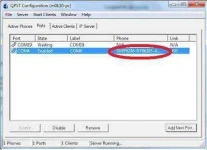
If you had chosen the correct port number you see that serial number.
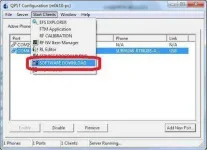
Next, Click Start Clients > SOFTWARE DOWNLOAD
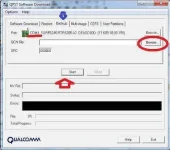
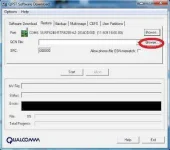
Lastly, Click the Backup Tab>Browse (where to save your backup)
Then, Click START.
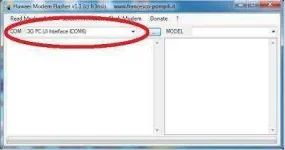
2.) Downgrade your modem using the Huawei Flasher.
3.) Restoring the NVitemthat was backed-up lately. (NOTE: This is very important! Failure to do this will result to IMEI blank and worst your modem will be dead)
NOTE: Kung hndi nyo alam plz huwag na lang gawin.. this is for Advance User
DN'T FORGET TO SAY THANKS..
LIKE AND FEEDBACK! :gangnamstyle:
WARNING!!! Try this at your own RISK!
Requirements:
(the download links is at the bottom of this page)
- QPST
- Huawei Flasher
- E153 Firmware Downgrader
1.) Backup NVitem (very important) Why? Because we will restore it later to complete the flash.
First, Locate the modem's port in the Device Manager (Press Windows Key + Pause Break > Device Manager)
Next, Open QPST Configuration from the QPST folder.
Then, Click Add New Port
Unchecked the "Show Serial and USB/QC Diagnostic Port Only" Then, Select your device port number as listed on the device manager
If you had chosen the correct port number you see that serial number.
Next, Click Start Clients > SOFTWARE DOWNLOAD
Lastly, Click the Backup Tab>Browse (where to save your backup)
Then, Click START.
2.) Downgrade your modem using the Huawei Flasher.
- Plug your modem to your PC.
- Close the dashboard.
- Run Huawei Flasher (NOTE: You must have a working Internet Connection)
- After that your modem port will be detected.
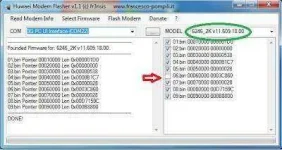
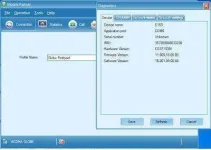
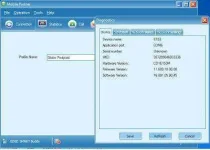
- Click > Select Firmware (this is the firmware for downgrade which you can download at the bottom of the this page). This would be the result.
- Unchecked the NUMBER 6 as you can see on the screenshot.
- Next, Click > Flash Modem > Normal Mode ( a pop-up window will appear and click OK. Then, wait for 10 sec. Lastly, Click OK.
3.) Restoring the NVitemthat was backed-up lately. (NOTE: This is very important! Failure to do this will result to IMEI blank and worst your modem will be dead)
- Once again using QPST, the same procedure on back up but here we will restore the NVitem. Click Browse > (select the NVitem) > START. Wait until finished.
- Lastly, unplug and re-plug your modem and *********** favorite sim card.
NOTE: Kung hndi nyo alam plz huwag na lang gawin.. this is for Advance User
DN'T FORGET TO SAY THANKS..
LIKE AND FEEDBACK! :gangnamstyle:
 salamat.