PH
PHPrince2013
Forum Veteran
[TUT] How To Extend Your Battery Life
Note: I Am Not Responsible For Any Damage On Your Phone,Do It In Your Own Risk.. I'm Just Sharing
~~~~~~~~~~Extending Your Battery Life~~~~~~~~~~~~~
Requirements:Common Sense(LOL D)
D)
Steps: (1.1)
1. Go To Engineering Mode (Dial: ##3646633##).
2. Go To Band Mode.
3. Uncheck All Except GSM850 And Press Set On The Bottom.
4. Done, And Test Your Phone's Endurance After you Done This.
After Doing This, If Your Sim Card No.1/Smart Sim Became Restricted(No Signal) Just Go To Settings>Sim Management And Uncheck Your Sim Card 1/Smart Sim And Check It Again Until It Gets A Signal. If Still No Signal Repeat Steps 1-3 or Reboot..
(Optional)
Steps (1.2)
1. Go To Engineering Mode (Dial ##3646633##)
2. Go To Display
3. Press The LCD OFF Then, Your Phone Will Lock, Just Press Unlock Key Twice To Unlock It. You Will See A Message(Set LCD Backlight OFF Success)
4.Press LCM OFF Then, Your Phone Will Be On White Screen. Just Lock The Screen And Unlock It Again.You Will See A Message(Set LCM controller OFF success)
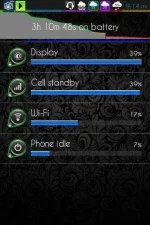
Di Ko Pa Masabi Kung Effective Nga Eto Pero, Tumagal Talaga Yung Battery Life Ko, Usually 1HR To 1HR and 30MINS Lang Tinatagal Ng Battery Ko.
Try Nyu Na Lang Po If Effective Sa Inyu ...
Just Comment Your Feedbacks..
Enjoy And Like)
Note: I Am Not Responsible For Any Damage On Your Phone,Do It In Your Own Risk.. I'm Just Sharing
~~~~~~~~~~Extending Your Battery Life~~~~~~~~~~~~~
Requirements:Common Sense(LOL
D)Steps: (1.1)
1. Go To Engineering Mode (Dial: ##3646633##).
2. Go To Band Mode.
3. Uncheck All Except GSM850 And Press Set On The Bottom.
4. Done, And Test Your Phone's Endurance After you Done This.
After Doing This, If Your Sim Card No.1/Smart Sim Became Restricted(No Signal) Just Go To Settings>Sim Management And Uncheck Your Sim Card 1/Smart Sim And Check It Again Until It Gets A Signal. If Still No Signal Repeat Steps 1-3 or Reboot..
(Optional)
Steps (1.2)
1. Go To Engineering Mode (Dial ##3646633##)
2. Go To Display
3. Press The LCD OFF Then, Your Phone Will Lock, Just Press Unlock Key Twice To Unlock It. You Will See A Message(Set LCD Backlight OFF Success)
4.Press LCM OFF Then, Your Phone Will Be On White Screen. Just Lock The Screen And Unlock It Again.You Will See A Message(Set LCM controller OFF success)
Di Ko Pa Masabi Kung Effective Nga Eto Pero, Tumagal Talaga Yung Battery Life Ko, Usually 1HR To 1HR and 30MINS Lang Tinatagal Ng Battery Ko.
Try Nyu Na Lang Po If Effective Sa Inyu ...
Just Comment Your Feedbacks..
Enjoy And Like
)