 PH
PH- First of all in wikipedia search out for your favorite topic that you want to save permanently in your device.
- Now on the left sections Under print/export you will find Create a book.
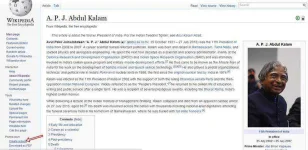
- Now book create page will get open there click on Start book creator there.

- Now on the next page click on Add this page to your book there.

- Similarly you can move some another pages to your book by placing your cursor on the link and then again clicking Add this page to your book.
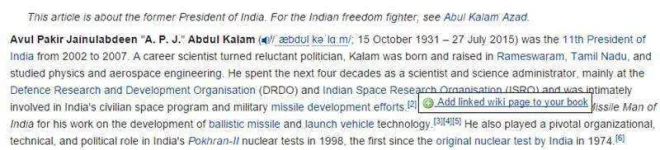
- Following this step you can add multiple pages and when you are completed simply click on Show book there.
- Now simply fill up all the details of your book in the Manage book page.
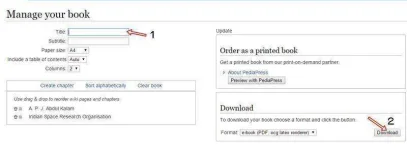
- Thats it after this simply click on the download button and your ebook with desired pages will be with you.
So above is all about How to Create an eBook from Wikipedia Articles. With this method you can easily get all you favorite topics(articles) of wikipedia in a single ebook with simple steps discussed above. Hope you like it!. Salamat!
-
Welcome to PHCorner Forums! Sign up for free to unlock full access and exclusive privileges, including:
- Asking questions about computer and mobile issues
- Discovering internet tips for your mobile network and computer
 sa mga hilig mag ebooks dyan gawan nyo na hehe
Similar threads
-
🔗 Direct Link WinZip Pro 31.0 Build 17240 Crack & Keygen
- Started by Carlos2026
- Replies: 4
-
🔗 Direct Link IDM 6.43 Build 14 Crack {2026} & Serial Number
- Started by Carlos2026
- Replies: 1
-
2026 Create & Monetize An Online Community Recurring Income
- Started by bangbang5
- Replies: 0