 PH
PHComplete Lists: Facebook Shortcut Keys Cheatsheet
Facebook tops in terms of usage around the world. With millions of users interact everyday. We often tend to expend our so-called "wasted time" doing social networking stuffs in You do not have permission to view the full content of this post. Log in or register now.. Okay, there is good and bad side in using Facebook but you are the sole one responsible for that. Moreover, we all know however that Facebook has become part of every person's life, and business. Some people earned, some for pleasure and some for expending boring times. If you are one of those people who expend quality time using the benefits of You do not have permission to view the full content of this post. Log in or register now., then GOOD!
Thus, being one of the POWER users, we must know some shortcut keys to be easier and more convenient to use.
Shortcut keys from its word itself. Created to make life easier. A You do not have permission to view the full content of this post. Log in or register now. life easier? Well said and done. These shortcuts tend to be more effective in: GOOGLE CHROME, MOZILLA FIREFOX and MICROSOFT INTERNET EXPLORER.

image taken from You do not have permission to view the full content of this post. Log in or register now.
Reminder:
- For Chrome - it uses only ALT + key.
- For Firefox - use Shift + ALT + key.
- For IE - use of ALT + key + ENTER
Italicized key: Key you need to press to execute certain event.
Google Chrome: Facebook Shortcut Keys
Key Action
- Alt +M => opens New Message
- Alt + ? => Cursor in Search box
- Alt + 0 =>opens Help Center
- Alt + 1 =>opens Home Page
- Alt + 2 =>opens Profile Page
- Alt + 3 =>Friend Request
- Alt + 4 =>Messages if any
- Alt + 5 =>Notifications
- Alt + 6 =>opens Account Settings
- Alt + 7 =>opens Privacy Settings
- Alt + 8 =>opens Official Facebook page
- Alt + 9 =>opens Service Agreement
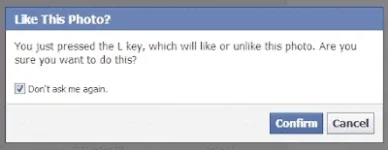
- L =>Like/Unlike Photos in Lightbox mode
Mozilla Firefox: Facebook Shortcut Keys
Keys Action
- Shift + Alt + M =>displays New Message
- Shift + Alt + ? => Cursor in Search box
- Shift + Alt + 0 => opens Help Center
- Shift + Alt + 1 =>opens Home Page
- Shift + Alt + 2 =>opens Profile Page
- Shift + Alt + 3 =>Friend Request
- Shift + Alt + 4 =>Messages if any
- Shift + Alt + 5 =>Notifications
- Shift + Alt + 6 =>opens Account Settings
- Shift + Alt +7 =>opens Privacy Settings
- Shift + Alt + 8 =>opens Official Facebook page
- Shift + Alt + 9 =>opens Service Agreement
- Shift + Alt + 6 =>opens Account Settings
- L =>Like/Unlike Photos in Light box
Key Action
- Alt +M + Enter => opens New Message
- Alt + ?+ Enter => Cursor in Search box
- Alt + 0 + Enter =>opens Help Center
- Alt + 1 + Enter =>opens Home Page
- Alt + 2 + Enter =>opens Profile Page
- Alt + 3 + Enter =>Friend Request
- Alt + 4 + Enter =>Messages if any
- Alt + 5 + Enter =>Notifications
- Alt + 6 + Enter =>opens Account Settings
- Alt + 7 + Enter =>opens Privacy Settings
- Alt + 8 + Enter =>opens Official Facebook page
- Alt + 9 + Enter =>opens Service Agreement
- L + Enter =>Like/Unlike Photos in Lightbox mode
