 PH
PH0x0052fe33
Fanatic
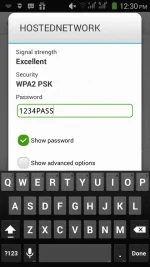
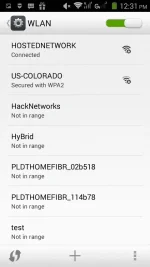
This tutorial is intended for PC or Laptop users who wanted to share their internet or turn their computer as a WIFI Hotspot.
>>NO SOFTWARE INSTALLATION NEEDED<<
The very first step you need to do is to check if your computer supports Hosted Network.
1. Click Start Then type "CMD"

2. Right Click " RUN AS ADMINISTRATOR" (on the latest version of windows you needed to run it as admin to used the feature)

3. Type "netsh wlan show drivers". It will show a list. Find the "Hosted Network Supported" Don't get confused of the "Windows powershell" they are the same as CMD


Now that is it checked. Lets begin creating your hosted network
1. Type " netsh wlan set hostednetwok mode=allow SSID="(name of your wifi)" KEY="(password)" then ENTER. It should look like the example below.
note: your password must be atleast 8 characters long

2. To turn in on. "netsh wlan start hosted network" to Stop it just change it the "start" to "stop"


It is not yet connected. We still need to share internet connection.
Open your CONTROL PANEL

Network and Internet.

Network and Sharing

Change Adapter settings

You should see the hosted network we created.
To share your internet. Select the network that has Internet connection. On my case since I'm using Softether. Im sharing that to the hosted network.
Select Properties.

Select Sharing

Choose the network you want to share the Internet with that is our hostednetwork.

Click ok. AND YOU ARE DONE
>>NO SOFTWARE INSTALLATION NEEDED<<
The very first step you need to do is to check if your computer supports Hosted Network.
1. Click Start Then type "CMD"
2. Right Click " RUN AS ADMINISTRATOR" (on the latest version of windows you needed to run it as admin to used the feature)
3. Type "netsh wlan show drivers". It will show a list. Find the "Hosted Network Supported" Don't get confused of the "Windows powershell" they are the same as CMD
Now that is it checked. Lets begin creating your hosted network
1. Type " netsh wlan set hostednetwok mode=allow SSID="(name of your wifi)" KEY="(password)" then ENTER. It should look like the example below.
note: your password must be atleast 8 characters long
2. To turn in on. "netsh wlan start hosted network" to Stop it just change it the "start" to "stop"
It is not yet connected. We still need to share internet connection.
Open your CONTROL PANEL
Network and Internet.
Network and Sharing
Change Adapter settings
You should see the hosted network we created.
To share your internet. Select the network that has Internet connection. On my case since I'm using Softether. Im sharing that to the hosted network.
Select Properties.
Select Sharing
Choose the network you want to share the Internet with that is our hostednetwork.
Click ok. AND YOU ARE DONE


