PH
PHJaqenHghar
Honorary Poster
Virus ba tong desktop.ini? Nag search ako sa google. May nagsasabi oo at may nagsasabi din na hindi. Ano ba talaga? 
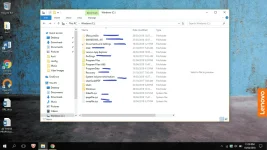
Bigla din po di na mag open McAfee ko eh may subscription pa ko dun. Eh kakaopen ko lang bago nagkaganito. Virus nga talaga yun paps? Tsaka naging ganito yung laman ng Windows C.by default ang desktop.ini ay isang initialization script or file na naglo-load sa desktop (usually mga icons at wallpaper) mo, usually ginagamit yan ng mga virus para ma load sila, etc. during desktop loading or boot-up, best case niyan gumamit ka ng reliable na antivirus, tsaka do a full scan
sa folder settings yan, na reveal yung hidden operating system files, hanapin mo lang sa Folder OptionsBigla din po di na mag open McAfee ko eh may subscription pa ko dun. Eh kakaopen ko lang bago nagkaganito. Virus nga talaga yun paps? Tsaka naging ganito yung laman ng Windows C.
Sabi sa nabasa ko di daw po yun ang solution? Kasi imbes maayos daw nahahide lang yung "virus".sa folder settings yan, na reveal yung hidden operating system files, hanapin mo lang sa Folder Options
So far wala pa po naman nadedetect.by default ang desktop.ini ay isang initialization script or file na naglo-load sa desktop (usually mga icons at wallpaper) mo, usually ginagamit yan ng mga virus para ma load sila, etc. during desktop loading or boot-up, best case niyan gumamit ka ng reliable na antivirus, tsaka do a full scan
basta ang importante gamitin mo ang antivirus and then pag may nadetect i-delete mo, then try mo mag system restore, pero optional langSo far wala pa po naman nadedetect.
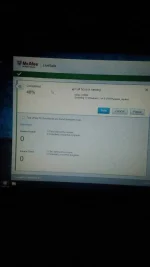
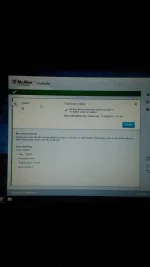
Eto po yung result. Wala na po ba dapat gawin? Ihide ko na lang mga yun?basta ang importante gamitin mo ang antivirus and then pag may nadetect i-delete mo, then try mo mag system restore, pero optional lang
if safe nga ang results, then pwede din na mahide, pero sayo nayan na decisionEto po yung result. Wala na po ba dapat gawin? Ihide ko na lang mga yun?
Recycle bin, Docs and Settings, Perflogs, ProgramData, Recovery, System Volume Information, are folders created by Windows during installation. In other words, important directories yan for the system to function properly.Bigla din po di na mag open McAfee ko eh may subscription pa ko dun. Eh kakaopen ko lang bago nagkaganito. Virus nga talaga yun paps? Tsaka naging ganito yung laman ng Windows C.
But why did it suddenly appear? I was trying to use http proxy injector and I downloaded an hpi file shared by someone dito sa phc. Then bigla may notification ang McAfee saying "McAfee automatically quarantined an infected file..." after nun naging shortcut na lang yung http injector, di na malocate saan yung file. And there it is, 2 desktop.ini showed up in my desktop at yung windows C naging ganon na. So bakit bigla nagpakita kung they are supposed to be hidden at wala naman yun dati. All of a sudden after may madetect ang McAfee naging ganon na.Recycle bin, Docs and Settings, Perflogs, ProgramData, Recovery, System Volume Information, are folders created by Windows during installation. In other words, important directories yan for the system to function properly.
You should not delete any of those directories, but rather scan it if you feel there's malware files contained inside.
Hiberfil.sys contains information about the state of the computer in order to hibernate (or sleep) and wake properly.
Pagefile.sys and Swapfile.sys is created for memory (RAM) conservation purposes.
Intel may contain important system files, so you should also scan before deleting anything inside.
WindowsBT is safe to delete as long as OS upgrades (yes, iba yung updates and upgrades) are finished.
UserGuidePDF may be the OEM PDFs included to guide the user just like a manual.
Diko alam ba't nadedetect sa McAfee si injector as malicious.. hindi naman sakin e wala namang problemaBut why did it suddenly appear? I was trying to use http proxy injector and I downloaded an hpi file shared by someone dito sa phc. Then bigla may notification ang McAfee saying "McAfee automatically quarantined an infected file..." after nun naging shortcut na lang yung http injector, di na malocate saan yung file. And there it is, 2 desktop.ini showed up in my desktop at yung windows C naging ganon na. So bakit bigla nagpakita kung they are supposed to be hidden at wala naman yun dati. All of a sudden after may madetect ang McAfee naging ganon na.