PH
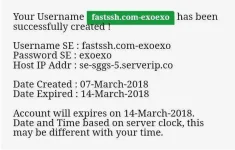
PHto create an account which valid for 7 days at fastssh.com yousir panu gumawa ng 7 days sggs pa bulong naman heheh salamat
have to use a trick:
1. Open Fastssh website then continue to create SSH account page,
for example, (You do not have permission to view the full content of this post. Log in or register now.
server/2/SSH-Server-USA-New-York-1/)
2. Fill in username in the right field (Create account for 1 week)
3. After you have redirected to a new page which has long article,
scroll down to find the button >> Continue Create Account then
click the button
4. Next, please select Softether menu and create Softether account
as usual, the difference is this time username in the SE menu will
be filled itself and will automatically valid for 7 days.