 PH
PHup vote 20 down vote accepted
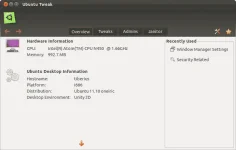
The Ubuntu-Tweak Home screen
Instructions:
Installing Ubuntu-Tweak is rather simple and easy. Follow these simple steps, and you will have Ubuntu-Tweak installed, and be on your way to tweaking Ubuntu to your liking.
For 12.10 and Earlier:
Steps:
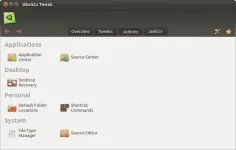
The Admin panel
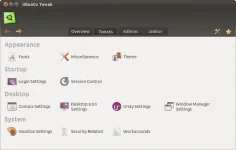
The Ubuntu-Tweak Home screen
Instructions:
Installing Ubuntu-Tweak is rather simple and easy. Follow these simple steps, and you will have Ubuntu-Tweak installed, and be on your way to tweaking Ubuntu to your liking.
For 12.10 and Earlier:
Steps:
- Add the PPA:
sudo add-apt-repository ppa:tualatrix/ppa- You do not have permission to view the full content of this post. Log in or register now.
- You do not have permission to view the full content of this post. Log in or register now.
- Update your sources. (Steps are listed below. Chose the method that fits your scenario):
Ubuntu Software Center:- Ubuntu Software Center will run this step automatically after adding the PPA.
- Refresh your sources.
- Run sudo apt-get update
- Now to install Ubuntu-Tweak:
Ubuntu Software Center/Synaptic:- Search for Ubuntu-tweak, then click install.
- sudo apt-get install ubuntu-tweak
The Admin panel