 PH
PHProximity Screen Off Pro v5.6 Apk
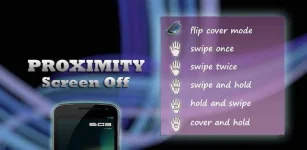
☀ Flip cover mode
☀ Swipe Mode
☀ Cover & HoldWant to feel what gestures can do? Here’s an application which will let
you turn off/on your screen just with a swipe!! Swipe your hand over the proximity sensor (Located near the earpiece on top of the phone).Features:
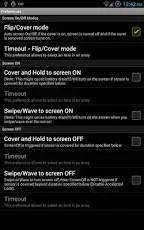
☀ Pocket/Flip or Smart Cover Mode: Turns screen OFF when sensor covered and ON when uncovered. (Feature requested by Galaxy Note users)
☀ Swipe to Screen Off: Turn OFF the screen by sliding your hand
☀ Cover to Screen Off: Turn OFF the screen by Covering the sensor for a duration of time (Cover and Hold)
☀ Cover to Screen On: Turn ON the screen by Covering the sensor for a duration of time (Cover and Hold) – Note: This can cause Battery Drain
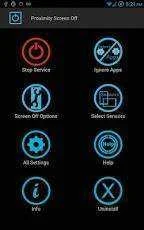
☀ Ignore Apps list: Add the apps/games where you want to disable the service
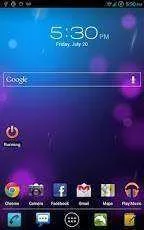
☀ Widget: to start and stop the service
☀ ScreenOff shortcut: to turn off the screen by launching the app.
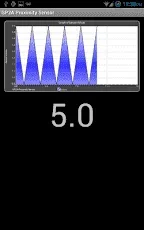
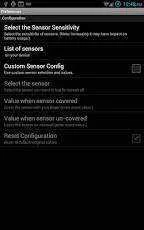
☀ Sensor Configuration : Based on your device select the sensor of your choice, or the one that’s available and configure their values, as they are different for different devices.
☀ Enable screen on/off during calls only
☀ Disable call handling completely
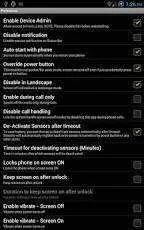
☀ De-Activate sensors after timeout
☀ Override power button and screen-on by other apps (Phone is in pocket and you get a call or you accidentally press the power button, screen will remain off)
☀ Prevent accidental screen on
☀ Disable accidental lock – in Swipe to Screen Off mode if the sensor is covered for longer than specified duration screen wont turn off
☀ Vibration on screen On/OffNOTE:
1) Removing/Uninstalling the app
- Launch ProximityScreenOff Pro and click Uninstall button
What’s in this version :
Proximity Screen Off Pro v5.6 Apk | 633 KB | Mediafire
Requires Android:2.2 and up
Requires Android:2.2 and up
Screen On/Off Using gestures!!
App review:☀ Flip cover mode
☀ Swipe Mode
☀ Cover & HoldWant to feel what gestures can do? Here’s an application which will let
you turn off/on your screen just with a swipe!! Swipe your hand over the proximity sensor (Located near the earpiece on top of the phone).Features:
☀ Pocket/Flip or Smart Cover Mode: Turns screen OFF when sensor covered and ON when uncovered. (Feature requested by Galaxy Note users)
☀ Swipe to Screen Off: Turn OFF the screen by sliding your hand
☀ Cover to Screen Off: Turn OFF the screen by Covering the sensor for a duration of time (Cover and Hold)
☀ Cover to Screen On: Turn ON the screen by Covering the sensor for a duration of time (Cover and Hold) – Note: This can cause Battery Drain
☀ Ignore Apps list: Add the apps/games where you want to disable the service
☀ Widget: to start and stop the service
☀ ScreenOff shortcut: to turn off the screen by launching the app.
☀ Sensor Configuration : Based on your device select the sensor of your choice, or the one that’s available and configure their values, as they are different for different devices.
☀ Enable screen on/off during calls only
☀ Disable call handling completely
☀ De-Activate sensors after timeout
☀ Override power button and screen-on by other apps (Phone is in pocket and you get a call or you accidentally press the power button, screen will remain off)
☀ Prevent accidental screen on
☀ Disable accidental lock – in Swipe to Screen Off mode if the sensor is covered for longer than specified duration screen wont turn off
☀ Vibration on screen On/OffNOTE:
1) Removing/Uninstalling the app
- Launch ProximityScreenOff Pro and click Uninstall button
What’s in this version :
- Fixed app crash, when sdcard read/write permissions are disabled.

