 PH
PHJust saw windows command prompts thread, gusto kong magcontribute pero ayoko naman makisawsaw sa thread ng iba so gumawa nalang ako bago. Sana nakadagdag ng value.
Step 1 - Open "My Computer" or "This PC"
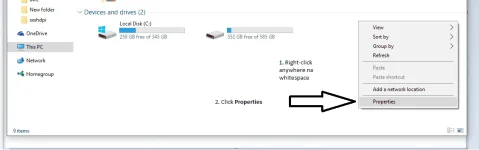
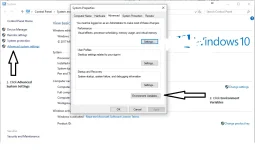
Step 2 - Open Environment Variables
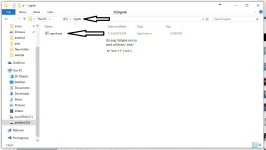
Step 3 - Hanapin mo yung folder na pinaglalagyan ng gusto mong file
Step 4 - Add mo dito yung path
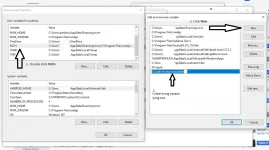
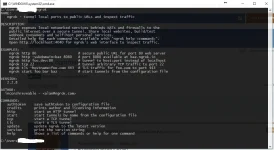
Step 5 - Type mo yung name nang exe
Step 1 - Open "My Computer" or "This PC"
Step 2 - Open Environment Variables
Step 3 - Hanapin mo yung folder na pinaglalagyan ng gusto mong file
Step 4 - Add mo dito yung path
Step 5 - Type mo yung name nang exe
