PH
PHRequirements:
>rooted oppo f1 with Twrp
>selinux changer
>root explorer or zip archiver basta nkaka decompile ng zip file.
>viper4arise installer 2.94
link:
Viper4arise installer:
You do not have permission to view the full content of this post. Log in or register now.
SeLINUX changer:
You do not have permission to view the full content of this post. Log in or register now.
Here we go:
1.Remove any sound modd you have install before flashing.
2. Download nyo ang viper4arise installer. At ilagay sa root ng internal storage<HERE>
3.I-DECOMPILE ang zip file at aralin ang mga laman.
4.Now. boot sa recovery.
5.install viper4arise installer.Swipe to flash
Note:
volume up&down= cursor
Power button= ok or enter
Double tick volume up or down=re select
6.Select core. continue and select ur favorite sound modd.
7.optional to remove deep buffer just select yes or no .
8. Set premissive yes.
9.install.Reboot system.
10. Pag nabuhay na balik sa na decompile na zip at i-install ang napili mong sound modd.
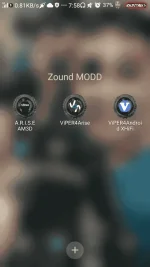
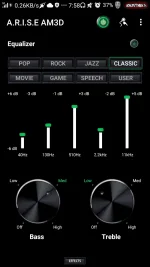
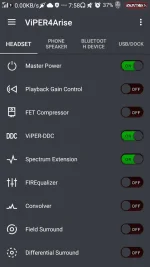
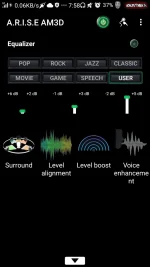
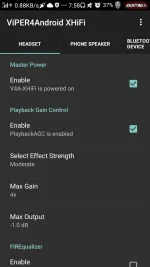
ex. etong saken viper4arise core module At nilagyan ku ng add ons na am3d at viperxhifi
11. Enjoy and explore more.
i am not responsible for any brick of your device .
FLASH AT YOUR OWN RISK.
You can visit xda thread for more info
You do not have permission to view the full content of this post. Log in or register now.
Good luck.
>rooted oppo f1 with Twrp
>selinux changer
>root explorer or zip archiver basta nkaka decompile ng zip file.
>viper4arise installer 2.94
link:
Viper4arise installer:
You do not have permission to view the full content of this post. Log in or register now.
SeLINUX changer:
You do not have permission to view the full content of this post. Log in or register now.
Here we go:
1.Remove any sound modd you have install before flashing.
2. Download nyo ang viper4arise installer. At ilagay sa root ng internal storage<HERE>
3.I-DECOMPILE ang zip file at aralin ang mga laman.
4.Now. boot sa recovery.
5.install viper4arise installer.Swipe to flash
Note:
volume up&down= cursor
Power button= ok or enter
Double tick volume up or down=re select
6.Select core. continue and select ur favorite sound modd.
7.optional to remove deep buffer just select yes or no .
8. Set premissive yes.
9.install.Reboot system.
10. Pag nabuhay na balik sa na decompile na zip at i-install ang napili mong sound modd.
ex. etong saken viper4arise core module At nilagyan ku ng add ons na am3d at viperxhifi
11. Enjoy and explore more.
i am not responsible for any brick of your device .
FLASH AT YOUR OWN RISK.
You can visit xda thread for more info
You do not have permission to view the full content of this post. Log in or register now.
Good luck.