🔒 Closed Unlocker 1.9.2

Status
Not open for further replies.

Lightrash

Contributor
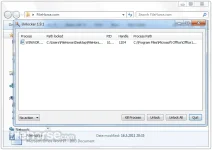
unlocker-screenshot-02.webp
Unlocker Description
If you've ever been unable to delete a file in Windows, and can't figure out what program's using it, Unlocker is the solution. Have you ever seen these Windows error messages?

Cannot delete folder: It is being used by another person or program
Cannot delete file: Access is denied
There has been a sharing violation.
The source or destination file may be in use.
The file is in use by another program or user.
Make sure the disk is not full or write-protected and that the file is not currently in use.

Unlocker can help! Simply right-click the folder or file and select Unlocker. If the folder or file is locked, a window listing of lockers will appear. Simply click Unlock All and you are done!

Features
  • Unlocker Free & Safe Download!
  • Unlocker Latest Version!
  • Works with All Windows versions
  • Users choice!
 
Pero useful to na shinare mo lalo na sa mga software na di maunlock i remember nasira ko nuon yunh toolbar ng win xp o.s namin
 
baka meron pa sa inyo dyan meron nito maraming salamat po
Actually, nasa picture yung pinagkuhaan ng thread starter - sa filehorse.com bosing.
Ito yung mainsite para direkta sa source infos only (wala lang download): You do not have permission to view the full content of this post. Log in or register now.
Ito yung portable version niya (w/out the ads using the official installer) but best is use first the installer, nasa majorgeeks din yon: You do not have permission to view the full content of this post. Log in or register now.
 
Status
Not open for further replies.

About this Thread

  • 22
    Replies
  • 297
    Views
  • 7
    Participants
Last reply from:
heyhey

Online now

Members online
1,470
Guests online
2,784
Total visitors
4,254

Forum statistics

Threads
2,299,837
Posts
29,133,028
Members
1,201,149
Latest member
Knowydujdc
Back
Top