PH
PHjoey the cockroach
Forum Master
May extra ba kayong account dyan, pwede makahingi, france lang kasi nakuha ko e, mabagal sa download.Tia
Ah see. Thanks sa info dude. Kaya pala wrong captcha lage kanina haha.Wag ka magopen ng maraming tabs with fastssh lalo na pag may captcha. May tendency mageerror yan.
Yes. Naexperience ko din yan dati. Parang ung last tab na naopen na may captcha ang nacoconsider.Ah see. Thanks sa info dude. Kaya pala wrong captcha lage kanina haha.
done po ^_^ pakicheck nalang poKirie09 name ko doon naka online ka ba?
ng alin sir po sir?? ...sir ALCRAD pwede po makahingi?
mr alucard pa tutor naman pong alin sir po sir?? ...
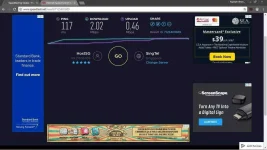
Bro, sorry sa late reply. Ngayon ko lang sinubukan yang connectify despacito he he. Isa lang yung nakikita niya sa GUI by default. Punta ka doon sa card mo na may live connection (but w/ no internet indication sa IPV4 connectivity status niya). Pagkatapos, punta ka properties then uncheck mo yung Softether Lightweight Network Protocol. Click OK, then wait for the changes to take effect. Makikita mo, may internet connectify na yang IPV4 mo. Stop then start ConnectifyDip...tch, ok ka na. Di man kasing-bilis ni Inetfusion gamitin yan using multiple connections, stable naman siya gamitin kaysa sa una. I hope this helps the others as well.Regarding sa connectify dis*****, napansin ko kahit 2 ang connected, isang virtual adapter lng ang nadedetect. Ewan ko kung dahil ba sa version ng connectify. Di pa ako nagexperiment ng masyado medyo busy pa konti eh.
Bro, sorry sa late reply. Ngayon ko lang sinubukan yang connectify despacito he he. Isa lang yung nakikita niya sa GUI by default. Punta ka doon sa card mo na may live connection (but w/ no internet indication sa IPV4 connectivity status niya). Pagkatapos, punta ka properties then uncheck mo yung Softether Lightweight Network Protocol. Click OK, then wait for the changes to take effect. Makikita mo, may internet connectify na yang IPV4 mo. Stop then start ConnectifyDip...tch, ok ka na. Di man kasing-bilis ni Inetfusion gamitin yan using multiple connections, stable naman siya gamitin kaysa sa una. I hope this helps the others as well.
tanong ko lang sir applicable ba to kung yung isa ay connected via ethernet port at yung isa naman ay via wifi? salamatBro, sorry sa late reply. Ngayon ko lang sinubukan yang connectify despacito he he. Isa lang yung nakikita niya sa GUI by default. Punta ka doon sa card mo na may live connection (but w/ no internet indication sa IPV4 connectivity status niya). Pagkatapos, punta ka properties then uncheck mo yung Softether Lightweight Network Protocol. Click OK, then wait for the changes to take effect. Makikita mo, may internet connectify na yang IPV4 mo. Stop then start ConnectifyDip...tch, ok ka na. Di man kasing-bilis ni Inetfusion gamitin yan using multiple connections, stable naman siya gamitin kaysa sa una. I hope this helps the others as well.
madali lang yan.. gusto mo update kita? hihi..hirap pakonekin ni hapon pag na dc haha
100% no load ba mga paps
ginagawa ko paps cdc ko lang wireless network connection nagkokonek agadhirap pakonekin ni hapon pag na dc haha
ako naman hindi nag alarm ahaha.. first time ko kasi mag alarm ng phoneHaha mali alarm ko naset ko 11:50 am dapat pm