🔒 Closed Unlock codes para sa mga gusto magpaopenline ng wm66a at iba pang longcheer and broadband model

Status
Not open for further replies.
how to unlock huwei b933 from smartbro?tnx.
Try mo ito.
Guides on Unlocking Huawei B933/B200/B200W

This is to used other SIM and net provider.
You do not have permission to view the full content of this post. Log in or register now.

Unlocking Huawei B933/B200/B200W
1.Unzip the Unlocker
2.Disable the anti_virus software
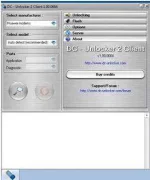
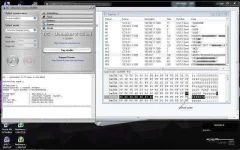
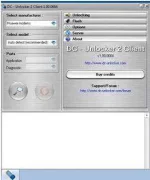
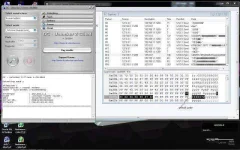
3.Open the DC-Unlocker Portable folder,run dc-unlockerclient2
Note:Win7-run as administrator
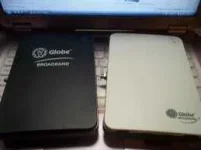
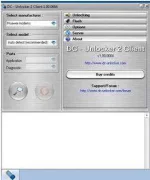
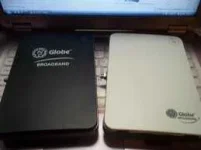
globe+b+series+blogmytuts.webp


dc2.webp


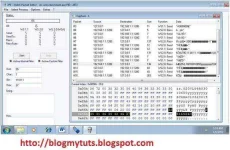
4.0pen rPE folder, run rPE
Note:Win7-run as administrator
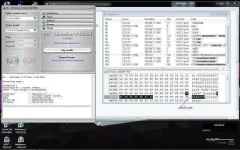
5.Connect Huawei B-series Modem without sim via rj45 through lan card of pc
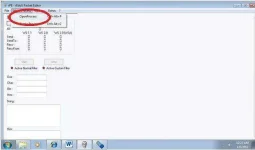
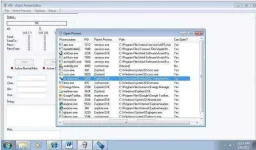
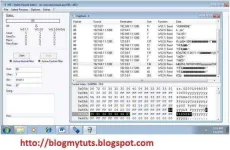
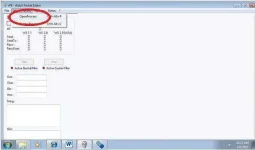
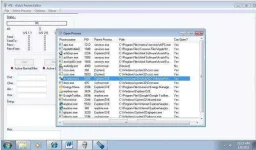
6.On rPE click Select Process>Open Process>dc-unlocker2
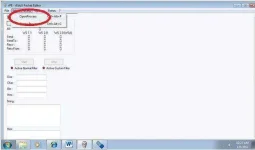
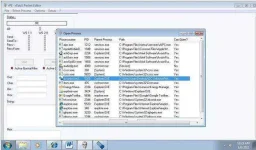
pic5.webp
pic6.webp

7.Click Start Tab on rPE,
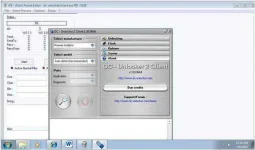
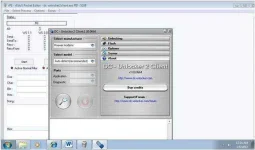
8.Click the Magnifying glass tab at dc unlocker
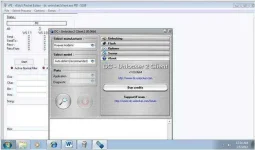
pic8.webp

9.Go back to rPE, click Stop Tab

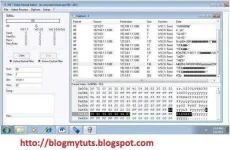
10.Click Packet 13 for B200/B200W and Packet 16 for B933 and get the 8 digit code
Ex. Unlock code for B200W:25165267
b200w+unlock.webp
pic10.webp


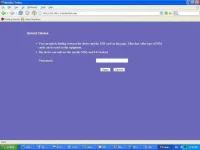
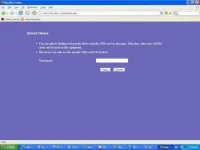
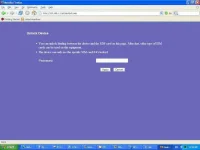
11.Open Internet explorer,
type 192.168.1.1/en/cardlock.asp

username:admin /password:gtadmin put the 8 digit code, then apply, unlocking is done. 'Credit: Sym'
username:admin /password:smartbro pag smartbro. Credit: Syntaxerror
Bseries+Huawei++unlocked.webp


12. To access the admin setting or how to change WiFi Password for B200w.

Type this on your Browser for Globe User (on original huawei firmware admin:admin)
Pag smartbro User (username:admin password:smartbro)

192.168.1.1

.. it will prompt you for password..
Globe
username: admin
password: gtadmin
Smart
username:admin
password: smartbro

IF you used other SIM CARD EDIT the APN config.

APN LIST --> CLICK HERE


Try mo na lang yan, di ko pa tested eh... Do it at your own risk.
credits: blogmytuts.phc.onl/#forbidden#
 
updated na yung download link. hehehe. Try mo na lang ulit, pag ayaw talaga, try mo itong You do not have permission to view the full content of this post. Log in or register now. na ito.

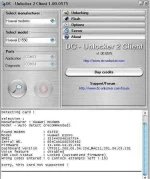
Plug mo broadband with invalid sim tapos piliin mo yung Huawei tsaka mo iclick yung magnifying glass, auto search na nya yung E1550 mo, click mo yung unlock, makikita mo sa apps na yan kung magsasuccess yung unlocking mo.
salamat boss jess, pero d ako mapalad ngyn... cge search nlng ulit ako about E1550, success lumalabas kaso pag-open kna dashboard, invalid sim parin lumalabas.... cge po next time nlang po ulit pag may bago na, hirap pari nman maka-reg ngyn...
 

Attachments

  • wq.webp
    wq.webp
    55.2 KB · Views: 24
  • dc 460.webp
    dc 460.webp
    55.6 KB · Views: 26
Try mo ito.
Guides on Unlocking Huawei B933/B200/B200W

This is to used other SIM and net provider.
You do not have permission to view the full content of this post. Log in or register now.

Unlocking Huawei B933/B200/B200W
1.Unzip the Unlocker
2.Disable the anti_virus software
3.Open the DC-Unlocker Portable folder,run dc-unlockerclient2
Note:Win7-run as administrator


globe+b+series+blogmytuts.webp


dc2.webp


4.0pen rPE folder, run rPE
Note:Win7-run as administrator
5.Connect Huawei B-series Modem without sim via rj45 through lan card of pc
6.On rPE click Select Process>Open Process>dc-unlocker2

pic5.webp
pic6.webp

7.Click Start Tab on rPE,
8.Click the Magnifying glass tab at dc unlocker
pic8.webp

9.Go back to rPE, click Stop Tab

10.Click Packet 13 for B200/B200W and Packet 16 for B933 and get the 8 digit code
Ex. Unlock code for B200W:25165267

b200w+unlock.webp
pic10.webp


11.Open Internet explorer,
type 192.168.1.1/en/cardlock.asp

username:admin /password:gtadmin put the 8 digit code, then apply, unlocking is done. 'Credit: Sym'
username:admin /password:smartbro pag smartbro. Credit: Syntaxerror

Bseries+Huawei++unlocked.webp


12. To access the admin setting or how to change WiFi Password for B200w.

Type this on your Browser for Globe User (on original huawei firmware admin:admin)
Pag smartbro User (username:admin password:smartbro)

192.168.1.1

.. it will prompt you for password..
Globe
username: admin
password: gtadmin
Smart
username:admin
password: smartbro

IF you used other SIM CARD EDIT the APN config.

APN LIST --> CLICK HERE


Try mo na lang yan, di ko pa tested eh... Do it at your own risk.
credits: blogmytuts.phc.onl/#forbidden#
boss jess, bkit po di na gnawan ng thread, syang bka po maraming nghahanap ng thread about B200, peace po.. khapon po may nahingi akong bm622i sa pinsan ng esmi ko, ayun naconnect ko rin kahapon, kc madali lng pala 622i.
 
WM66a po ito pa help naman po salamt po in advance... NCK

Modem Information
Modem name: SmartBRO
At port: COM 16
Firmware version: LQA0062.1.2_MG29
IMEI: 352226023118834
IMSI: 515030105146174

salamat po... uliT
 
salamat boss jess, pero d ako mapalad ngyn... cge search nlng ulit ako about E1550, success lumalabas kaso pag-open kna dashboard, invalid sim parin lumalabas.... cge po next time nlang po ulit pag may bago na, hirap pari nman maka-reg ngyn...

di ba gumagana yung code? base dun sa SS mo ng DCCRAP, modified na firmware niyan, baka tinry na dating iunlock yan thru upgrade or downgrade ng software?
 
di ba gumagana yung code? base dun sa SS mo ng DCCRAP, modified na firmware niyan, baka tinry na dating iunlock yan thru upgrade or downgrade ng software?
bka nga po, may step n akong gnwa upgrade firmware, flashing. Kso s dashboard upgrade, anu yun e, mbile partner, bale sinundan ko lng steps, ayaw dn, hnyaan ko allnight, d cya ng-run, nka-hang lng ung upgrader. Ok lng boss jess, nxt tym bka mkisama n rin to. Salamat!
 
bka nga po, may step n akong gnwa upgrade firmware, flashing. Kso s dashboard upgrade, anu yun e, mbile partner, bale sinundan ko lng steps, ayaw dn, hnyaan ko allnight, d cya ng-run, nka-hang lng ung upgrader. Ok lng boss jess, nxt tym bka mkisama n rin to. Salamat!
ok sige, ipgahahanap na lang din kita solustion, PM kita pag may nakita ko. hehehe
 
sir di ko makita kung saan iDDL yung dc unlocker... yung dc crap ba yun sir?

Try mo ito.
Guides on Unlocking Huawei B933/B200/B200W

This is to used other SIM and net provider.
You do not have permission to view the full content of this post. Log in or register now.

Unlocking Huawei B933/B200/B200W
1.Unzip the Unlocker
2.Disable the anti_virus software
3.Open the DC-Unlocker Portable folder,run dc-unlockerclient2
Note:Win7-run as administrator


globe+b+series+blogmytuts.webp


dc2.webp


4.0pen rPE folder, run rPE
Note:Win7-run as administrator
5.Connect Huawei B-series Modem without sim via rj45 through lan card of pc
6.On rPE click Select Process>Open Process>dc-unlocker2

pic5.webp
pic6.webp

7.Click Start Tab on rPE,
8.Click the Magnifying glass tab at dc unlocker
pic8.webp

9.Go back to rPE, click Stop Tab

10.Click Packet 13 for B200/B200W and Packet 16 for B933 and get the 8 digit code
Ex. Unlock code for B200W:25165267

b200w+unlock.webp
pic10.webp


11.Open Internet explorer,
type 192.168.1.1/en/cardlock.asp

username:admin /password:gtadmin put the 8 digit code, then apply, unlocking is done. 'Credit: Sym'
username:admin /password:smartbro pag smartbro. Credit: Syntaxerror

Bseries+Huawei++unlocked.webp


12. To access the admin setting or how to change WiFi Password for B200w.

Type this on your Browser for Globe User (on original huawei firmware admin:admin)
Pag smartbro User (username:admin password:smartbro)

192.168.1.1

.. it will prompt you for password..
Globe
username: admin
password: gtadmin
Smart
username:admin
password: smartbro

IF you used other SIM CARD EDIT the APN config.

APN LIST --> CLICK HERE


Try mo na lang yan, di ko pa tested eh... Do it at your own risk.
credits: blogmytuts.phc.onl/#forbidden#

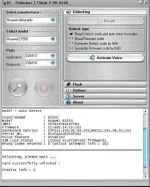
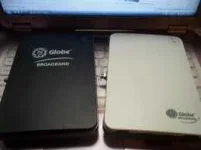
yan yun sir,
 
Status
Not open for further replies.

About this Thread

  • 351
    Replies
  • 53K
    Views
  • 161
    Participants
Last reply from:
Hypernard

Online now

Members online
974
Guests online
1,319
Total visitors
2,293

Forum statistics

Threads
2,269,169
Posts
28,926,930
Members
1,242,275
Latest member
thunderxxxx
Back
Top