๐Ÿ”’ Closed Root samsung sm-g360g

Status
Not open for further replies.
try use Kingoroot app if not working you can root in PC/Laptop if meron ka
 
for Android app
download this : Kingoroot.apk

rooting for PC/Laptop method
Download this

1. ODIN 3.09 or latest

2. You do not have permission to view the full content of this post. Log in or register now.

rooting procedure :
a. put your phone in DOWNLOAD MODE by pressing volume down + home button + power
b. connect phone to pc/laptop using USB cable
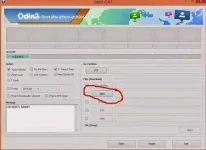
c. if detected sa laptop may makikita ka na lalabas na blue sa taas na com3 or com7 or etc like this
images.webp

d. then click PDA/AP and search your downloaded CF autoroot from chainfire file

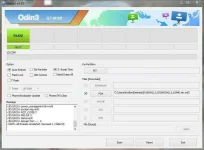
e. click start and wait for the process matapos and after matapos lalabas ang green sa taas na RESET and PASS at hayaan na magrestart ang phone so that mainstall ang root process sa phone mo like nito
8414751263_cbf568ed60_b.webp

f. last if working then cheers magbunyi kasi your phone is rooted na :-) hope nakatulong :-)
 
Status
Not open for further replies.

About this Thread

  • 4
    Replies
  • 439
    Views
  • 4
    Participants
Last reply from:
rodvelzzz

Trending Topics

Online now

Members online
1,044
Guests online
936
Total visitors
1,980

Forum statistics

Threads
2,274,901
Posts
28,959,245
Members
1,233,482
Latest member
MyNameIsElga
Back
Top