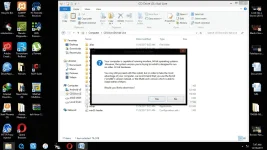
You must need a ISO file (KALI LINUX OS)
Tapos po dl kayo ng rufus sa
You do not have permission to view the full content of this post.
Log in or register now..
Open niyo po rufus.
Pagka open niyo po sir change niyo yung FREEDOS to ISO Image. nakasulat po yun jan.
Then may makikita po kayong parang logo sa tabi nun.. click niyo po.
Select niyo po yung ISO na nadownload niyo.
Then click start po..
PS: Make sure po may internet connection kayo for making a bootable usb flash drive.
kapag finish na po.. turn off your pc.
then turn on again, plug your flash drive.
goto BIOS setup.
and then change niyo yung boot configuration..
ganto po dapat pagkakasunod sunod.
1.Removable Disk/Drive
2.HDD
3.Optical Drive
and after po niyan. save niyo po ang bios settings niyo and reboot..
tapos po automatic na lalabas yung installer nun dapat. tapos po piliin niyo yung installer na may GUI/GTK.
Then ayun na po! <3 goodluck and congrats!
 PH
PH