 PH
PHitchybitchy
Enthusiast
i just did it a moment ago,so isishare ko lang lang to para dun sa may kaparehang unit ko..
requirements:
*Root checker(DL mo sa store)
*Kingroot(not kingoroot)hanap Malang kayo ng link ayaw mag upload ng link ko...
*must 60%+on battery
lastly
*Pasensya(habaan ng kunti ang pasensiya para magsucced)
step 1:
DL and install rootchecker,buksan tapos itest kung granted ba o puedeng iroot ang unit no..
step2:
DL and install Kingroot(android.apk),buksan at pumaibaba ng 2 beses,Click "TRY" ,wait for a while tapos "Start" mu na,
Takenote:
"magrereboot yung device several times,wag magtaka part of the process lang yan,afrer that buksan mu uli Kingroot para magresume"
step3:
maglalabas ng prompt si Kingroot,do as he says,uninstall mo mga apps na treat para sa kanya in order to succeed the rooting process,after you fix the issues iroot mu uli...
step4:
wait until the process has been done,if you succed,do the last and final step..
step5:
open rootchecker and double check...congrats..rooted kana...
sample ss from non-root to root.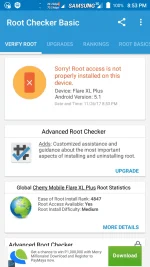
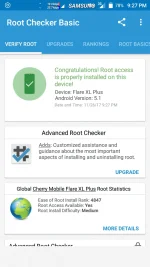

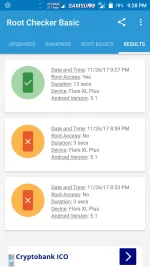
requirements:
*Root checker(DL mo sa store)
*Kingroot(not kingoroot)hanap Malang kayo ng link ayaw mag upload ng link ko...
*must 60%+on battery
lastly
*Pasensya(habaan ng kunti ang pasensiya para magsucced)
step 1:
DL and install rootchecker,buksan tapos itest kung granted ba o puedeng iroot ang unit no..
step2:
DL and install Kingroot(android.apk),buksan at pumaibaba ng 2 beses,Click "TRY" ,wait for a while tapos "Start" mu na,
Takenote:
"magrereboot yung device several times,wag magtaka part of the process lang yan,afrer that buksan mu uli Kingroot para magresume"
step3:
maglalabas ng prompt si Kingroot,do as he says,uninstall mo mga apps na treat para sa kanya in order to succeed the rooting process,after you fix the issues iroot mu uli...
step4:
wait until the process has been done,if you succed,do the last and final step..
step5:
open rootchecker and double check...congrats..rooted kana...
sample ss from non-root to root.