 PH
PHOnLHBAMZhITecHCreations
Eternal Poster
How to create a YouTube channel
Creating a YouTube channel using your Google account
If you have a Google account, you can watch, share and comment on YouTube content. However, Google accounts don’t automatically create YouTube channels. Getting a new channel set up is a simple and quick process, though.
1. Go to YouTube and sign in
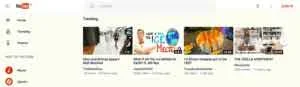
Head over to You do not have permission to view the full content of this post. Log in or register now. and click ‘sign in’ in the top right corner of the page:
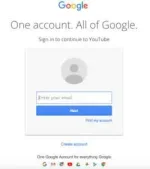
Then log in using the Google Account you’d like your channel to be associated with:
2. Head over to your YouTube settings
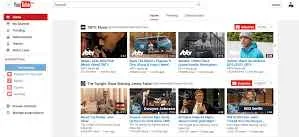
In the top right corner of the screen, click on your profile icon and then the ‘Settings’ cog icon.
3. Create your channel
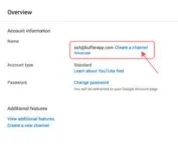
Under your settings, you’ll see the option to “Create a channel,” click on this link:
Next, you’ll have the option to create a personal channel or a create a channel using a business or other name. For this example, we’ll choose the business option:
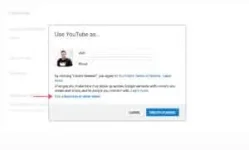
Now, it’s time to name your channel and select a category. The channel options available include:
Product or Brand
Company Institution or Organization
Arts, Entertainment or Sports
Other
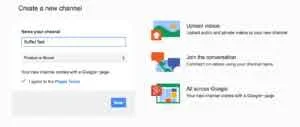
Note: a new Google+ page will also be created for your brand.
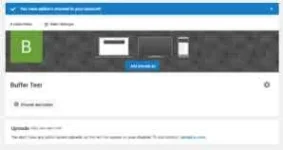
Congratulations! You’ve just created a new YouTube channel ?
Creating a YouTube channel using your Google account
If you have a Google account, you can watch, share and comment on YouTube content. However, Google accounts don’t automatically create YouTube channels. Getting a new channel set up is a simple and quick process, though.
1. Go to YouTube and sign in
Head over to You do not have permission to view the full content of this post. Log in or register now. and click ‘sign in’ in the top right corner of the page:
Then log in using the Google Account you’d like your channel to be associated with:
2. Head over to your YouTube settings
In the top right corner of the screen, click on your profile icon and then the ‘Settings’ cog icon.
3. Create your channel
Under your settings, you’ll see the option to “Create a channel,” click on this link:
Next, you’ll have the option to create a personal channel or a create a channel using a business or other name. For this example, we’ll choose the business option:
Now, it’s time to name your channel and select a category. The channel options available include:
Product or Brand
Company Institution or Organization
Arts, Entertainment or Sports
Other
Note: a new Google+ page will also be created for your brand.
Congratulations! You’ve just created a new YouTube channel ?