 PH
PHjhnrbrtbcl
Enthusiast
NOTE: SA KITKAT KO LANG PO ITO NA TRY, SA IBANG VERSION NG ANDROID HINDI PA.
You do not have permission to view the full content of this post. Log in or register now.
Ito na po yung update na ginawa ko.
You do not have permission to view the full content of this post. Log in or register now.
Paano mag create ng custom recovery in any Android MTK
NOTE: KITKAT version lang po ang tested ko pero sa lollipop hindi pa.
MGA KAILANGAN:
1. ROOTED ANDROID
2. ADB INSECURE.APK
3. ENABLE USB DEBUGGING
Procedure:
1. Una po ay dapat naka install po yung adb insecure apk, pag na install na po e check niyo lang yung dalawang boxes.

1. Dapat green ang kulay,
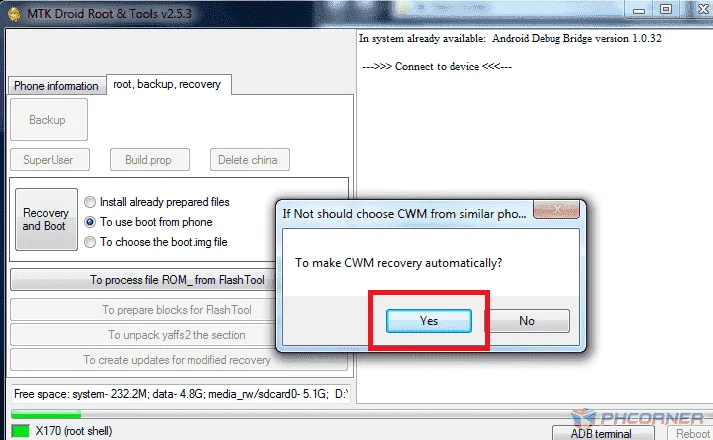
2. 1. click root, backup, recovery
2. click to use boot from phone.
3. and click recovery and boot
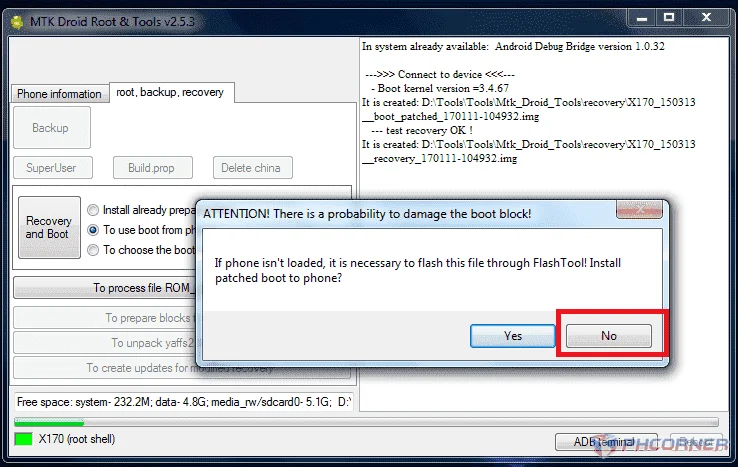
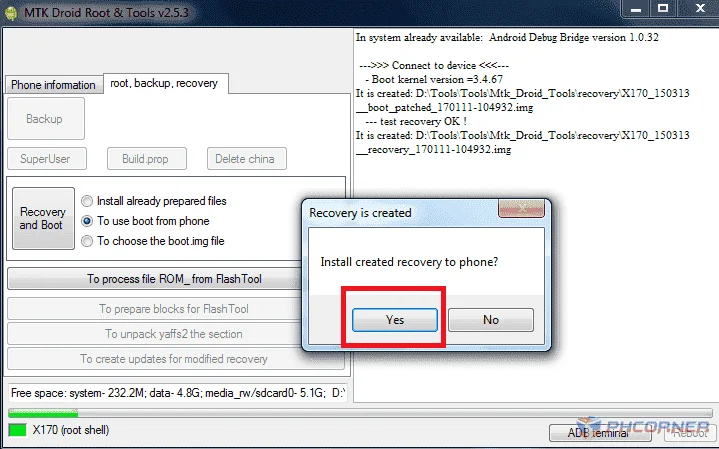
3. Follow lang po yung red box.
Ayan po tapos na...naka custom recovery na.
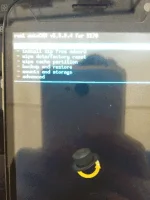
Pwede ka ng mag flash ng custom rom sa inyung android.. Sana makatulong po.
You do not have permission to view the full content of this post. Log in or register now.
Ito na po yung update na ginawa ko.
You do not have permission to view the full content of this post. Log in or register now.
Paano mag create ng custom recovery in any Android MTK
NOTE: KITKAT version lang po ang tested ko pero sa lollipop hindi pa.
MGA KAILANGAN:
1. ROOTED ANDROID
2. ADB INSECURE.APK
3. ENABLE USB DEBUGGING
Procedure:
1. Una po ay dapat naka install po yung adb insecure apk, pag na install na po e check niyo lang yung dalawang boxes.
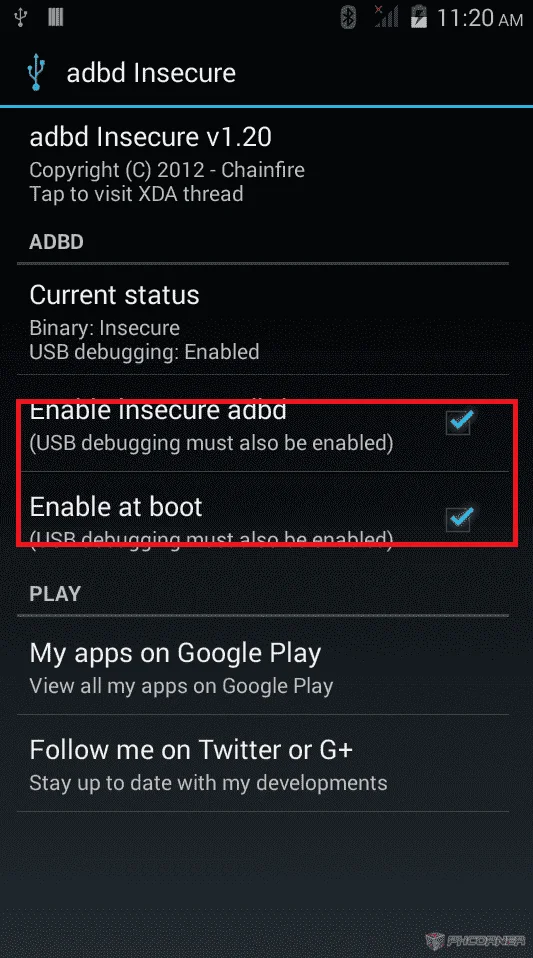
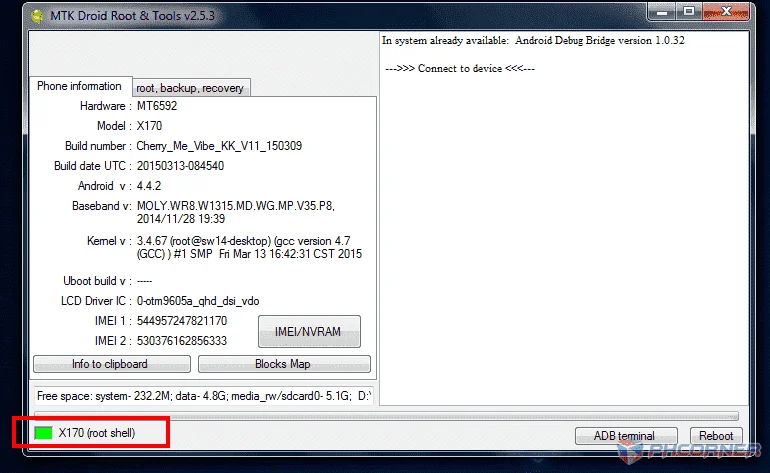
1. Dapat green ang kulay,
2. 1. click root, backup, recovery
2. click to use boot from phone.
3. and click recovery and boot
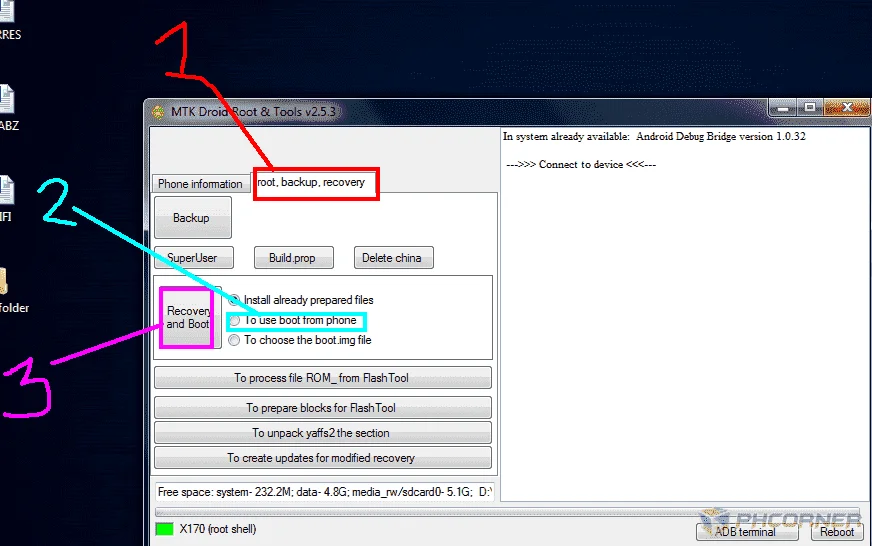
3. Follow lang po yung red box.
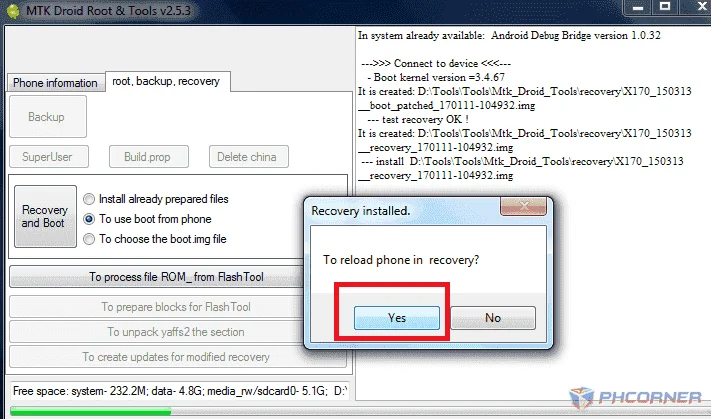
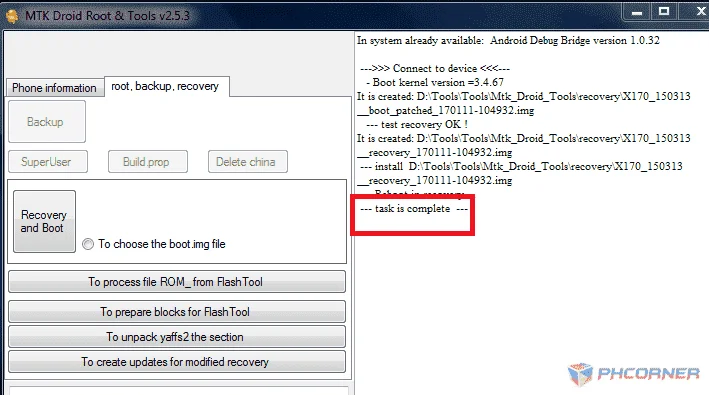
Ayan po tapos na...naka custom recovery na.
Pwede ka ng mag flash ng custom rom sa inyung android.. Sana makatulong po.