PH
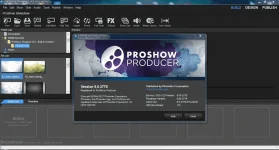
PHPhotodex ProShow Producer is a smart program for creating beautiful and spectacular presentations / slideshows. Under the hood are many ready-made transitions and effects, thanks to which your creativity will be appreciated. Of course, you can create your own, everything is in your hands! And thanks to the acceleration with the help of a video card, the render of the project does not take too much time. You can immediately prepare videos for YouTube, Vimeo, DVD, CD, Blu-ray, USB, Web, and even create a presentation in the executable file EXE.
Important:
1. Before installing a new version, make sure you back up the installed styles and transitions.
The official installer can sometimes remove them.
2. Restart the computer if some words are displayed by the krakozabrami in the installation version.
For a portable version of the change, you must manually make a change from the "Correction folder" folder.
3. There should not be Cyrillic in the program paths, spaces and spets are undesirable. characters.
General information:
Type: installation, unpacking portable [Punsh]
Languages: Russian, english
Activation: MPT
Supported Operating Systems:
Windows 7 SP1 32-bit Windows 7 SP1 64-bit Windows 8.1 32-bit Windows 8.1 64-bit Windows 10 32-bit Windows 10 64-bit
=======================================
Features of ProShow Producer 9
Professional slideshows your way.
• Turn your photos, videos and music into totally custom, professional video slideshows for clients, friends and family. With Producer there are no limits; use unlimited photos, videos and effects to turn your creative ideas into reality.
Slick, polished shows in minutes.
• Save time and speed-up your workflow with Producer’s built-in wizard. Create a show in just minutes with dozens of professional themes perfect for weddings, engagements, family photos, nature and outdoor shots, travel photography and more. Browse hundreds of royalty-free tracks in the built-in music library to quickly find the perfect soundtrack for your show. When you’re ready to take total control, ProShow Producer offers up some seriously powerful tools and effects to customize every aspect of your slideshow.
Add ready-made styles & transitions…
• Turn your photos and videos into exciting layouts and polished animations with over 950 effects available in ProShow Producer. Just click to preview and apply to any scene in your show. Simulate everything from page turns and camera flashes to blurs and fades.
…or, build your own custom effects.
• Take the reins and create your own custom effects with Producer’s keyframing, masking and adjustment layers. and effects. Create your own slide styles, transitions and show templates. Build a library of your own, custom effects for a streamlined workflow and consistent slideshows.
Styles & transitions
• Over 950 built-in effects for your photos and videos.
Pan, zoom, 3D, rotate
• Just click and drag to create your own motion effects.
Timing control
• Set times for slides and effects. Trim video + song length.
Instant show creation
• Let ProShow do all the work with the show wizard.
Keyframe animations
• Create custom effects with keyframed motion and fx.
Image editing
• Crop, vignette, blur, color adjust and more.
Music library
• 330+ royalty free tracks for personal & commercial shows.
Mask & adjust
• Use masks and adjustment layers for total control.
Custom branding
• Add watermarks and custom icons. Make it yours.
It’s like having a production studio at your finger tips.
• Only ProShow Producer gives you the features of a video editor with the ease-of-use of a slideshow tool. Blend photos and videos together in nearly any way imaginable. Use the built-in video trimmer to edit your video clips and use just the portion you want. Turn videos to black and white or sepia with one-click colorization effects. Adjust the speed of your video clip to create cool, slow-mo sequences and apply any of Producer’s slide styles to your video.
Royalty-free music and audio controls.
• Browse the royalty-free music library, instantly available to use in your shows. 300+ songs and 25 sound FX hand-picked licensed for personal and commercial use. Use built-in audio controls to crop songs, crossfade multiple tracks, record voiceovers and set custom fades.
Create titles that impress.
• Add captions and titles that rival Hollywood. Use textures and customize motion to create fantastic animations. Easily create proofing shows with text macros from EXIF or IPTC metadata.
Protect your images and brand your business.
• Add a custom watermark to your slideshow to protect your images. Copy protect your discs with password protection, playback security and prevent piracy of your images. Use Producer’s branding feature to promote your business. Add a custom startup screen, icons and more.
Publish anywhere
• Publishing your slideshows is easy, with over 40 popular formats for watching on TV, online, and devices. Easily post shows on Facebook YouTube and SmugMug. Burn directly to DVD, Blu-ray, AVCHD and CD. Add a professional touch with Hollywood-style movie menus.
=======================================
New Features in ProShow 9 Include:
Follow Filter
Adding animation effects to your slideshows just got easier. With the all-new Follow Filter you can have multiple images, layers, and captions all move together with a few clicks. Set the motion of a layer or caption and use it. Follow the filter to make other layers and captions. The new Filters tab gives you access to a variety of easy customizable animation effects for your slideshows.
Layer Filters
ProShow 9 includes 45+ of built-in Layer Filters to apply on your photos and videos, and to combine those filters with other captivating. With the Layer Filters, you can easily see what each filter does, with real-time previews, to pick the perfect effect.
Motion Filters
Apply animation effects to a specific layer with Motion Filters without manual editing. Easily apply one of the dozens of built-in effects like fly-in and fly-out behaviors. Create high energy photo and video animations with just a click.
Color Tool + Palettes
The re-designed color tool gives you more creative options over your slideshows. You can now browse the built-in color palettes, create your own custom color palettes, and search through compliments or variations palettes to fine-tune your current colors.
4K Output
You can now publish your slideshows in 4K! Output in high quality to match your high quality photos. Improved publishing options gives you the ability to share and highlight your work as best as possible.
Publishing Queue + Publishing History
by parts
You do not have permission to view the full content of this post. Log in or register now.
Important:
1. Before installing a new version, make sure you back up the installed styles and transitions.
The official installer can sometimes remove them.
2. Restart the computer if some words are displayed by the krakozabrami in the installation version.
For a portable version of the change, you must manually make a change from the "Correction folder" folder.
3. There should not be Cyrillic in the program paths, spaces and spets are undesirable. characters.
General information:
Type: installation, unpacking portable [Punsh]
Languages: Russian, english
Activation: MPT
Supported Operating Systems:
Windows 7 SP1 32-bit Windows 7 SP1 64-bit Windows 8.1 32-bit Windows 8.1 64-bit Windows 10 32-bit Windows 10 64-bit
=======================================
Features of ProShow Producer 9
Professional slideshows your way.
• Turn your photos, videos and music into totally custom, professional video slideshows for clients, friends and family. With Producer there are no limits; use unlimited photos, videos and effects to turn your creative ideas into reality.
Slick, polished shows in minutes.
• Save time and speed-up your workflow with Producer’s built-in wizard. Create a show in just minutes with dozens of professional themes perfect for weddings, engagements, family photos, nature and outdoor shots, travel photography and more. Browse hundreds of royalty-free tracks in the built-in music library to quickly find the perfect soundtrack for your show. When you’re ready to take total control, ProShow Producer offers up some seriously powerful tools and effects to customize every aspect of your slideshow.
Add ready-made styles & transitions…
• Turn your photos and videos into exciting layouts and polished animations with over 950 effects available in ProShow Producer. Just click to preview and apply to any scene in your show. Simulate everything from page turns and camera flashes to blurs and fades.
…or, build your own custom effects.
• Take the reins and create your own custom effects with Producer’s keyframing, masking and adjustment layers. and effects. Create your own slide styles, transitions and show templates. Build a library of your own, custom effects for a streamlined workflow and consistent slideshows.
Styles & transitions
• Over 950 built-in effects for your photos and videos.
Pan, zoom, 3D, rotate
• Just click and drag to create your own motion effects.
Timing control
• Set times for slides and effects. Trim video + song length.
Instant show creation
• Let ProShow do all the work with the show wizard.
Keyframe animations
• Create custom effects with keyframed motion and fx.
Image editing
• Crop, vignette, blur, color adjust and more.
Music library
• 330+ royalty free tracks for personal & commercial shows.
Mask & adjust
• Use masks and adjustment layers for total control.
Custom branding
• Add watermarks and custom icons. Make it yours.
It’s like having a production studio at your finger tips.
• Only ProShow Producer gives you the features of a video editor with the ease-of-use of a slideshow tool. Blend photos and videos together in nearly any way imaginable. Use the built-in video trimmer to edit your video clips and use just the portion you want. Turn videos to black and white or sepia with one-click colorization effects. Adjust the speed of your video clip to create cool, slow-mo sequences and apply any of Producer’s slide styles to your video.
Royalty-free music and audio controls.
• Browse the royalty-free music library, instantly available to use in your shows. 300+ songs and 25 sound FX hand-picked licensed for personal and commercial use. Use built-in audio controls to crop songs, crossfade multiple tracks, record voiceovers and set custom fades.
Create titles that impress.
• Add captions and titles that rival Hollywood. Use textures and customize motion to create fantastic animations. Easily create proofing shows with text macros from EXIF or IPTC metadata.
Protect your images and brand your business.
• Add a custom watermark to your slideshow to protect your images. Copy protect your discs with password protection, playback security and prevent piracy of your images. Use Producer’s branding feature to promote your business. Add a custom startup screen, icons and more.
Publish anywhere
• Publishing your slideshows is easy, with over 40 popular formats for watching on TV, online, and devices. Easily post shows on Facebook YouTube and SmugMug. Burn directly to DVD, Blu-ray, AVCHD and CD. Add a professional touch with Hollywood-style movie menus.
=======================================
New Features in ProShow 9 Include:
Follow Filter
Adding animation effects to your slideshows just got easier. With the all-new Follow Filter you can have multiple images, layers, and captions all move together with a few clicks. Set the motion of a layer or caption and use it. Follow the filter to make other layers and captions. The new Filters tab gives you access to a variety of easy customizable animation effects for your slideshows.
Layer Filters
ProShow 9 includes 45+ of built-in Layer Filters to apply on your photos and videos, and to combine those filters with other captivating. With the Layer Filters, you can easily see what each filter does, with real-time previews, to pick the perfect effect.
Motion Filters
Apply animation effects to a specific layer with Motion Filters without manual editing. Easily apply one of the dozens of built-in effects like fly-in and fly-out behaviors. Create high energy photo and video animations with just a click.
Color Tool + Palettes
The re-designed color tool gives you more creative options over your slideshows. You can now browse the built-in color palettes, create your own custom color palettes, and search through compliments or variations palettes to fine-tune your current colors.
4K Output
You can now publish your slideshows in 4K! Output in high quality to match your high quality photos. Improved publishing options gives you the ability to share and highlight your work as best as possible.
Publishing Queue + Publishing History
- Need to publish to multiple outputs? With the new publishing queue you can set the order of outputs from start to finish and will continue running even while you're away. You can also access your slideshow history so you will never lose track of your videos.
by parts
You do not have permission to view the full content of this post. Log in or register now.