 PH
PHfirst of all before you proceed you must "LISTEN" to the beat:
Are you looking for some trick or tips how to convert a webpage like google.com, youtube.com etc into a PDF file?
well Good news for you my friend. If someone or somebody knows this trick already . just be silence and listen to the soundtrack beat and sit relax.
so let's get started?!
First: Open any browser (Google Chrome or Mozilla Firefox) on your PC or MAC
Second: Go to the web page or website that you want to convert. I'll try to convert now google.com webpage
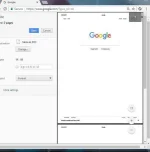
Now press Ctrl+P on windows PC or Command +P if you are on Mac to Open the Print dialog on Chrome Browser that you used.
Now change the destination to "Save As PDF" and hit the save button.
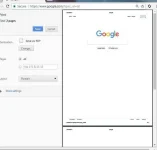
The current web page will instantly be downloaded as a PDF document.
now you can check it out.
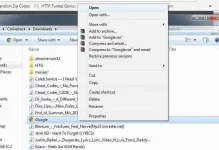
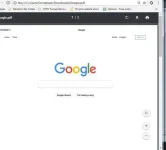
so it's done. this is very useful to those who dont know how it is.. hahaha
btw this method is very useful to engineers, architects ..
I've always using this when I was working as an Autocad operator ..
If you follow the given steps correctly, then you can also convert those webpages into PDF format within minutes.
Get it? it's verry easy and simple right?

Mad`ThePoetMotivator
Are you looking for some trick or tips how to convert a webpage like google.com, youtube.com etc into a PDF file?
well Good news for you my friend. If someone or somebody knows this trick already . just be silence and listen to the soundtrack beat and sit relax.
so let's get started?!
First: Open any browser (Google Chrome or Mozilla Firefox) on your PC or MAC
Second: Go to the web page or website that you want to convert. I'll try to convert now google.com webpage
Now press Ctrl+P on windows PC or Command +P if you are on Mac to Open the Print dialog on Chrome Browser that you used.
Now change the destination to "Save As PDF" and hit the save button.
The current web page will instantly be downloaded as a PDF document.
now you can check it out.
so it's done. this is very useful to those who dont know how it is.. hahaha
btw this method is very useful to engineers, architects ..
I've always using this when I was working as an Autocad operator ..
If you follow the given steps correctly, then you can also convert those webpages into PDF format within minutes.
Get it? it's verry easy and simple right?
Spoiler contents are visible only to Established Members.
Mad`ThePoetMotivator

