PH
PHDifficiculty: Easy/Novice
Application: Adobe Photoshop
Duration: 1-5 minutes
START
>Open your desired image in Adobe Photoshop
>Make sure your image is in RGB Mode
>To check, open Image>Mode>then check RGB color
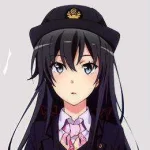
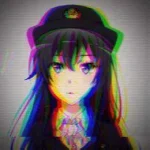
sample image. opo, pwede din po kahit hindi anime xD
>Next is go to Channels panel then click on the Red channel
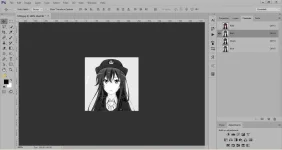
>on the top toolbar, click Filter>Distort>Shear...
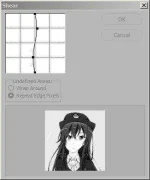
gayahin nyo yang sa taas
>click again Channels panel then click the layer named RGB
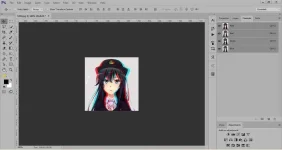
eto ang magiging resulta nya...
kung gusto nyo pang dagdagan ng ibang kulay pili ka lang sa ibang kulay tulad ng green at blue at gayahin ulit ang steps sa taas... gaya neto...
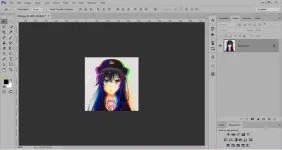
red+green+blue splitting...
>dont forget to save your image to jpeg or png.
END
comment lang sa may mga tanong o feedback
Application: Adobe Photoshop
Duration: 1-5 minutes
START
>Open your desired image in Adobe Photoshop
>Make sure your image is in RGB Mode
>To check, open Image>Mode>then check RGB color
sample image. opo, pwede din po kahit hindi anime xD
>Next is go to Channels panel then click on the Red channel
>on the top toolbar, click Filter>Distort>Shear...
gayahin nyo yang sa taas
>click again Channels panel then click the layer named RGB
eto ang magiging resulta nya...
kung gusto nyo pang dagdagan ng ibang kulay pili ka lang sa ibang kulay tulad ng green at blue at gayahin ulit ang steps sa taas... gaya neto...
red+green+blue splitting...
>dont forget to save your image to jpeg or png.
END
comment lang sa may mga tanong o feedback