 PH
PH-
Welcome to PHCorner Forums! Sign up for free to unlock full access and exclusive privileges, including:
- Asking questions about computer and mobile issues
- Discovering internet tips for your mobile network and computer
You are using an out of date browser. It may not display this or other websites correctly.
You should upgrade or use an alternative browser.
You should upgrade or use an alternative browser.
🔒 Closed Sir pa tulong po not guniune ginawa ko na yung process dito
- Status
- Not open for further replies.
-saseum gogi-
Forum Veteran
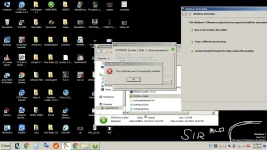
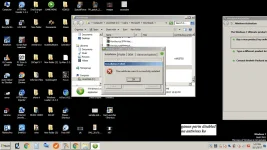
Try disabling eset.
-saseum gogi-
Forum Veteran
Patry po nito;
- Reboot / Restart, then rerun the loader
- Perform rearm tapos run the loader
- Perform rearm, restart / reboot, tapos run the loader
Feedback po if 'di working kahit isa sa tatlo.
-saseum gogi-
Forum Veteran
- Open a command prompt as an Administrator.
- Enter slmgr /upk and wait for this to complete. This will uninstall the current product key from Windows and put it into an unlicensed state.
- Enter slmgr /cpky and wait for this to complete. This will remove the product key from the registry if it's still there.
- Enter slmgr /rearm and wait for this to complete. This is to reset the Windows activation timers so the new users will be prompted to activate Windows when they put in the key.
-saseum gogi-
Forum Veteran
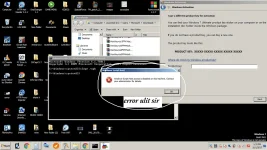
Pa.log-in po ng admin account po ninyo.error ulit sir
sir anu pong admin account ?Pa.log-in po ng admin account po ninyo.
-saseum gogi-
Forum Veteran
An administrator account is a user account that allows you to make changes that will affect other users. Administrators can change security settings, install software and hardware, and access all files on the computer. Administrators can also make changes to other user accounts.
-saseum gogi-
Forum Veteran
Paano pong successful? Paupload po ng screenshot.ok na sir nagawa ko na to succesfull na po then restart next po ?
-saseum gogi-
Forum Veteran
Rearm lang po ba 'yan? Installan niyo po ng PK gamit ang loader.
Ok na po ba?
Ok na po ba?
-saseum gogi-
Forum Veteran
Please don't forget
Installan niyo po ng PK gamit ang loader.
- Status
- Not open for further replies.
About this Thread
-
29Replies
-
306Views
-
3Participants
Last reply from:
Jmrie_
Jmrie_
New Topics
-
Internet Download Manager (IDM) 6.43 Build 16
- Started by km2000
- Replies: 0
- ⚙️ PC Apps, Themes, Tools
-
-
Remo Recover Windows 6.1.0.12 Crack
- Started by Carlos2026
- Replies: 0
- ⚙️ PC Apps, Themes, Tools
-
Wondershare UniConverter 18.0.1.66 Crack Full 2026
- Started by Carlos2026
- Replies: 0
- ⚙️ PC Apps, Themes, Tools
-
Steinberg Cubase Pro 15.0.40 (x64 Multilingual
- Started by crakyman
- Replies: 0
- ⚙️ PC Apps, Themes, Tools
-
Activate OFFICE and WINDOWS
- Started by ChuckY DolL
- Replies: 4
- ⚙️ PC Apps, Themes, Tools
-
Combo Generator Pro
- Started by Noztrebor
- Replies: 3
- ⚙️ PC Apps, Themes, Tools
-
Cookie Sentinel V2.0
- Started by Noztrebor
- Replies: 0
- ⚙️ PC Apps, Themes, Tools
-
Crunchyrøll Full Capture Streaming Config
- Started by Noztrebor
- Replies: 1
- ⚙️ PC Apps, Themes, Tools
-
AIO SQL injection Toolkit
- Started by Noztrebor
- Replies: 1
- ⚙️ PC Apps, Themes, Tools
Trending Topics
Online now
- Members online
- 660
- Guests online
- 4,805
- Total visitors
- 5,465